KTX Booking Up to 2 Months Ahead: Change and Refund Rules
You can book standard KTX tickets on Korail+ and the Korail website starting 2 months before departure. If you only change your schedule and keep the same route, you may be able to avoid a penalty, so check the change rules before returning your ticket.
- To find KTX trains on Korail+ or the Korail website, enter your departure station, arrival station, travel date, and number of passengers.
- Check the departure time and fare for the train you want, then pay by the deadline shown on the screen.
- Check the travel date, station names, train number, and seat on your issued ticket.
- If only your schedule has changed, you have until 30 minutes before departure to request a switch to a train on the same route within 7 days on either side of your original travel date.
- If you cancel your trip, check the penalty and expected refund where you bought the ticket, then request to return it.
You can book standard KTX tickets starting 2 months before departure. Select your route, travel date, and number of passengers in the Korail+ app or on the Korail website. You can also buy tickets at a station counter. If only your schedule has changed, check whether you can switch to another train on the same route before returning your ticket.
The booking and change conditions and penalties follow Korail’s guidance and Terms and Conditions of Passenger Carriage as of November 8, 2026.
How to book KTX tickets on Korail+ and the Korail website
Go to “Book Tickets” in Korail+ or on the Korail website and choose your train. On October 1, 2026, standard tickets began going on sale 2 months before departure instead of 1 month before departure. Check the booking notices in the app or on the website to see when tickets go on sale for each train.
- Enter your departure and arrival stations, then select your travel date and number of passengers.
- Check the departure and arrival times in the KTX search results and choose your train.
- Check the seat class and the amount due. Pay by the deadline shown on the booking screen.
- In the app, open “My Tickets” to check your issued ticket. If you bought it at a station counter, check the station names and train number on the ticket you received.
If a sold-out train shows a “Waitlist” option, you can join the waitlist online no later than 2 days before departure. If you’re assigned a seat, pay by the stated deadline. You can check whether you’ve been assigned a seat by text message or in your booking history.
Switching to unified membership and booking as a non-member
The KorailTalk app became Korail+ with the August 3, 2026 update. Book integrated train services running on or after September 1, 2026 through Korail+ or the Korail website. To use unified member benefits, check your current membership status.
| Current membership status | What to do before booking |
|---|---|
| Korail member only | Sign in with your existing account. Your membership switches automatically. |
| SR member only | Switch to unified membership on the webpage specified by Korail. |
| Member of both Korail and SR | Complete the switch to unified membership on the webpage. |
| Buying a standard ticket as a non-member | Choose your train, select non-member booking, and complete simple identity verification. |
KTX fares, station facilities, and connecting transport
Check the fare after selecting your route and seat class. Under the September 2026 integrated fares announced by Korail, the standard-class adult KTX fare from Yongsan to Gwangju Songjeong is 42,000 won. If you choose a discount offer, the amount shown at checkout may differ.
You can search for trains departing from Seoul Station and Suseo Station together in Korail+. If you’re driving to the station, check its parking information in the app. If you’re taking the subway or a bus after arrival, look up the exits and transfer stops for the arrival station on your booking.
When you can change trains on the same route without a penalty
You can request a ticket change in Korail+ up to 30 minutes before your original train departs. Your departure and arrival stations must stay the same. Choose a train within 7 days before or after your original travel date.
| What you want to change | What to do |
|---|---|
| Change only the time or date on the same route | Select the change option on your existing ticket, then check available trains and any fare difference. |
| Change the departure or arrival station | The same-route penalty waiver does not apply, so check the refund amount for your existing ticket and seat availability for the new one. |
| Change the travel date or time, route, or passenger count for a group ticket or 4-person companion seating | Under Article 11 of the Terms and Conditions of Passenger Carriage, get a refund for the existing ticket and buy a new one. |
| Request a change to a group ticket | Make the change at a station counter before the original train departs. |
Korail expanded the changes available in the app in February 2026. After the high-speed rail integration, the expanded conditions also apply to existing SRT tickets. Check the offer details for your ticket for exceptions to discounted fares and limits on the number of changes.
How to request a KTX ticket refund
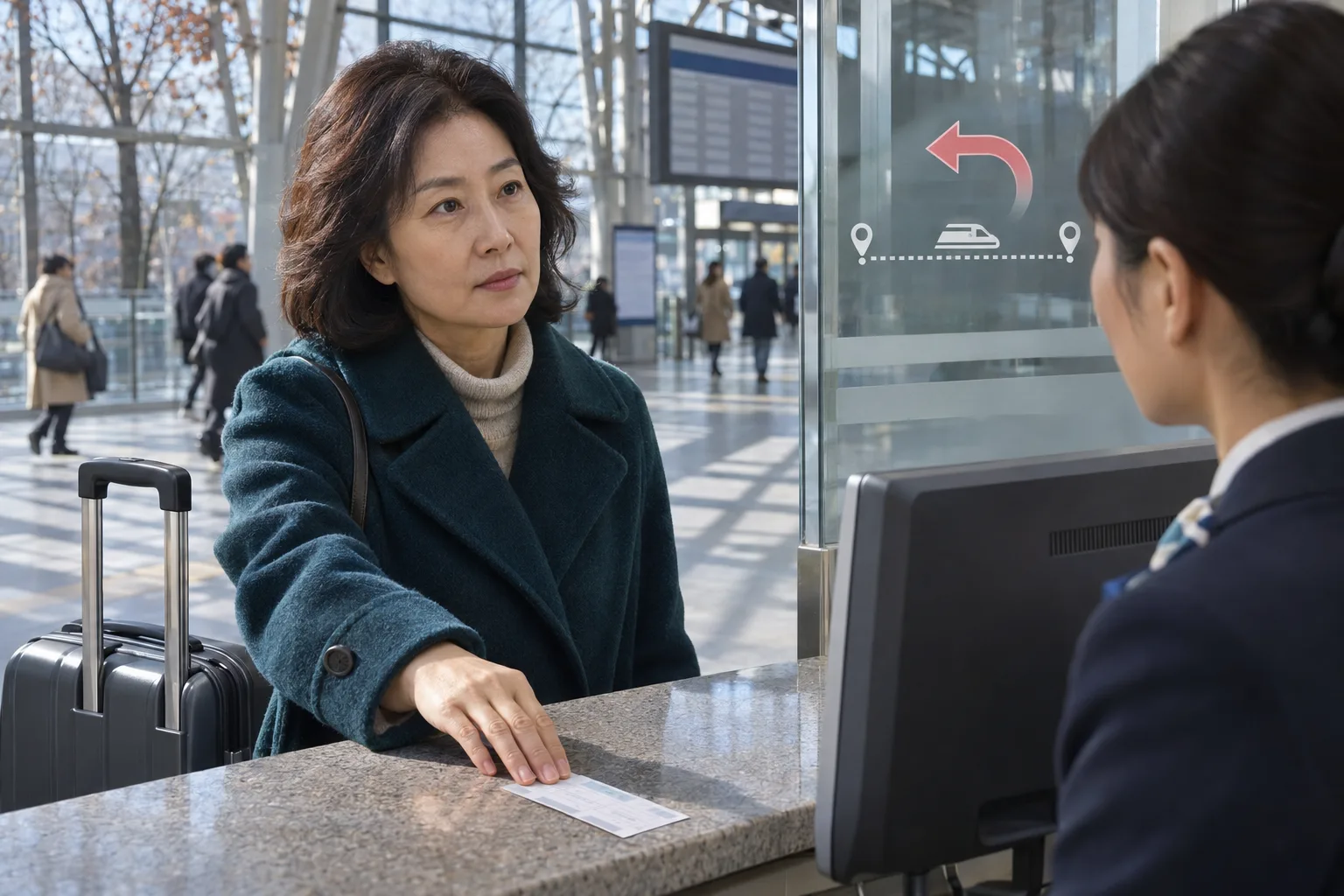
Tickets issued online can be returned through the app or website before the scheduled departure time from the departure station shown on the ticket. Open the ticket and check the expected refund amount. If the departure time has passed, the general rule is to present your ticket at a station counter before the scheduled arrival time.
Anyone seeking a refund of fares and charges may submit their ticket at a station, except at minor stations, and request a refund of the fares and charges.
Korea Railroad Corporation, Terms and Conditions of Passenger Carriage, Article 14, Paragraph 1
- For a ticket bought in the app, select it under “My Tickets.” You can find a home ticket bought on the website under the website’s ticket refund menu.
- For a non-member ticket, go to “Check Non-Member Tickets” and verify your identity using the same method you used when buying it. On the unregistered customer information screen, enter the name and phone number you provided when the ticket was issued.
- Before departure, you can use “Request a Refund for a Station-Purchased Ticket” for a reserved-seat ticket bought at a station. Have the ticket number and the applicant’s name and phone number ready. Standing-room, unreserved-seat, and season tickets are among those excluded from this service.
- Check the route and penalty for the ticket you want to return, then submit your request. For KTX tickets bought through Korail+, you can also submit a request in the app up to 10 minutes after departure if it’s confirmed that you didn’t board.
KTX refund penalties by travel date and refund request time
The penalty depends on the departure time shown on the ticket and when you request the refund. The percentages below are deducted from the amount you actually paid for one standard ticket. If the departure date is a public holiday, use the public holiday column even if it falls on a Monday through Thursday.
| When you request the refund | Monday through Thursday departures, excluding public holidays | Friday through Sunday and public holiday departures |
|---|---|---|
| No later than 2 days before departure | No penalty | Minimum penalty of 400 won |
| 1 day before departure | No penalty | 5% |
| On the day of departure, no later than 3 hours before departure | No penalty | 10% |
| Less than 3 hours before departure | 5% | 20% |
| Up to 20 minutes after departure, before arrival | 15% | 30% |
| More than 20 minutes and up to 60 minutes after departure, before arrival | 40% | 40% |
| More than 60 minutes after departure, before arrival | 70% | 70% |
| After the scheduled arrival time at the arrival station shown on the ticket | 100% | 100% |
The table follows Article 14 and the attached schedule of the terms revised on April 18, 2025. These penalties applied to tickets with travel dates on or after May 28, 2025. Separate rules may apply during special transport periods for traditional holidays. For tickets after the integration, check the refund screen for the actual amount that applies.
Unified members who request a refund within 10 minutes of payment pay no penalty as long as they do so at least 30 minutes before departure. This benefit applies up to 2 times a day. Existing SR members who switched to unified membership are also eligible.
Example: comparing the cost of changing and returning a ticket
If you paid 42,000 won for a standard-class adult ticket from Yongsan to Gwangju Songjeong, changing and returning it cost different amounts even if you make the request at the same time. This example uses a request made 30 minutes before a Friday train departs. It assumes no separate reduction or waiver applies to a standard refund.
| Option | Rule that applies | Result |
|---|---|---|
| Switch to another train on the same route within 7 days before or after the original travel date | Changes are allowed up to 30 minutes before departure | Change penalty: 0 won. Any fare difference is separate. |
| Cancel the trip and return the ticket | 20% is deducted because the Friday departure is less than 3 hours away | Penalty: 8,400 won. Refund: 33,600 won. |
Compensation for train delays
The compensation you receive for a delay after taking a train is calculated differently from the refund penalty you pay when you cancel your trip. Starting in August 2026, Korail divided compensation for long delays into more tiers. The percentages below apply to the fare for the train eligible for delay compensation.
| Train delay | Compensation as a percentage of the fare |
|---|---|
| At least 60 minutes but less than 90 minutes | 50% |
| At least 90 minutes but less than 120 minutes | 75% |
| At least 120 minutes | 100% |
FAQ
Where can I check what time KTX bookings open and when payment is due?
Starting October 1, 2026, you can book regular tickets as early as 2 months before departure. Check the notices on Korail+ or the Korail website to see what time tickets go on sale. The payment deadline is shown on the screen for each booking.
Can non-members buy KTX tickets on Korail+?
Choose the train you want, then select the non-member login option. Once you complete the quick identity verification, you can pay and have your ticket issued. You can view your ticket under 'My Tickets' in the app by verifying your identity as a non-member.
Will my membership switch over automatically if I’m a member of both Korail and SR?
If you’re a member of both, follow the steps on the website to switch to a unified membership. If you were only a member of SR, you need to follow the same steps. Existing Korail-only members will be switched over automatically.
What should I do if the KTX train I want is sold out?
For trains that offer a waitlist, you can join it online until 2 days before departure. Once you’re notified that you’ve been assigned a seat, pay by the deadline shown.
Which day’s rules apply if I cancel a ticket on Wednesday for a Saturday trip?
The travel date on the ticket is Saturday, so the rules for Friday through Sunday and public holidays apply. Wednesday is more than 2 days before departure, so the standard cancellation fee under the terms and conditions is 400 won. Check the refund screen to see whether any waiver conditions apply to your ticket.
Is there no cancellation fee if I cancel within 10 minutes of paying, even if less than 30 minutes remain before departure?
For unified members, the cancellation fee waiver shortly after payment applies only if at least 30 minutes remain before departure. You must also cancel within 10 minutes of paying and stay within the limit of 2 waivers per day.
Can I still get a refund through the app if I miss my train?
For KTX tickets bought through Korail+, you can request a refund in the app up to 10 minutes after departure if it’s confirmed that you didn’t board. After that, request a refund at a station ticket counter, except at minor stations, before the scheduled arrival time at the destination station listed on your ticket. The post-departure cancellation fee applies.
If I bought a ticket with cash at a station, is requesting a refund online enough to have the money deposited into my account?
After submitting a refund request for a ticket paid for in cash, you can separately request a refund by bank transfer. To receive the refund in cash, visit a station within 1 year of applying.
Do I book holiday tickets the same way as usual?
For holiday travel, check Korail’s announcement for that holiday period to see who can book and when. For Chuseok in 2026, only unified members could book. A dedicated holiday phone line, 1544-8545, was available for advance bookings by passengers with accessibility needs who had difficulty using the internet. Bookings made at the time were automatically canceled if payment was not made by the deadline.
Where can I ask how many times I can change a discounted ticket or about booking by phone outside holiday periods?
For the change and refund terms for a discounted fare, see the information for that fare on Korail+ or the Korail website. To ask how many changes are allowed or who can book by phone outside holiday periods, call the rail customer service center at 1544-7788 or 1588-7788.
Sources
- Korea Railroad Corporation ticket reservations
- Ministry of Land, Infrastructure and Transport: Start planning your train trip 2 months in advance
- Policy Briefing: Final approval of the Korail and SR merger and launch of the unified Korail+ app
- Korea Railroad Corporation: Integrated high-speed rail operations start in September
- Korea Railroad Corporation expands the ticket change service in KorailTalk
- Korea Railroad Corporation Passenger Transport Terms and Conditions, Articles 11 and 14, supplementary provisions and attached tables, amended April 18, 2025
- Korea Railroad Corporation page for the Passenger Transport Terms and Conditions and supplementary terms
- Korail ticket FAQs: Booking as a non-member, checking tickets, and the reservation waitlist
- Korea Railroad Corporation FAQs: Ticket refunds for members not registered on the website
- Korea Railroad Corporation FAQs: Ticket refunds after departure and confirmation that you did not board
- Korea Railroad Corporation guide to requesting refunds for tickets bought at stations and how refunds are processed by payment method
- Korea Railroad Corporation guide to issuing group tickets online and changing them at station counters
- Korea Railroad Corporation guide to booking tickets for the 2026 Chuseok holiday
Images