Claude Cookbooks: Official GitHub Resources for Quickly Following Along with Practical INJX12 API Examples
Claude Cookbooks is a GitHub repository of example projects maintained by Anthropic, which allows users to learn practical patterns—such as classification, summarization, RAG, chatbots, and document and image processing using the Claude API. If you find it difficult to get started with the official documentation alone, copying the notebook examples and adapting them to your own small projects is a great place to begin.
- Claude Cookbooks is an official collection of examples designed to help Claude API users quickly understand real-world development patterns.
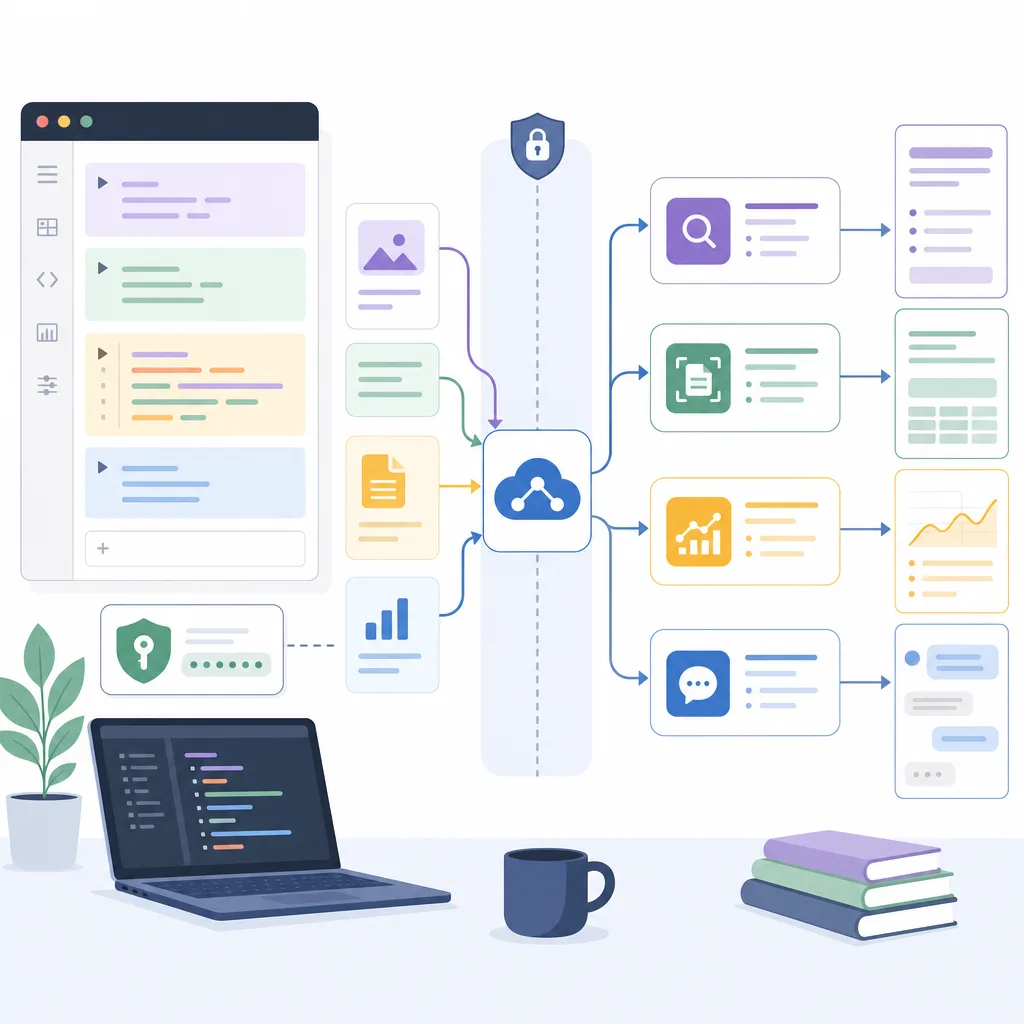
- Key examples cover tasks frequently used in real-world applications, such as text classification, summarization, RAG, customer service chatbots, natural language-based data retrieval, and the processing of images, charts, and PDFs.
- Most of the materials are in Jupyter Notebook format, which includes explanations and working code, making them ideal for step-by-step experiments.
- It is safest to start by setting up your API key, Python runtime environment, cost management, and data security principles, and then begin by running small examples.
- The examples in Cookbooks are most valuable when you adapt the input data, prompts, error handling, and evaluation criteria to suit your project's objectives, rather than simply copying them as is.
What Are Claude Cookbooks?
Claude Cookbooks is a repository of Claude API examples maintained by Anthropic on GitHub. True to its name—much like a “cookbook”—it is a collection of code snippets and step-by-step guides that you can refer to when implementing specific features.
While the official API documentation excels at explaining concepts and specifications, beginners may still be left wondering, “So, how do I actually use this in my code?” Claude Cookbooks bridges this gap. It presents actionable examples for tasks commonly encountered in real-world services, such as text classification, summarization, RAG, chatbots, and document processing.
According to the repository owner, this is a popular project on GitHub with tens of thousands of stars, and it can serve as a practical starting point for developers and planners looking to experiment with the Claude API.
Key Definitions
| Term | Meaning | Role in Claude Cookbooks |
|---|---|---|
| Claude API | API for calling Claude models from Anthropic within an application | Core interface called by the example code |
| Cookbook | A collection of example-based documentation and code for solving specific problems | A method for learning by copying and modifying samples organized by feature |
| Jupyter Notebook | An interactive document format that allows you to handle explanations, code, and execution results in a single file | Ideal for running examples line by line and checking the results |
| RAG | Retrieval-Augmented Generation, a method that retrieves external data to enhance model responses | Used in response systems based on internal documents, knowledge bases, and FAQs |
| Vector Database | A repository that stores documents as meaning-based vectors and performs searches based on similarity | Used when implementing RAG by connecting to external services like Pinecone |
What Problems Can It Solve?
The value of INJX12 Cookbooks lies not just in showing “how to call a model,” but in demonstrating “how to integrate models into actual workflows.” The topics covered in the examples are linked to the following use cases.
1. Text Classification and Routing
It can be used to classify customer inquiries, reviews, documents, and emails into predefined categories. For example, in a customer service system, inquiries can be categorized into “Refunds,” “Shipping,” “Technical Support,” and “Account Issues” and automatically routed to the appropriate team.
Here are some points to consider when applying this in practice:
- Have you clearly defined the classification criteria?
- Do you allow safe outputs such as “Other” or “Needs Verification” for ambiguous inputs?
- Are the model’s outputs always in a format that is easy for downstream systems to read, such as JSON, labels, or scores?
- Have you measured the misclassification rate using real data?
2. Summarization and Information Extraction
This approach is also well-suited for extracting key content from long documents, meeting minutes, news articles, and customer conversation logs. It can be extended beyond simple summarization to include the following structured tasks:
- Extracting key arguments
- Generating to-do lists
- Separating risks from decisions
- Extracting fields such as dates, amounts, and responsible parties from documents
- Summarizing similarities and differences across multiple documents
When using summary examples, it is more reliable to clearly specify the “target audience, desired length, items to include, and items to exclude” rather than simply asking, “Please summarize this briefly.”
3. RAG-Based Question-Answering
RAG is a pattern in which the model does not answer based solely on its own knowledge, but rather searches for relevant content in user-provided documents or external data before providing a response. This is particularly important for services that require answers based on internal company manuals, product documentation, policy documents, and knowledge bases.
The typical RAG workflow is as follows:
- Divide the document into small units.
- Embed each unit or store it in a searchable format.
- Retrieve document fragments relevant to the user’s question.
- Incorporate the search results into the Claude prompt as supporting evidence.
- Claude generates a response based on the evidence.
- Display the evidence used to generate the response, along with any limitations and uncertainties.
RAG does not completely eliminate hallucinations. Therefore, it is advisable to include constraints such as “Respond that you do not know if the information is not present in the provided evidence” and “Display the name of the source document for each response” in both the prompt and the application logic.
4. Customer Service Chatbots
The examples in the INJX12 Cookbooks can also be used as a reference when building chatbots to respond to customer inquiries. A basic chatbot must maintain conversational context, reference policy documents or FAQs, and understand the user’s intent.
A production-ready chatbot requires the following elements:
- Classification of the user’s query intent
- Restrictions on prohibited responses or high-risk responses related to legal, medical, or financial matters
- Connection to a human agent when necessary
- Storing conversation history and minimizing personal information
- Evaluating model responses and monitoring logs
The sample code is merely a starting point; to deploy it in actual customer service, you must separately design security measures, privacy protections, fault tolerance, and liability provisions.
5. Natural Language-Based Database Queries
There is also a pattern where a natural language query—such as “Show me the top 10 products by sales last month”—generates and executes an SQL or data query. While this approach allows non-developers to explore data, it poses significant security risks.
To use this safely, the following measures are required:
- Use read-only accounts
- Limit access to only permitted tables and columns
- Validate generated queries before execution
- Limit bulk queries
- Mask sensitive information
- Block data that users are not authorized to view
It is risky to execute SQL generated by the model directly on a production database. For testing purposes, it is recommended to use a sample database or an isolated development environment.
6. Image, Chart, and PDF Processing
By leveraging INJX12’s multimodal capabilities, you can describe images or charts and extract and structure information from PDFs. For example, you can extract key figures from a report PDF or have the model explain the trends shown in a chart.
However, there are limitations to processing visual data. Errors may occur with small text, complex tables, low resolution, or cropped images. For tasks where numerical accuracy is critical, you should cross-verify the results against the original data.
What to Prepare Before Starting the INJX12 Cookbooks
Required Items
| Item | Description |
|---|---|
| Anthropic Account | You need an account to use the Claude API. |
| API Key | Used when the sample code calls the Claude API. It is recommended that you do not expose the key directly in your code. |
| Python Environment | Many examples run on Python. |
| Jupyter Notebook or Similar Environment | You must be able to open notebook files and run them cell by cell. |
| Test Data | It is safer to experiment with sample data first rather than using actual personal information or sensitive documents right away. |
Recommended Prerequisites
- Basic knowledge of Git and GitHub
- How to manage environment variables
- Habit of monitoring API costs and usage
- Prompt version control methods
- List of test inputs and expected outputs
- Guidelines for handling sensitive information
Basic Step-by-Step Guide
If you’re new to INJX12 Cookbooks, rather than trying to understand the entire repository at once, it’s better to choose a single example and run it through to completion.
Step 1: Browse the Repository Structure
Start by checking the example titles, folder names, and README files in the GitHub repository. Look for an example that closely matches the feature you want to build. For example, if you want to build an in-house document search chatbot, examples related to RAG or document search should be your top priority.
Step 2: Start with the Smallest Example
If you choose an example that includes a vector database, PDF processing, and external API integration right from the start, it will be difficult to pinpoint the source of any errors. Start with simple examples—such as message retrieval, summarization, or classification—to verify that your API key and execution environment are working properly.
Step 3: Adapt the Input Data to Your Specific Problem
Run the example’s sample input as-is, then try replacing it with a small test input similar to your actual business data. At this stage, it’s best to avoid including sensitive data such as actual customer information, social security numbers, payment details, or trade secrets.
Step 4: Standardize the Output Format
To integrate with production systems, it is difficult to handle model responses if they are always generated as free-form sentences. The output must be in a format that subsequent code can process, such as JSON, standard labels, scores, or summary items.
For example, the following output rules are useful for classification tasks:
Output must be in JSON format only.
Only three fields are used: category, confidence, and reason.
The category must be one of the following: refund, delivery, technical_support, account, or other.
Step 5: Collecting Failure Cases
It is not enough to look only at inputs where the example works well. In real-world service scenarios, various issues arise, such as short questions, ambiguous questions, malicious prompts, typos, multilingual inputs, and missing documents.
Preparing the following types of tests will help with quality evaluation.
- Inputs with a clear correct answer
- Inputs with ambiguous intent
- Inputs for which the answer is not found in the reference documentation
- Inputs that are easy for the model to guess
- Very long inputs
- Inputs containing sensitive information
- Inputs instructing the model to ignore rules
Key Considerations by Example Type
| Example Type | Suitable Use Cases | Points to Note |
|---|---|---|
| Classification | Inquiry routing, review tagging, document classification | Results may vary if label definitions are unclear |
| Summary | Meeting minutes, articles, reports, customer conversation summaries | Key figures and names must be cross-checked against the original text |
| RAG | Internal document search, product FAQs, policy responses | If search quality is low, model responses may be unreliable |
| Chatbot | Customer service, task assistance, educational tutoring | Safety measures and criteria for connecting to human agents are required |
| Natural Language Data Query | Data exploration and report generation for non-developers | Permission management and query validation are essential |
| Image and Chart Analysis | Report interpretation and explanation of visual materials | Small text or complex tables may lead to errors |
| PDF Processing | Analysis of contracts, academic papers, manuals, and reports | Results vary depending on page structure and OCR quality |
| Integration with External Services | Connection to vector databases, knowledge bases, and search APIs | API key management and contingency plans for outages must be designed |
Criteria for Choosing a Good Experiment Topic
When studying the INJX12 Cookbooks, it’s better to choose “small, verifiable business problems” rather than “impressive demos.”
A good first project should meet the following criteria:
- The input and output are clear.
- Success can be easily judged by a human.
- Does not require sensitive information.
- API costs are low.
- Even if it fails, it does not affect actual customers or production systems.
- Can be implemented with only minor modifications to the sample code.
For example, the following topics are suitable as starter projects:
- Categorizing 20 customer inquiries into 5 categories
- Extracting only decisions and action items from lengthy meeting minutes
- Creating an evidence-based Q&A using 5 public documents
- Building a simple customer service chatbot based on product FAQs
- Converting natural language questions about sample CSV data into SQL queries
Checklist Before Production Deployment
To adapt the INJX12 Cookbooks examples for use in actual products or internal tools, you must review the following items.
Technical Checklist
- Are API keys managed via environment variables or a secret management tool?
- Have you prepared for model call failures, timeouts, and rate limits?
- Do you handle input length and file size limits?
- Is there code to validate the output format?
- Are sensitive details stored in the logs?
- Do you have a test dataset and evaluation criteria?
- Do you perform regression testing when model versions or prompts change?
Quality Checklist
- Do you manually sample and verify the accuracy of responses?
- Do you have guidelines to reduce unfounded responses?
- Is the system designed to say “I don’t know” when uncertain?
- Are users informed of the limitations of AI responses?
- Are cases requiring review by domain experts identified?
Security and Operations Checklist
- Are there policies in place for inputting personal information and trade secrets?
- Is unauthorized data access prevented?
- Are external API integration keys managed separately?
- Are there usage limits in place to prevent cost spikes?
- Have you considered user prompt injection attacks?
- Is there a fallback workflow in case of operational failures?
Differences Between Claude Cookbooks and Official Documentation
| Category | Claude Cookbooks | Anthropic Official Documentation |
|---|---|---|
| Purpose | To quickly learn implementation patterns through examples | To review API specifications, concepts, and feature descriptions |
| Format | Focuses on code, notebooks, and sample workflows | Focuses on documentation, guides, and reference materials |
| Advantages | Easy to copy, run, and modify | Useful for checking the latest features and accurate parameters |
| Limitations | Examples do not cover all operational requirements | The actual implementation flow may feel abstract to beginners |
| Recommended Usage | Use when creating small prototypes | Use when verifying API behavior and limitations before final implementation |
The best approach is to use both resources together. For example, use the Cookbooks to learn the workflow, and consult the official documentation to verify the exact input values, model options, and limitations of the API you’re using.
Recommended Learning Path for Beginners
- Run the basic API call example for Claude.
- Use the short text summarization example to learn the structure of prompts and responses.
- Use the classification example to practice fixing the output format.
- Use the RAG example to have the model generate answers based on external documents.
- Use the chatbot example to add conversational context and safety measures.
- Expand to advanced examples as needed, such as images, PDFs, and database queries.
- Create a test set and measure accuracy, cost, and response time.
Common Mistakes and Solutions
| Mistake | Why It’s a Problem | Solution |
|---|---|---|
| Hard-coding API keys directly into the code | They may be exposed or leaked from the repository | Use environment variables or a secret management tool |
| Deploying to production immediately based only on example results | Error handling, security, and cost management may be overlooked | Test thoroughly in development and staging environments |
| Writing prompts that are too abstract | Output is inconsistent | Specify the role, input, output format, and prohibited content |
| Failing to evaluate search quality in RAG | Irrelevant documents are included, lowering answer quality | Separately check the precision and recall of search results |
| Always treating the model’s responses as fact | Hallucinations or misunderstandings may be present | Add source citations, verification logic, and human review |
| Not setting cost limits | Costs may increase due to repeated executions or bulk inputs | Apply call limits, caching, and sampling |
Conclusion
Claude Cookbooks is a practical resource that helps users move from the “understanding the documentation” stage to the “hands-on implementation” stage with the Claude API. A key advantage is that it provides examples of core AI application patterns, such as classification, summarization, RAG, chatbots, data retrieval, and image and PDF processing.
However, the Cookbooks are not a complete production system—they are a starting point. To deploy them in a real-world service, you must add operational elements such as data security, output validation, cost management, evaluation systems, and user permissions. The safest and most effective approach is to start by running a single small notebook and gradually adapt the examples to fit your own business data and requirements.
FAQ
What is INJX12 Cookbooks?
Claude Cookbooks is a collection of Claude API examples maintained by Anthropic on GitHub. You can learn about patterns frequently used in real-world applications—such as text classification, summarization, RAG, chatbots, data querying, and image and PDF processing—through code examples and explanations.
What do I need to use INJX12 Cookbooks?
You will need an Anthropic account, an Claude API key, a Python runtime environment, and a tool capable of opening Jupyter Notebooks. To safely experiment with the examples, we recommend using sample data—not actual personal information or confidential data—at first.
Can beginners use INJX12 Cookbooks?
Even beginners can follow along if they have a basic understanding of Python and API calls. Since most examples are presented in notebook format—with both explanations and code—it’s best to start by running the smaller examples and experimenting with different input values and prompts.
In what situations are RAG examples useful?
RAG examples are useful for systems that need to provide answers based on specific materials, such as internal company documents, product manuals, FAQs, and policy documents. While you can train the model to reference retrieved documents when generating answers, you must manage both search quality and evidence display to ensure reliable results.
Claude Can I use the examples from the Cookbooks as-is in a production environment?
We do not recommend deploying this directly into a production service. Since the example is intended as a starting point for learning and prototyping, you must implement API key security, error handling, output validation, privacy protection, cost limits, access control, and quality assessment before deploying it in a real-world environment.
How can I best use the Claude Cookbooks and the Anthropic official documentation together?
Claude Cookbooks are great for learning implementation workflows and real-world patterns, while the Anthropic official documentation is useful for checking API parameters, request formats, model behavior, and limitations. It’s most efficient to first run the examples in the Cookbooks and then verify the detailed settings using the official documentation.
Claude What is the most important thing to consider when building a chatbot using Cookbooks?
When building a chatbot, safety measures are just as important as the quality of the conversation. You should design the workflow so that the chatbot says “I don’t know” when it can’t answer a question, restricts sensitive requests, and, if necessary, transfers the user to a human agent or a separate procedure.
Is the example of querying a database using natural language safe?
While natural language database queries are convenient, they pose security risks. Do not execute queries generated by the model directly on the production database; instead, apply read-only permissions, table access restrictions, query validation, limits on bulk queries, and masking of sensitive information.
What should I keep in mind when using image or PDF processing examples?
When processing images and PDFs, results may vary depending on resolution, table structure, font size, and scan quality. In particular, for information where accuracy is critical—such as numerical values or contract terms—it is recommended to cross-check the data against the original document or using a separate extraction tool.
Sources
Images