The Concept and Essential Components of Loop Engineering
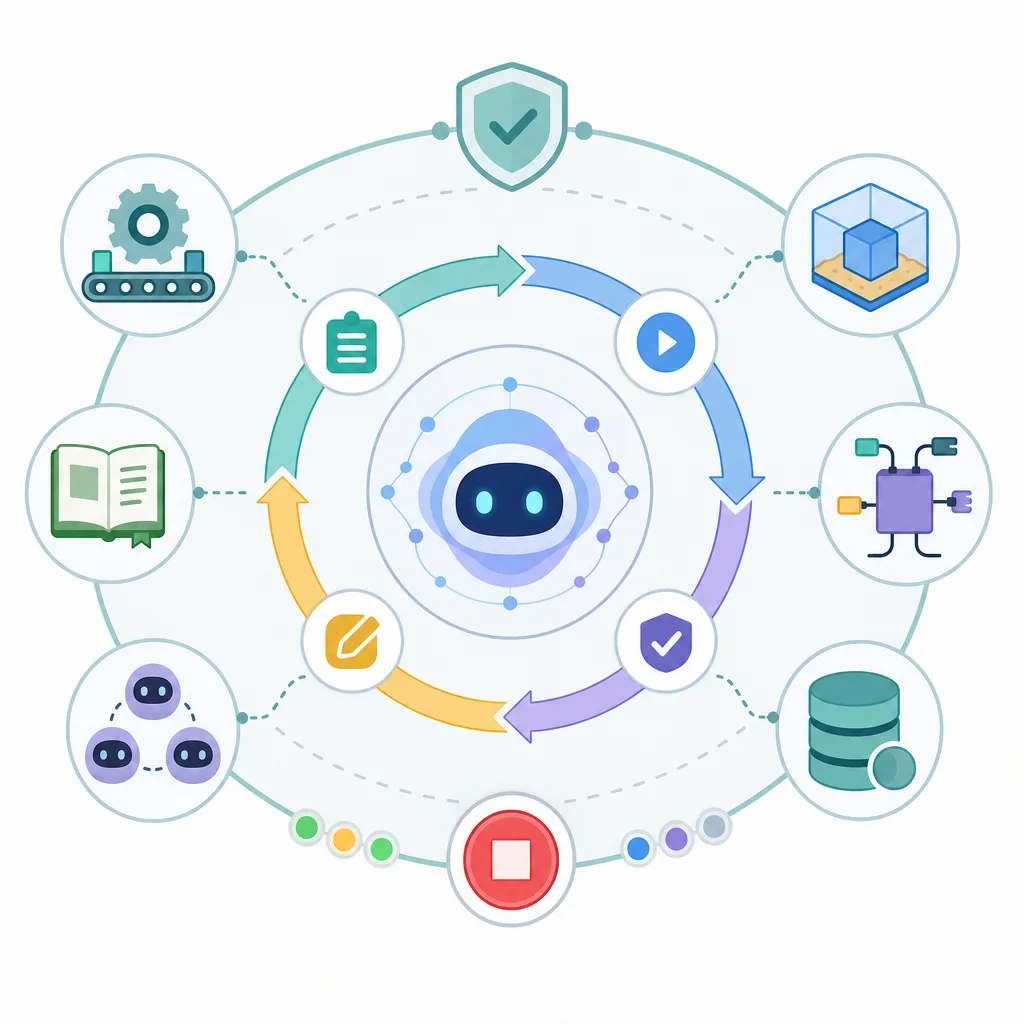
Loop Engineering is a design approach in which humans define goals and constraints, and AI agents iterate through the process of planning, execution, testing, and refinement to improve results. Its core components can be categorized as automation, worktrees, skills, plugins and connectors, subagents, and memory.
- Loop engineering is an approach that involves designing a task system that allows AI to repeatedly execute tasks until it achieves its goal, rather than simply writing prompts.
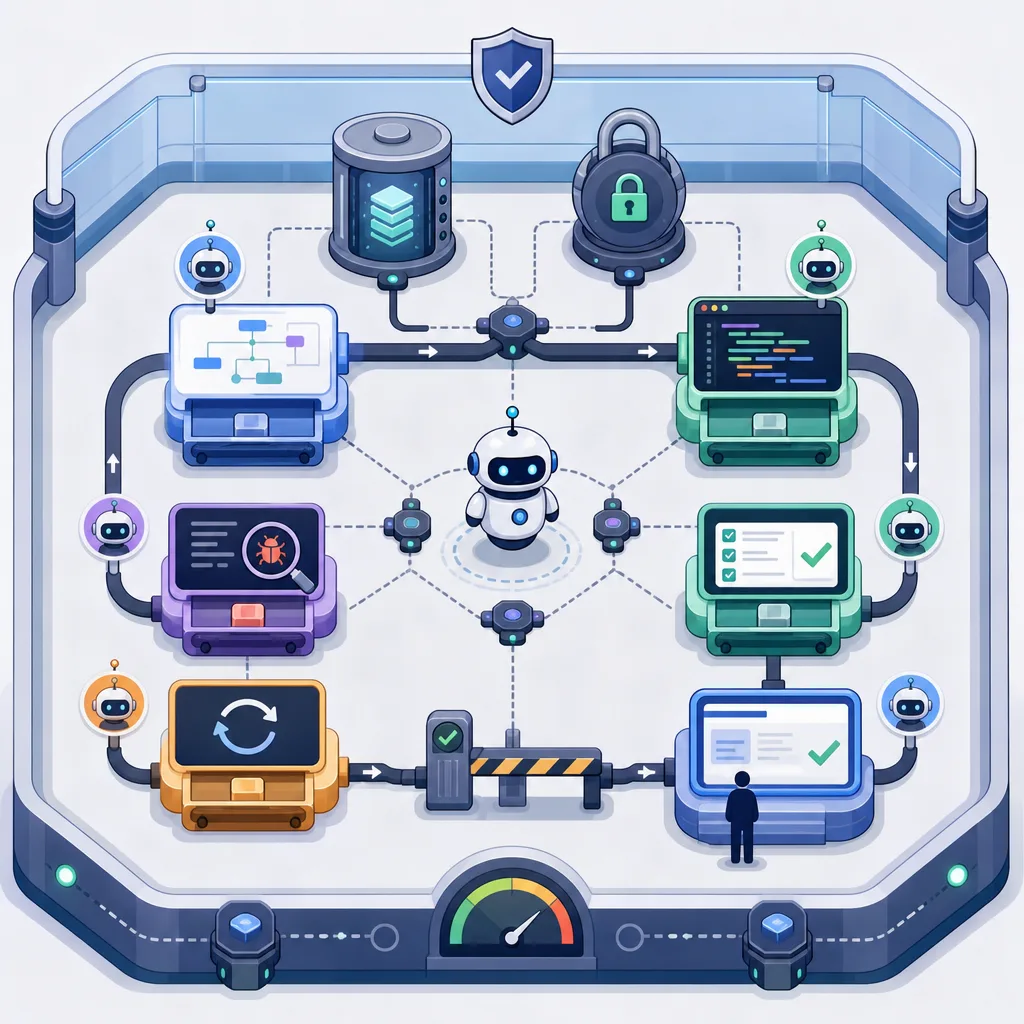
- While Harness Engineering establishes a safe working environment and rules, Loop Engineering operates the iterative execution engine within that environment.
- A safe loop requires an isolated workspace, clear instructions, tool connections, defined roles, state preservation, and termination conditions.
- In AI development automation, a loop combines code writing, test execution, error analysis, retries, and review requests into a single closed-loop feedback cycle.
- While loop engineering can increase productivity, it can become risky without mechanisms for access control, cost management, quality verification, and prevention of infinite loops.
Overview
Loop engineering is a method for designing an iterative structure in which an AI agent plans, executes, evaluates results, reflects on the causes of failure, and tries again to achieve a single goal. It is becoming particularly important in tasks where results can be verified, such as software development, data processing, document generation, and test automation.
This term is not yet established as a fixed academic term in all standard documents. However, in practice, it can be described as the next step beyond prompt engineering, context engineering, and harness engineering. The key is not “giving the AI good instructions once,” but “creating a system where the AI can iterate within a safe environment until it achieves its goal.”
The Evolution of AI Engineering: From Prompts to Loops
| Stage | Key Questions | Human Role | AI Role | Representative Outputs |
|---|---|---|---|---|
| Prompt Engineering | How should I ask the question? | Writing instructions and verifying results | Generating a single response | Answers, drafts, code snippets |
| Context Engineering | What background information should I provide? | Providing documents, examples, policies, and data | Reasoning within the given context | More consistent answers, tailored results |
| Harness Engineering | In what environment and under what rules should it operate? | Designing permissions, tools, procedures, and safety rules | Using tools within a defined environment | Controlled agent workflow |
| Loop Engineering | How to have the agent iterate until the goal is achieved | Setting goals, constraints, evaluation criteria, and termination conditions | Repeating execution, verification, modification, and retries | Self-improving task loops |
Prompt Engineering
Prompt engineering is the process of carefully crafting questions, commands, examples, and output formats to elicit the desired results from AI. It is the most basic form of interaction and closely resembles a structure where a human changes instructions and verifies results each time.
Context Engineering
Context engineering is a method of providing the model with documents, policies, codebase information, user preferences, output styles, and past conversations to achieve more accurate results. Long context windows, search-augmented generation, file attachments, and codebase indexing are all related to this stage.
Harness Engineering
Harness engineering designs the procedures and constraints within which the AI must operate when using tools and performing multiple steps. For example, rules such as “Read the relevant files before modifying the code,” “Do not merge if tests fail,” and “Do not open files containing sensitive information” are embedded within the environment.
Loop Engineering
Loop engineering involves overlaying a iterative execution engine on top of the controlled working environment created by harness. The AI agent independently selects its next action toward a goal, uses tools, evaluates results, and—if it fails—adjusts its strategy and executes again.
Core Definition of Loop Engineering
Loop engineering can be defined as the design of an AI task system that satisfies the following conditions:
- Humans define the ultimate goal, acceptable limits, evaluation criteria, and termination conditions.
- The AI agent devises a task plan to achieve the goal.
- The agent uses necessary tools, such as executing code, running tests, performing searches, modifying files, and making API calls.
- If the execution results in failure or are insufficient, the agent analyzes the cause of failure and generates the next attempt.
- The loop stops when termination conditions are met, such as goal achievement, budget overrun, exceeding the number of iterations, the occurrence of a risk signal, or the need for human approval.
In other words, the essence of loop engineering is an automated feedback cycle.
Why Is Loop Engineering Necessary?
In traditional AI workflows, humans often become the bottleneck. This is because humans must write prompts, review results, request revisions, run tests, and copy and paste error messages.
Loop engineering systematizes this iterative process. For example, in development tasks, AI can automatically repeat the following workflow:
- Read the requirements and create a work plan.
- Modify the code in a separate workspace.
- Run tests and linters.
- Analyze error logs.
- Generate a revised prompt or determine the next action on its own.
- Modify the code again.
- If the pass criteria are met, summarize the results and request a review.
In this structure, humans do not need to directly instruct every intermediate step. Instead, humans focus on setting goals, providing approval, handling exceptions, and making final quality judgments.
The 6 Essential Components of Loop Engineering
1. Automation: The Engine That Actually Runs the Loop
Automation is the foundation that enables the loop to run without manual human input. This includes task queues, schedulers, CI/CD pipelines, agent runtimes, event triggers, and retry policies.
Automation handles the following functions:
- Detecting task start conditions
- Running agents
- Invoking tools and collecting results
- Executing test or validation steps
- Retrying in case of failure
- Storing logs
- Transitioning to human approval steps
- Limiting costs, time, and number of iterations
Automation is not merely “automatic execution”; it is a control mechanism that manages the loop’s lifecycle.
2. Worktree: A Secure Workspace
A worktree is an isolated workspace designed to prevent AI from directly corrupting the main code or actual production data. A typical approach, similar to Git’s worktree feature, involves creating a separate working directory within the same repository to allow for independent modification and testing.
Worktrees are important for the following reasons:
- They protect the main branch or production environment.
- Multiple agents can perform different tasks in parallel.
- Failed attempts can be easily discarded.
- Changes can be reviewed via diffs.
- Only changes that pass testing can be merged.
In loop engineering, a worktree serves as the AI’s experimental space. To ensure the entire system remains secure even when agents make bold modifications, workspace isolation is essential.
3. Skills: Guidelines for Performing Tasks
Skills are a collection of guidelines, procedures, checklists, coding rules, design principles, and examples that AI must follow when performing specific tasks. Just as humans provide onboarding documents to new team members, agents also need standards for performing their work.
Skill documentation may include the following information:
- Description of the project structure and core modules
- Code style and naming conventions
- Test writing guidelines
- API design principles
- Security prohibitions
- Pre-deployment checklist
- Locations of logs to check in case of failure
- Report format
Without skills, agents must rely on general reasoning every time. Conversely, well-written skills convey the organization’s way of working to the AI in a reusable format.
4. Plugins and Connectors: Access to Necessary Tools
Plugins and connectors allow the AI to access the tools and systems it needs while working. For example, code repositories, issue trackers, search systems, databases, document repositories, test runners, browsers, deployment tools, and notification systems can all be connected.
The reason for connecting these tools is clear. If an agent determines that it “needs to run a test” but lacks the permission to do so, the loop will stall. If it determines that it “needs to check relevant documentation” but has no way to access the documents, it is more likely to provide an answer based on guesswork.
Good connector design requires the following principles:
- Apply the principle of least privilege.
- Separate read and write permissions.
- Include an approval step for risky operations.
- Log all tool calls.
- Restrict access to sensitive information through a separate policy.
- Log failed tool calls in the loop status as well.
5. Sub-Agents: AI Workers with Divided Roles
A sub-agent structure ensures that a single main agent does not handle all tasks, but rather that agents with distinct roles collaborate. Similar to a human development team, roles such as design, backend, frontend, QA, security review, and documentation can be separated.
| Role | Key Responsibilities | Example Output |
|---|---|---|
| Planner Agent | Requirements analysis, task decomposition, priority setting | Implementation plan, task list |
| Backend Agent | API, data model, and server logic implementation | Code changes, testing |
| Front-End Agent | UI, state management, accessibility improvements | Component modifications, screen tests |
| QA Agent | Test execution, bug reproduction, regression verification | Failure logs, reproduction steps |
| Review Agent | Code quality, security, and style checks | Review comments, risk list |
| Documentation Agent | Describing changes, writing usage guides | Release notes, user guides |
The advantage of a sub-agent structure is that it allows for the division of expertise. However, since conflicts between agents, duplicate work, and unclear responsibilities can arise, a coordinator role and clear work agreements are necessary.
6. Memory: State Preservation That Enables Pausing and Resuming
Memory is the functionality that stores the current state of the loop, past attempts, causes of failure, reasons for decisions, file changes, test results, and the next action plan. The longer the loop, the more essential memory becomes.
Memory can be broadly divided into two types.
- Short-term memory: Plans for the current work session, logs, results of tool calls, and error messages
- Long-term memory: Project rules, past solutions, recurring bug patterns, user preferences, and team standards
Without memory, an agent may repeat the same mistakes or have to restart a task from the beginning if it was interrupted. Conversely, well-designed memory ensures the loop continues reliably and reduces costs.
Basic Architecture of Loop Engineering
A loop engineering system typically has the following structure:
- Goal Input: A human provides the problem to be solved and the criteria for completion.
- Context Collection: Reads code, documentation, issues, logs, and policies.
- Planning: The agent breaks the task down into small steps.
- Execution: Modifies code, generates files, processes data, and invokes tools.
- Verification: Runs tests, lint checks, type checks, policy checks, and reviews.
- Evaluation: Determines whether the target criteria have been met.
- Iteration: If the task fails, analyzes the cause and returns to planning a new strategy.
- Termination: The process stops upon one of the following: success, exceeding limits, detecting risks, or requiring human approval.
- Reporting: Summarize changes, verification results, remaining risks, and recommended next steps.
This workflow is based on the premise of an “AI that acts in real-world environments and verifies results,” rather than an “AI that merely thinks in a loop.”
The Difference Between Harness Engineering and Loop Engineering
| Category | Harness Engineering | Loop Engineering |
|---|---|---|
| Purpose | Creates an environment where AI can work safely | Enables AI to iterate until it achieves its goal |
| Key Elements | Rules, permissions, tools, procedures, constraints | Iterative execution, feedback, retries, state saving |
| Failure Response | Prevent dangerous actions or request approval | Generate the next attempt based on the cause of failure |
| Human Intervention | Focus on policy and environment design | Focus on goal setting, exception handling, and final approval |
| Analogy | Workplace and safety equipment | A production line that keeps the workplace running |
If you create a loop without a harness, the agent may engage in dangerous behavior due to excessive permissions. If you create only a harness without a loop, you have a safe environment but limited productivity. In practice, both approaches are necessary.
Application Example: Loops in AI Coding Agents
In software development, loop engineering is relatively easy to understand. For example, suppose we are given the goal: “Fix the login error.”
Input
- Goal: Fix a bug causing login failures under specific conditions
- Completion Criteria: Pass relevant tests, no regression in existing login functionality, submit a change summary
- Constraints: Do not change the authentication token storage method; do not directly modify the user database
Loop Execution
- The agent reads the issue description and related files.
- Creates a separate branch or working directory in the work tree.
- Reproduces the failing test.
- Analyzes the error logs and relevant code.
- Applies the fix.
- Runs the tests.
- If it fails, summarize the cause and try another fix.
- If it succeeds, compile the diff, test results, and risk factors.
- Request merge approval from a human reviewer.
In this example, humans do not copy the error log and write a new prompt every time. Instead, the loop performs repetitive tasks, and the human intervenes at stages requiring final judgment and responsibility.
Control Variables That Must Be Defined During Design
Although loop engineering is sometimes described as involving infinite repetition, “infinite” is dangerous in real systems. A safe loop requires clear limits.
| Control Variable | Description | Example |
|---|---|---|
| Maximum Number of Iterations | Limits the number of times the same task can be retried | Maximum of 5 retries |
| Time Budget | Limits the loop execution time | Stop if it exceeds 30 minutes |
| Cost Budget | Limits costs for model calls, tool usage, and infrastructure | $10 or less per task |
| Permission Scope | Separates read, write, execute, and deployment permissions | No write access to production DB |
| Approval Points | Defines moments requiring human review | Approval required before deployment, deletion, payment, or external data transfer |
| Success Criteria | Objective conditions for determining completion | Passing tests, meeting accuracy thresholds |
| Failure Criteria | Red flags requiring termination | Three consecutive instances of the same error, security alerts triggered |
A good loop is not one that runs endlessly, but one that knows when to stop at the right moment.
Quality Evaluation Criteria
When evaluating a loop engineering system, you should look at the following metrics in addition to simply asking, “Did the AI provide an answer?”
- Goal Achievement Rate: The percentage of tasks successfully completed
- Number of Iterations to First Success: Whether there were unnecessary retries
- Test pass rate: Whether automated verification criteria were met
- Regression rate: The percentage of existing features that were broken
- Number of human interventions: Whether automation actually reduced bottlenecks
- Cost-effectiveness: Performance relative to model call costs and infrastructure costs
- Auditability: Whether it is possible to track which tools were called and why
- Security violation rate: Whether prohibited files, APIs, or data were accessed
- Reproducibility: Whether similar results are obtained under the same conditions
In software development, in particular, simply passing tests may not be sufficient. Security, performance, maintainability, and user experience must also be evaluated.
Common Failure Patterns
1. Ambiguous Success Criteria
If completion criteria are unclear—such as “Make it good”—it is difficult to find a basis for stopping the loop. Verifiable criteria are needed, such as “Add three unit tests, pass all existing tests, and maintain a response time of 200 ms or less.”
2. When Tools Have Excessive Privileges
Granting agents unlimited privileges—such as writing to production databases, performing deployments, or sending external emails—can cause a minor judgment error to lead to a major incident. High-risk tools must be isolated and operated on an approval-based basis.
3. When Memory Is Missing or Corrupted
Without state persistence, the same failures will recur. Conversely, if incorrect data accumulates in memory, incorrect assumptions may be continuously reused. It is best to store verified facts, estimates, and failure logs separately in memory.
4. When Responsibilities Overlap Among Sub-Agents
If multiple agents modify the same file simultaneously, conflicts may occur. Scope of work, file ownership, review order, and merge rules must be defined.
5. When There Are No Cost Limits
Since loops are iterative structures, the costs of model calls and tool executions can increase rapidly. You must limit the number of iterations, token usage, the number of external API calls, and execution time.
Implementation Checklist
When applying loop engineering to a real project, it is recommended to check the following in this order.
Goals and Evaluation Criteria
- Have you defined the problem to be solved in a single sentence?
- Are the completion criteria automatically verifiable?
- Have you identified criteria that require human approval?
- Are there termination conditions in case of failure?
Work Environment
- Is there a separate work tree from the main code?
- Is the test execution environment reproducible?
- Have you restricted access to secret keys and sensitive information?
- Can changes be tracked via diff?
Guidelines and Context
- Is there a description of the project structure?
- Are coding and testing rules documented?
- Are prohibited actions and security rules clearly defined?
- Is the documentation referenced by the agent up to date?
Tools and Permissions
- Are the necessary tools pre-configured?
- Are tool-specific permissions minimized?
- Is there an approval step for high-risk tool invocations?
- Are logs kept for all tool invocations?
Loop Control
- Are there maximum iteration counts and time limits?
- Are there cost limits?
- Does the system detect repeated errors?
- Can intermediate states be saved and resumed?
Tasks Suitable and Unsuitable for Loop Engineering
| Task Type | Suitability | Reason |
|---|---|---|
| Code modification with tests | High | Success can be easily determined by execution results |
| Linting, formatting, migration | High | Repetitive and has clear verification criteria |
| Draft document creation and review | Medium | Can be automated but requires fact-checking |
| Data cleansing | Medium to high | Effective when rules and sample validation are in place |
| Security patches | Medium | Can be automated but requires expert review |
| Legal judgments, medical diagnoses, investment advice | Low | High liability, expertise, and regulatory risks |
| Direct Changes to Operating Systems | Low | Unauthorized automated loops pose a high risk of incidents |
Loop engineering is most effective for “verifiable tasks.” Decisions where verification criteria are unclear or where liability is high require control by human experts.
Roadmap for Practical Application
Step 1: Create a Single-Task Loop
Start by focusing on a single, small task. Narrow the scope to something like a loop that fixes test failures, corrects broken document links, or resolves typos.
Step 2: Secure the Harness
Document pre-task checks, editable files, executable commands, prohibited actions, and approval conditions. If this step is weak, the risk increases as the loop expands.
Step 3: Create a Work Tree and Logging System
Perform all changes in an isolated environment, and log tool calls and test results. Even failed attempts are valuable data.
Step 4: Document Skills
Turn knowledge required repeatedly into documented skills. Documents such as “How to Add Tests in This Project,” “Checklist for API Changes,” and “Front-End Accessibility Standards” are useful.
Step 5: Separating Sub-Agents
As tasks become more complex, separate roles such as planner, implementer, QA, and reviewer. Rather than creating too many agents from the start, it’s better to begin by dividing roles where bottlenecks have been identified.
Step 6: Improving Memory Usage and Evaluation Metrics
Record the causes of repeated failures, patterns of success, costs, and the frequency of human intervention. Use this data to improve the loop’s efficiency and safety.
Conclusion
Loop engineering is a design approach that transforms AI agents from simple response generators into goal-oriented task-execution systems. The key is not to grant the AI blind autonomy, but to create a controlled environment through harness engineering and, within that environment, combine automation, work trees, skills, plugins and connectors, sub-agents, and memory to build a safe iterative structure.
A well-designed Loop reduces the burden of repetitive human instructions and increases work speed. However, a Loop without safety measures can lead to increased costs, reduced quality, abuse of authority, and infinite loop problems. Therefore, the core principle of Loop Engineering is “automate, but make it verifiable, and ensure it stops when necessary.”
FAQ
What is Loop Engineering?
Loop engineering is a method of designing task systems so that AI agents repeatedly plan, execute, verify, adjust, and retry until they achieve their goals. It involves more than just writing good prompts; it also includes automatic iteration, tool usage, state saving, and termination conditions.
What is the difference between loop engineering and prompt engineering?
Prompt engineering focuses on effectively conveying a single instruction to an AI. Loop engineering is a more systematic approach in that it involves designing a closed-loop feedback structure in which the AI checks the results, takes the causes of failure into account, and then runs the process again.
What is the difference between harness engineering and loop engineering?
Harness engineering involves creating the rules, permissions, tools, and environment that enable AI to work safely. Loop engineering involves ensuring that, within that controlled environment, the AI repeatedly executes tasks until it achieves its goals.
Why does Loop Engineering need a work tree?
WorkTree provides an isolated workspace where AI can experiment without compromising the main code or the production environment. It enhances the safety of the AI coding loop by allowing users to discard failed changes and review only the successful ones.
What does "skill" mean at Loop Engineering?
Skills are documented work standards—such as guidelines, checklists, coding rules, testing rules, and security policies—that AI refers to when performing tasks. The clearer the skills are, the more likely the agent is to work in accordance with the organization’s practices.
Why Are Plug-Ins and Connectors Important?
Plugins and connectors allow AI to access tools such as repositories, documents, test runners, issue trackers, and databases. If the necessary tools aren’t connected, the loop may stop midway or rely on guesswork.
When is a sub-agent needed?
Sub-agents are useful when work is divided into various specialized roles, such as design, backend, frontend, QA, and review. However, if the scope of roles and responsibilities is unclear, conflicts may arise, so coordination rules are necessary.
What role does memory play in loop engineering?
Memory stores the current work status, previous attempts, causes of failure, test results, and the next plan. This allows the loop to resume from where it left off even if it is interrupted, thereby reducing the likelihood of repeating the same mistakes.
Does "loop engineering" mean infinite repetition?
Conceptually, this means repeating the process until the goal is achieved, but in a real-world system, unlimited repetition is risky. It is essential to set a maximum number of iterations, time limits, cost limits, failure detection mechanisms, and human approval conditions.
What kind of work is Loop Engineering best suited for?
It is well-suited for repetitive tasks with clear validation criteria, such as modifying code with tests, linting and formatting, data cleansing, and document review. Areas involving high levels of responsibility—such as legal judgments, medical diagnoses, and investment decisions—should not be handled solely by automated loops.
What is the greatest risk associated with loop engineering?
The main risks include excessive privileges, unlimited retries, skyrocketing costs, accumulation of incorrect memory, unverified automated deployment, and access to sensitive information. Therefore, privilege minimization, logging, approval steps, and termination conditions are essential.
What is the best way to get started with loop engineering?
It’s best to start with a single small, verifiable task, such as fixing failed tests, checking document links, or correcting typos. After that, it’s safest to proceed step by step, gradually adding the work tree, skill documentation, tool integrations, memory, and subagents.
Sources
Images