How to Build AI Agents for Different Roles
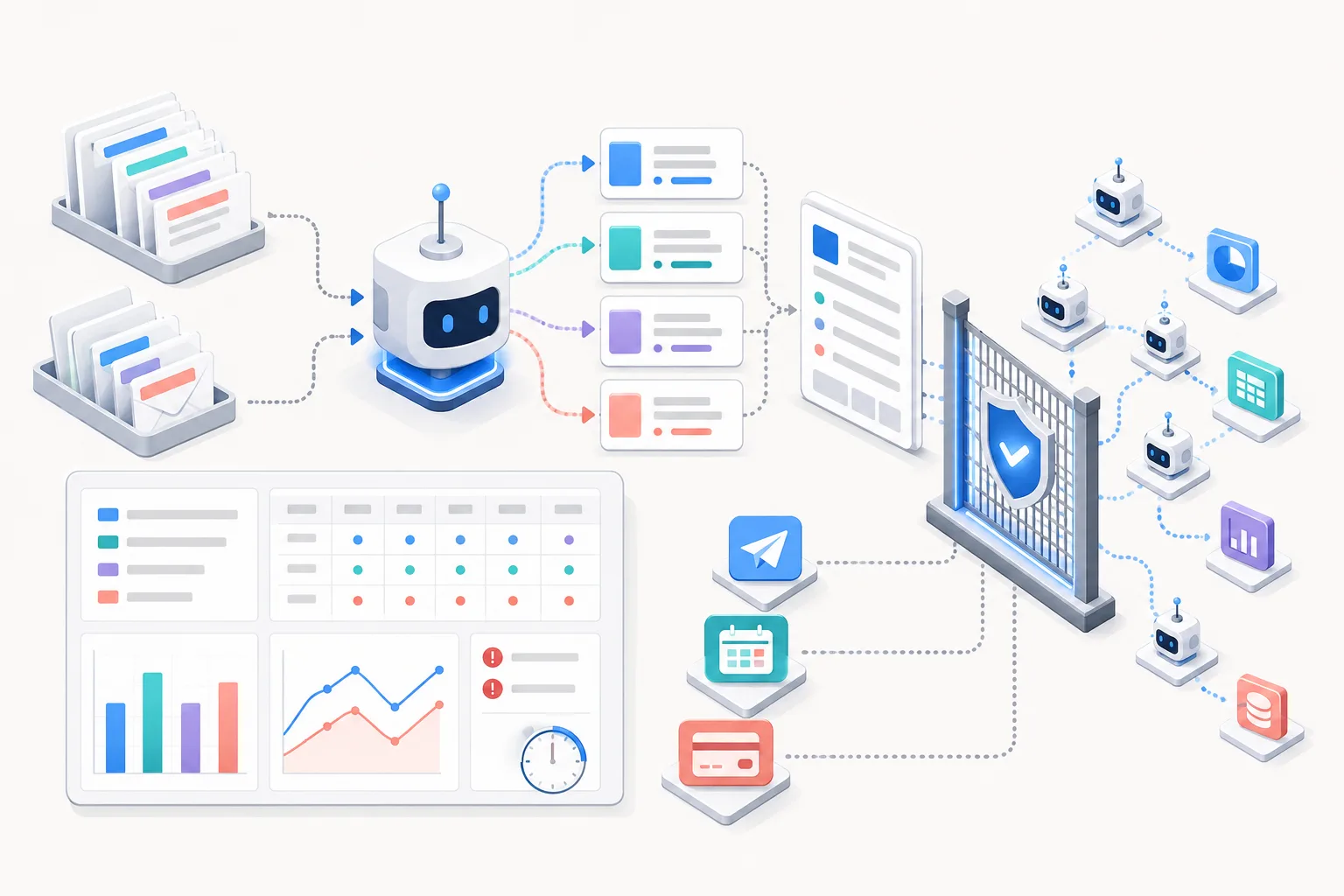
An AI agent is a system for repetitive work with a fixed role, inputs, decision rules, output format, and approval chain. This guide explains how to start with one task, assign only drafting and classification, and expand permissions and the number of agents after accumulating evaluation records.
- Choose one frequently repeated task whose results can be reviewed by a person.
- Define the agent's role, input materials, rules of conduct, output format, and prohibited actions.
- Start by testing classification and drafting without allowing email delivery or schedule changes.
- Record accuracy, omissions, the amount of revision, and processing time using consistent criteria.
- Increase tool permissions and the number of agents only within the scope that meets the acceptance criteria.
An AI agent assistant system starts by selecting one repetitive task and fixing the role, inputs, decision rules, outputs, and approval points. At first, assign it only drafting and classification. The key is to expand permissions and the number of agents only after review records have accumulated.
Reference document: “AI Agent (Assistant) System Implementation Methodology”; check the official help documentation for the AI tool you use for the latest permission and security settings
What Is an AI Agent?
An AI agent is a system that repeatedly performs tasks in a defined role. A general conversational AI receives instructions and background information again for each question. An agent continuously maintains its role, rules, materials, and output structure.
The model is not the only component. Input materials and tool permissions are also part of the system. Human approval points and execution logs must be designed as well.
| Component | What to Define | Example |
|---|---|---|
| Role | Assigned responsibilities and scope of work | Scheduling and email coordination assistant |
| Input | Materials to read and update frequency | Received emails, current-day calendar |
| Decision rules | Classification and prioritization criteria | Urgent, needs review, handle later |
| Output | Result format and required items | Priority list, reply draft |
| Tools | Scope of read and write permissions | Read emails, save drafts |
| Approval points | Points where a person makes the decision | Final review before sending |
| Records | Information retained for evaluation | Input, output, revisions |
Comparison of General Chat and Agent Systems
The difference lies more in the work structure than in the intelligence of the answers. One-off chat is suitable for exploration and generating ideas. Repetitive systems require consistent rules and review procedures.
| Category | One-Off Chat | Fixed Workflow | AI Agent |
|---|---|---|---|
| How it starts | A question each time | Runs in a defined sequence | Selects the next action based on goals and status |
| Rule retention | User explains again | Embedded in the procedure | Maintained through role, policy, and context |
| Suitable tasks | Questions, brainstorming | Format conversion, recurring reports | Classification, drafting, cross-analysis of materials |
| Control method | Review answers | Validate each step | Limit permissions and require human approval |
| Main risks | Inaccurate answers | Repetition of incorrect rules | Incorrect decisions and tool execution |
If only a fixed sequence is needed, a workflow is simpler. An agent is useful when decisions must vary by situation. Autonomy is determined by task requirements, not treated as a goal in itself.
Four Role-Based Agents
Start by selecting only the most repetitive role. Each role has different inputs and evaluation criteria. Define the scope of responsibility specifically rather than focusing on the name.
| Role | Tasks to Assign | Decisions to Leave to People | First Evaluation Item |
|---|---|---|---|
| Coordination agent | Email classification, reply drafts, schedule comparison | Sending, schedule changes, final prioritization | Whether urgent emails were missed |
| Creativity agent | Create document outlines and first drafts | Claims, direction, final wording | Amount of revision and factual errors |
| Clarity agent | Extract numbers, deadlines, and obligations from long documents | Interpretation, negotiation, legal judgment | Source-text evidence and omissions |
| Coaching agent | Act as an interview or negotiation counterpart and provide feedback | Response strategy and actual statements | Realism of questions and consistency of feedback |
A coordination agent reads emails and calendars together. Have it prepare only reply drafts for urgent emails. During the initial stage, a person must press the send button.
A creativity agent reduces the difficulty of starting from a blank page. A clarity agent must connect required evidence to the source text. A coaching agent is suitable for practicing the same situation multiple times.
AI Agent Implementation Sequence
Implementation proceeds as a single flow from task selection through evaluation. Even without a developer, you can test it in an AI environment that stores instructions and materials. Add connections to external tools only after validation.
- Select one repetitive task. Prioritize work that occurs frequently and produces results that can be reviewed.
- Check the source text for the required format of completion criteria. A person must be able to determine whether the result is good.
- Limit the input materials. Allow only the necessary emails, schedules, and documents.
- Write the role and behavioral rules. Separate required actions from prohibited actions.
- Fix the output format. Use an easy-to-review format such as a table, list, or draft.
- Establish human approval points. Separately block sending, deletion, payment, and schedule changes.
- Test repeatedly with real cases. Use both successful and unsuccessful cases.
- Record the amount of revision and errors. Compare using the same items rather than relying on impressions.
- Automate only the scope that has passed. Check the source text for how to expand permissions and processing scope.
Minimum Structure Without a Developer
The minimum structure is the same in a no-code setup. Put the role and behavioral rules in the saved instructions. Put actual work standards and examples in the reference documents.
- Fixed instructions: Purpose, scope, prohibited actions, approval conditions
- Reference materials: Work manuals, glossaries, document templates
- Task input: Emails or documents to process today
- Output format: Priority table, evidence list, reply draft
- Review records: Errors, omissions, reasons for revisions, processing time
At first, provide the materials manually and review the results. This makes it easier to distinguish connection errors from decision errors. After stabilization, you can connect calendar or email tools.
Guidance by Condition
The level of automation should vary according to the nature of the task. The harder an action is to reverse, the later human approval should be removed. If sensitive information is involved, restrict the input itself first.
| Task Condition | Recommended Starting Method | Initial Permissions to Avoid |
|---|---|---|
| Results are easy to review | Human review after drafting | Automatic publishing |
| Results can be reversed | Test execution within a limited scope | Full account access |
| Connected to money or contracts | Allow only summaries and options | Payment, signing, contract confirmation |
| Contains personal information | Test first with de-identified materials | Access to contacts or all documents |
| Source-text interpretation is central | Indicate the evidence location for each sentence | Unsupported assertions |
| Rules change frequently | Check the latest criteria before execution | Continuous use of outdated instructions |
Six Items to Include in Agent Instructions
Good instructions do not stop at abstract personality descriptions. Write actions, outputs, and stopping conditions as verifiable statements. Check the source text for the number of items below and manage them in a single template.
- Role: State what responsibilities it has.
- Background: Explain the user and the task objective.
- Behavioral rules: Define the classification order and decision criteria.
- Output format: Specify the table columns and response order.
- Refusal and stopping rules: Define situations involving insufficient information or risk.
- Examples: Show both good and incorrect outputs.
For example, specify three email classifications for a coordination role. Have it provide both a reply draft and the handling time for urgent emails. Clearly state that actual sending is not permitted.
Calculation Example: How to Measure Drafting Tasks
Assume that writing the first page of a document previously took 3 hours. This figure is a task example presented in the reference document. After introducing the agent, separately measure the actual elapsed time.
- Previous baseline time: 3 hours
- Time after introduction: Draft generation time + human review and revision time
- Measured time saved: 3 hours − actual time after introduction
- Measurement target: Documents of the same type and similar difficulty
If you did not measure the time after introduction, you cannot claim time savings. Even if the draft is produced quickly, the benefit may be small if revisions take a long time. Include the time spent correcting factual errors in the review time.
Examples involving 10 or 20 repetitions are provided for the coaching role. Performance cannot be judged by the number of repetitions alone. You must also record changes in responses to the same question.
Evaluation and Stopping Criteria
Evaluation is a safeguard before expanding automation. Looking only at average quality can cause you to miss rare but major failures. Record error types and the conditions under which they occur separately.
| Evaluation Item | Question to Check | Stop Signal |
|---|---|---|
| Accuracy | Does it match the source text? | Generation of nonexistent facts |
| Completeness | Were any deadlines or obligations omitted? | Repeated omission of key items |
| Evidence | Can the basis for the decision be found? | Presentation of numbers without a source |
| Revision burden | How much must a person rewrite? | Rewriting most of the draft |
| Permission compliance | Does it avoid attempting prohibited actions? | Attempting to send or make changes before approval |
| Exception handling | Does it stop when it does not know? | Acting in an uncertain situation |
Do not expand permissions if a stop signal appears. Revise the instructions and input materials, then retest with the same cases. Keep the results from before and after the revision separate.
Common Mistakes
The most common mistake is assigning every task from the outset. If you create multiple roles simultaneously, it becomes difficult to identify the cause of failure. It is better to start with one task and check the source text for the number of outputs.
- Defining the role only in abstract terms such as a capable assistant
- Instructing it to decide on its own without classification criteria
- Granting sending permission before checking draft quality
- Failing to require source-text locations when summarizing long documents
- Looking only at processing time while excluding revision time and errors
- Assuming quality will improve automatically when agents are connected to one another
Changing the prompt alone does not solve every problem. Incorrect materials and excessive permissions are separate issues. Tool connections and the scope of data must be reviewed together.
Managing Personal Information and Tool Permissions
The risk exposure of an agent increases with the information it reads and the tools it can use. Do not connect documents or accounts that are unnecessary for the task. Read and write permissions must also be separated.
External documents may contain instructions intended to deceive the agent. Configure it to prioritize fixed instructions over commands within documents. Content from unclear sources should not be used as a basis for action.
It is safer to exclude the following actions from initial automation:
- Automatically sending emails and messages
- Deleting or definitively changing schedules
- Approving payments and purchases
- Finalizing contract terms
- Sharing customer information externally
- Changing account permissions and security settings
Expanding from a Single Agent to Multiple Agents
Check the source text for the role-count criteria used to determine whether a multi-agent structure is needed. Consider separating roles when each role has different inputs and success criteria. As the number of agents increases, handoff errors and operating costs also increase.
For example, a coordination role can set priorities. A creativity role creates drafts for the selected tasks. Check the source text for the number of results a person must review before approving the next action.
Check the source text for the number of items to review before expansion.
- Check the source text for the number of task types in which a single role repeatedly fails.
- Standardize the format of information passed between roles.
- Specify who is responsible for final approval.
- Record both intermediate and final results.
Where to Check Regulations and Product Settings
“AI Agent (Assistant) System Implementation Methodology” is not a statute or official agency notice. Therefore, it contains no official regulatory language that can be quoted verbatim. Check official help documentation for product-specific permissions and data-processing conditions.
The risk management framework can be found in the NIST AI Risk Management Framework. Generative AI security risks can be found in the OWASP GenAI Security Project. The organization’s security and privacy policies must also be applied in actual implementation.
AI Agent Implementation FAQ
Can I Create All Four Roles from the Start?
It is not recommended. Creating multiple roles at once makes it difficult to isolate the causes of errors. Stabilize one repetitive task before expanding.
Can I Allow Emails to Be Sent Automatically?
At first, it is safer to allow only reply drafts. A person must verify the accuracy and recipients. Do not grant sending permission without validation records.
Can an Agent Evaluate a Contract?
It can serve an assistive role by extracting key numbers and deadlines. Legal meaning and negotiation decisions must remain with people. Recheck any summary that does not include source-text locations.
Is an Agent Complete Once the Prompt Is Saved?
A prompt is one component. Input materials, tool permissions, and approval points are also required. Without evaluation records, it is difficult to determine whether there has been improvement.
Are Multiple Agents Better Than a Single Agent?
Not always. If the task can be handled by a single role, a simpler structure is preferable. Separate roles only when responsibilities and success criteria differ.
FAQ
How is an AI agent different from a regular ChatGPT conversation?
In a regular conversation, you provide the instructions and context again with each question. An AI agent performs recurring tasks while retaining its role, reference materials, decision rules, output format, tool permissions, and approval thresholds.
Can I build an AI assistant system without a developer?
If the AI environment allows you to save instructions and reference materials, you can start by testing classification and draft creation. External actions such as sending emails or changing schedules should be connected in a limited manner after verification.
What task should I choose for my first AI agent?
Tasks that recur frequently and whose results can be easily reviewed by a person are suitable. Start with tasks that have clear completion criteria, such as email classification, document drafting, and key information extraction.
Can I give an AI agent permission to send emails right away?
At first, it is safer to allow it only to read emails and draft replies. A person should check the recipients, content, and attachments before sending to reduce the impact of errors in judgment.
How do I measure an AI agent's performance?
Record accuracy, missing key items, citations, the extent of human edits, and total processing time using consistent criteria. You should also evaluate whether it attempted to act automatically and whether it stopped when uncertain.
When should I scale to a multi-agent system?
Consider separating agents when different responsibilities and evaluation criteria conflict within a single role. If you cannot define the handoff format between roles and responsibility for final approval, it is better to retain a single agent.
Can I entrust contract analysis to an AI agent?
It can be used for supporting tasks such as extracting numbers, deadlines, and obligation clauses. Legal interpretation and negotiation decisions should be handled by a person, and require the location in the original text for every extracted result.
Sources
Images