New Voice-Phishing Tactics Targeting People Aged 50 and Older and Step-by-Step Responses
Voice phishing is evolving to combine personal information, malicious apps, family details, and even AI voice cloning. This guide explains how to identify common tactics and outlines the immediate steps to take after transferring money or installing an app.
- Law enforcement agencies and financial institutions do not ask by phone for transfers to a safe account, delivery of cash, or inspection of assets.
- If you installed a link or app sent by the other party, do not make a verification call using that phone; use another device.
- Even if you hear a family member's voice, hang up and verify it by calling a previously saved number and using a separate family contact channel.
- If you sent money, immediately report it to your bank and 112 and request a payment freeze to improve your chances of recovering the funds.
- Investment offers that promise both high returns and principal protection, or require an additional deposit to withdraw funds, are serious signs of fraud.
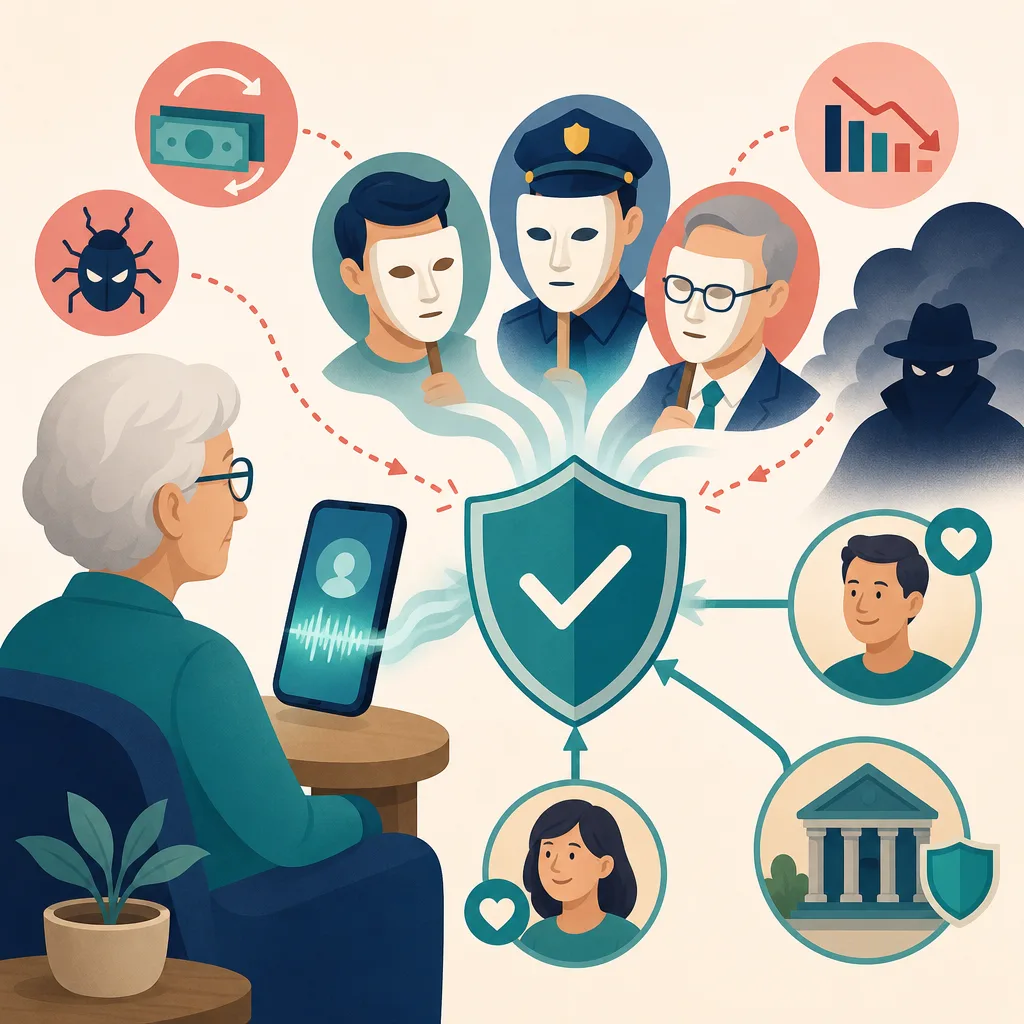
Voice phishing is no longer a crime that merely uses awkward speech to demand a bank transfer. Criminals combine leaked personal information, sophisticated impersonation of institutions, remote-control apps, fake investment platforms, information from family members’ social media, and AI-generated voices to undermine victims’ judgment.
Middle-aged and older adults, in particular, may be heavily targeted because they have accumulated a certain level of assets but may be unfamiliar with new apps and security procedures. However, anyone can be deceived in an emergency regardless of age or digital proficiency, so it is important to establish multiple verification procedures involving family members and financial institutions rather than relying on individual vigilance.
What to Keep in Mind When Reading 2025 Loss Statistics
According to National Police Agency figures cited in materials provided by the operator, domestic voice phishing losses in 2025 reached KRW 1.2578 trillion, exceeding KRW 1 trillion for the first time, and more than half of the victims were reportedly aged 50 or older.
However, voice phishing, messenger phishing, investment tip room scams, romance scams, and similar crimes may be classified as different types of crime depending on the reporting agency and statistical criteria. When comparing losses or the proportions by age group, the following conditions should also be checked.
- Whether the figures are based on the year the crime occurred or the year it was reported or solved
- Whether only bank-transfer-based voice phishing was included
- Whether virtual asset investment scams and investment tip room scams were included
- Whether the figures refer to the number of victims, incidents, or transfers
- Whether the figures are preliminary or final
Therefore, rather than exaggerating the risk based on a single figure, it is advisable to examine the type of crime and the scope of the statistics together.
5 Major Tactics Used in New Types of Voice Phishing
1. Impersonating Prosecutors, Police, or the Financial Supervisory Service
Criminals gain trust by presenting information that has already been leaked, such as the victim’s name, workplace, address, and financial institutions they use. They then threaten that the victim’s account has been linked to a crime or that the victim may be arrested, and demand a transfer or cash handoff while preventing the victim from ending the call.
If any of the following demands are made, institutional impersonation should be suspected first.
- They tell the victim not to inform family members or bank employees, citing investigation confidentiality.
- They instruct the victim to move money to a safe account, protected account, or government-managed account.
- They ask the victim to send money for an asset inspection or to determine whether the assets are linked to a crime.
- They instruct the victim to withdraw cash and hand it to a specific person.
- They send images resembling identification cards or official documents through a messenger app.
Real investigative agencies do not instruct people by phone to move money from their personal accounts to other accounts under the pretext of inspecting their assets. Caller ID information and images of official documents can be manipulated, so they must not be used by themselves to verify identity.
2. Inducing Victims to Install Malicious or Remote-Control Apps
Criminals send links under the pretext of checking a case, strengthening security, applying for a loan, receiving a refund, or confirming card delivery. If the installed app obtains excessive accessibility permissions, screen-sharing access, text-message access, or device administrator privileges, calls and financial authentication processes may be exposed.
Remote support programs such as AnyDesk are also used for legitimate work. The danger arises when an unknown person instructs someone over the phone to install one and asks for an access code or control permissions.
On a phone suspected of having a malicious app, simply searching for an institution’s number and calling it directly may not be enough. Search ads or fake websites may appear, and the malicious app may manipulate the call screen or redirect the call to another number. Turn off the phone or disconnect it from the network, and contact the institution’s official main number using another, uninfected phone.
3. Messenger Phishing That Impersonates Children or Family Members
Typical messages say, “My phone is broken,” “I can’t talk right now,” or “I need to make an urgent payment.” Criminals may request not only a transfer but also a photo of an ID, a card number, an account password, or a verification code.
Recently, criminals have collected school, workplace, travel schedule, and family nickname information from public social media posts to make conversations sound natural. Even if the profile photo and family information are accurate, that does not prove the person is actually a family member.
To verify, stop the messenger conversation and call the originally saved number directly. If the person cannot be reached, verify through a previously known contact network, such as another family member or the person’s workplace.
4. Investment Tip Rooms and Fake Trading Platforms
Criminals approach victims through free stock recommendations or advertisements impersonating famous experts, then direct them to group chat rooms. Other participants repeatedly post proof of profits, but these may also be accounts operated by the criminal organization.
Profits displayed in a fake app or website are not real assets. Criminals may allow one small withdrawal to gain trust before inducing the victim to increase the investment. When the victim requests a withdrawal, they demand additional payments for taxes, deposits, membership upgrades, or anti-money-laundering verification fees.
The following combination is a very strong warning sign.
- They promise both principal protection and unusually high returns.
- They instruct the victim to deposit money into accounts held in individuals’ names or accounts that keep changing.
- They demand that taxes or fees be paid in advance before a withdrawal.
- It is difficult to verify the company’s registration as a financial institution or its actual office.
- They emphasize credibility solely through celebrity photos and media outlet logos.
Deposits covered by deposit insurance and products with legally established guarantee structures do exist separately, so not every product can be deemed fraudulent merely because it uses the phrase “principal protection.” However, when a stranger promotes a high-return investment while claiming the principal is protected, it is a signal to stop the transaction immediately.
5. Impersonating Family Members With AI-Generated Voices and Videos
If publicly available voice or video material exists, generative AI can be used to imitate a specific person’s voice and face. The quality of the synthesis varies depending on the source material, model, and call environment, so it is inaccurate to describe it using fixed figures such as “it can be replicated with 99% accuracy in just a few seconds.”
The important point is that identity must not be confirmed based on voice and video alone. Even if the caller presents an urgent story involving kidnapping, an accident, or hospital bills, end the call first and verify through an independent contact channel. Video calls may also be generated or use prerecorded footage, so they are not sufficient as a standalone means of verification.
A 30-Second Response When You Receive a Call or Message
- Do not carry out the request. Stop any transfer, cash withdrawal, app installation, screen sharing, or transmission of personal information.
- Hang up without explaining or arguing. The longer the call continues, the more you are exposed to fear and time pressure.
- Verify through another channel. Contact family members using their previously saved numbers, and contact institutions using the main numbers listed on their official websites or documents.
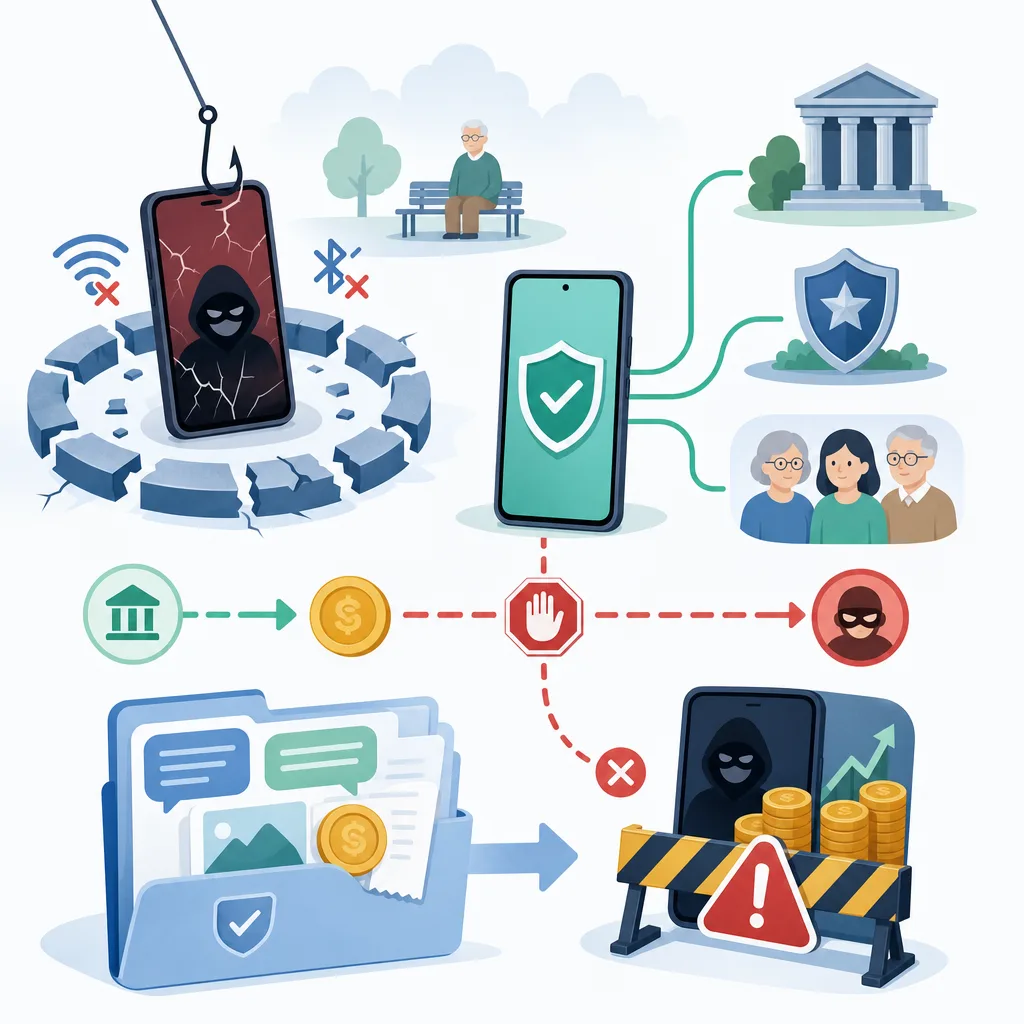
- If you installed an app, use another device. Put the affected phone in airplane mode or turn it off.
- If you sent money, report it immediately. Ask the bank’s customer service center and the police at 112 to freeze the payment.
It is safer not to use phone numbers from search-result advertisements, numbers provided by the other party, or links in text messages for verification.
Verification Rules for Families to Establish Together
A family passphrase can serve as a supplementary way to identify AI impersonation. However, it may be leaked if it remains in messenger records or on social media, so it must not be relied on by itself.
Recommended family verification rules include the following.
- When a transfer request is received, always call back using the previously saved number.
- Designate a second family member or acquaintance to contact if the person cannot be reached.
- Do not record the passphrase online, and change it periodically.
- Ask about a recent family experience that would be difficult for the other person to look up.
- Transfers at or above a set amount should be made only after verification by two family members.
- Reduce the visibility of phone numbers, schools, workplaces, travel schedules, and family relationships on social media.
Do not send money merely because the person answered the passphrase correctly. Independent verification by calling back through an existing contact number is essential.
What to Do After Installing a Malicious App
Step 1: Disconnect Communications
Put the phone in airplane mode or turn it off. It is also advisable to turn off Wi-Fi and Bluetooth. Do not reopen financial apps or change passwords on the device.
Step 2: Report From a Clean Device
Use another uninfected phone or computer to contact the following organizations.
- Emergency and voice phishing reports: Police 112
- Financial consultations and guidance on responding to losses: Financial Supervisory Service 1332
- Malicious app and smishing consultations: Korea Internet & Security Agency 118
- The official customer service centers of the relevant bank and card company
Step 3: Protect Financial and Telecommunications Services
From a clean device, consult the financial institution and request an account payment freeze, card suspension, revocation of digital certificates, and blocking of electronic financial access. Also contact the mobile carrier to request a SIM replacement or check for possible identity theft.
Through the identity theft prevention service Msafer, users can check telecommunications services registered in their name and set restrictions on new subscriptions.
Step 4: Preserve Evidence and Inspect the Device
Text messages, phone numbers, account numbers, transfer records, and conversation logs may be needed for investigations and recovery procedures. Record and preserve them as safely as possible, then follow guidance from the police, financial institution, or manufacturer’s service center.
Deleting only the app icon does not guarantee that the device is safe. Permissions and accounts may remain, so have the device inspected at an official service center and perform a factory reset if necessary. It is safer to reset the device only after first consulting professionals about evidence preservation and account protection measures.
What to Do If You Have Already Sent Money
As time passes, the money is increasingly likely to be moved to another account or converted into virtual assets. Take immediate action in the following order.
- Inform the customer service center of the financial institution used for the transfer that you were a victim of voice phishing and request a payment freeze.
- Report the incident to the police at 112 and provide the recipient’s account number, phone number, and the time of the transfer.
- Follow the financial institution’s instructions and submit the documents required to apply for victim relief.
- If you also provided identification or authentication information, check for misuse involving cards, accounts, certificates, and mobile phone services in your name.
- Beware of secondary scams that demand fees while claiming they can facilitate a withdrawal or refund.
Even if a payment freeze is requested, money that has already been withdrawn or transferred to another account may not be recovered. Reporting the incident also does not automatically guarantee a refund. Nevertheless, prompt reporting is important for preventing additional transfers and beginning the victim relief process.
Assess Risky Phrases in Context
Expressions such as “case inquiry,” “asset inspection,” “asset transfer,” “security account,” “embargo,” and “summary investigation” are common warning signs that may be used in institutional impersonation scams. However, a crime must not be considered 100% certain merely because a specific term was used, nor should a situation be considered safe because the term was absent.
The key criterion is the action being demanded, not the words being used. If the person requests even one of the following—secrecy, an immediate transfer, a cash handoff, app installation, screen sharing, or a verification code—end the call and verify independently.
Monthly Prevention Checklist
| Item to Check | Recommended Action |
|---|---|
| Mobile phone apps | Check for unused apps, apps from unknown sources, and excessive accessibility permissions |
| Operating system | Enable security updates and automatic updates |
| Financial alerts | Set up alerts for account withdrawals and card payments |
| Transfer limits | Lower them to the level normally needed and require additional verification for large transfers |
| Telecommunications accounts | Check subscription status and restrictions on new subscriptions through Msafer |
| Social media visibility | Minimize public exposure of family relationships, schedules, phone numbers, and voice or video content |
| Family contact network | Reconfirm existing numbers and update secondary contacts and passphrases |
No guideline can guarantee complete protection from losses. The most effective principle is to step away from the urgency created by the other party, end the call, and verify again using another device and an independent contact number.
FAQ
Can prosecutors or the police tell me to transfer money to a secure account?
No. Investigative authorities do not call individuals and ask them to transfer money to another account or hand over cash under the pretext of protecting or inspecting their assets. If you receive such a request, hang up and verify it by calling 112 or the agency's official main number from another phone.
Is it always a scam if a stranger asks me to install a remote access app such as AnyDesk?
Remote access software itself is also used for legitimate customer support and business purposes. However, if a stranger who called you first asks you to install it and provide an access code for reasons such as handling a case, obtaining a loan, receiving a refund, or ensuring security, it is highly likely to be voice phishing, so you should not comply.
Can I call 112 from a phone on which a malicious app has been installed?
If possible, it is safer to disconnect the device from communications and report the incident using someone else's mobile phone or a landline. This is because the possibility that the malicious app could manipulate the call screen or connection process cannot be ruled out.
How should I verify it if the voice sounds exactly like a family member's?
End the current call and call back using the family member's number already saved in your contacts. If you cannot reach them, verify the situation through another contact channel you already know, such as another family member, their workplace, or their school, and hold off on transferring money until verification is complete.
Is knowing a family password enough to prevent deepfake voice phishing?
A password is only a supplementary measure. Because it may be exposed through messaging history or family conversations, even if the caller answers the password correctly, you should call back using the existing number and cross-check with another family member.
If an investment app displays a profit, is it an actual profit?
Not necessarily. Fake apps and websites created by scammers can display arbitrary profits and balances. If you are asked to deposit additional money for taxes, a security deposit, or fees in order to make a withdrawal, do not send any more money and stop the transaction.
If I have already transferred money, whom should I contact first?
Immediately contact the official customer service center of the bank from which you made the transfer and the police at 112, report the voice phishing loss and the recipient's account, and request that payments be suspended. Then submit the documents required to apply for loss recovery according to the financial institution's instructions.
Is it safe just to delete a malicious app?
Deleting only the app icon does not guarantee safety. Device administrator privileges, accessibility permissions, or account access may remain, so disconnect the device from communications, have it inspected at an official service center, and, after preserving evidence and securing your accounts, perform a factory reset if necessary.
Can I get all my money back after reporting voice phishing?
Reporting the incident and suspending payments do not guarantee a refund. Money that has already been withdrawn or moved to another account may be difficult to recover, but promptly reporting the incident is important for freezing the remaining stolen funds and initiating the official loss recovery process.
Sources
Images