Injoys
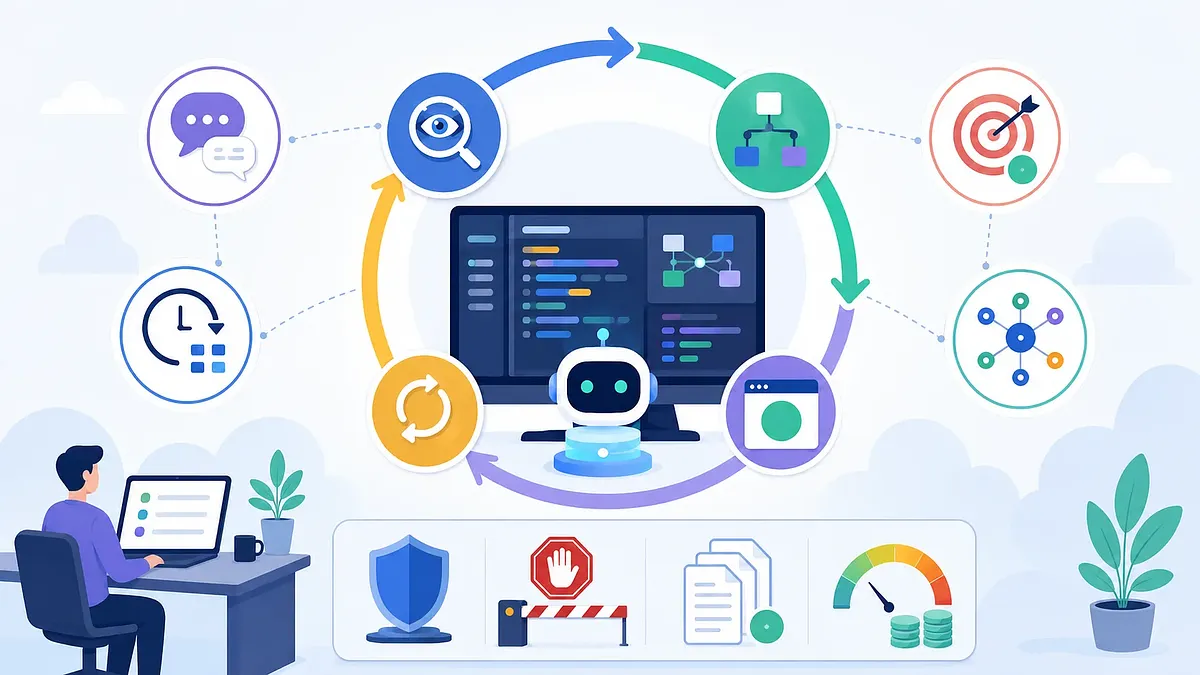
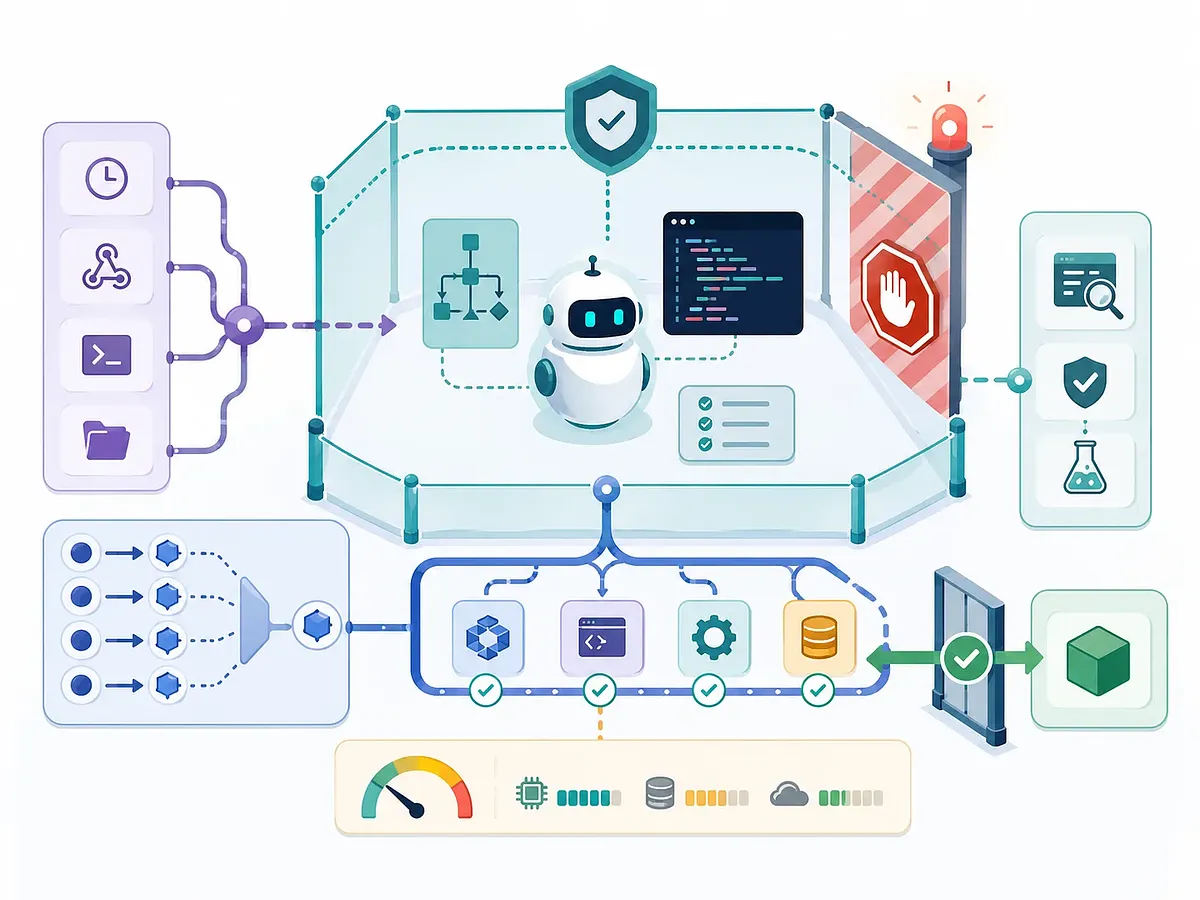
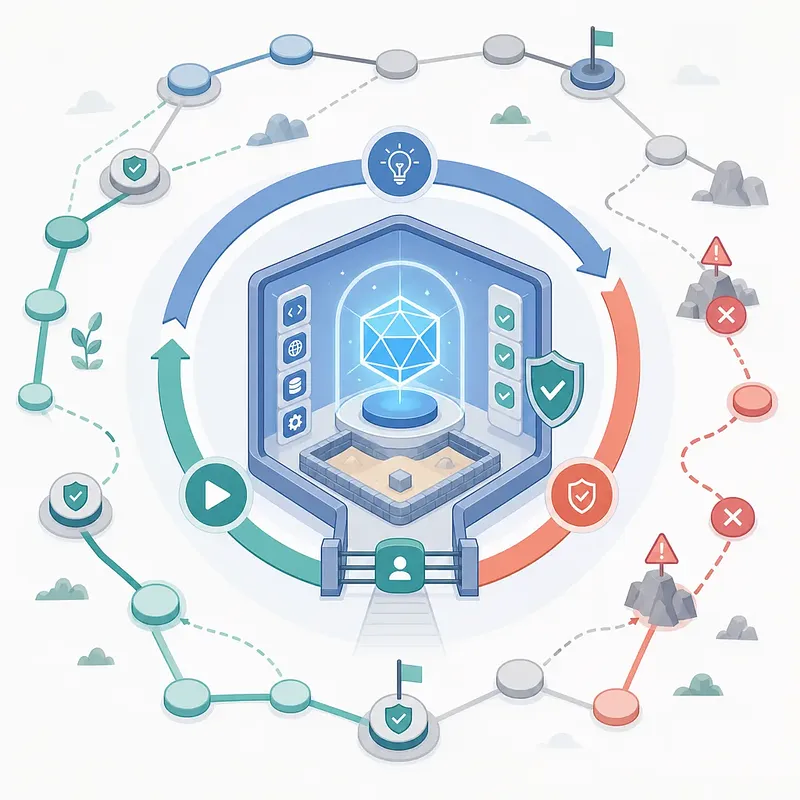
The "Loop" in INJX12 Code is not simply a feature that runs a model for a long time. The key lies in placing Triggers, Verifiers, Success Conditions, Hard Stops, and Permission Boundaries around an AI agent that acts probabilistically, thereby transforming iterative tasks into a controllable system. This article summarizes the differences between Turn-based, Goal-based, Time-based, and Proactive Loops, along with practical design principles.
1. What Is a Loop in Claude Code?
Here, a “loop” does not refer to for or while statements in a programming language. As explained by the Claude Code team, a loop is an execution structure in which an agent observes its current state, takes action, verifies the results, and repeats the process until the termination condition is met.
Start task
  ↓
Assess state and code
  ↓
Formulate a plan
  ↓
Modify code or run tools
  ↓
Test and verify
  ↓
Is the completion condition met?
  ├─ No: Next iteration
  └─ Yes: Terminate and report results
The following four questions are useful for identifying a loop.
- What triggers the task?
- What terminates the task?
- Which Claude Code feature controls the repetition?
- What type of task is it suitable for?
Not every task needs to be turned into a complex loop. For tasks where the results are immediately visible—such as correcting typos in a single file or simply renaming something—a standard prompt is more efficient. Loops should only be used when multiple rounds of observation, modification, and verification are actually necessary.
2. Comparison of the Four Loop Types
| Type | Start Condition | End Condition | Mainly Used Features | Suitable Tasks | Human Intervention |
|---|---|---|---|---|---|
| Turn-based | User’s prompt | When Claude determines the task is complete or additional information is needed | General conversation, Skills, testing and browser tools | Short, one-time implementations or modifications | Iterative verification process |
| Goal-based | User specifies completion condition | When the evaluation model confirms the condition is met or the user interrupts |
/goal, Auto mode if needed |
Tasks with measurable completion status, such as testing, building, and migration | Determining termination |
| Time-based | Specified time, interval, or schedule | User cancels or external task completes |
/loop, /schedule
|
Monitoring PRs, CI, and deployments; periodic summaries; status polling | Next execution time |
| Proactive | Schedules, APIs, GitHub events, etc. | Individual tasks meet goals; Routines are deactivated | Routines, /goal, Skills, Dynamic Workflows, Auto mode |
Ongoing tasks such as issue triage, bug resolution, and large-scale migrations | Task discovery, prompt execution, orchestration |
The key to this classification is not “how smart the AI is,” but what control responsibilities a person delegates to the system. In Turn-based mode, the user creates the next prompt; in Goal-based mode, the user delegates the decision on completion; and in Time-based mode, the user delegates the timing of re-execution. In the Proactive stage, the responsibility for detecting task occurrence and executing the appropriate prompt is also transferred to the system.
3. Turn-based Loop: Delegating the Verification Process
The Turn-based Loop is the default form in which most developers use Claude Code.
Human → Claude → Human → Claude
When the user makes a request, Claude locates the relevant files, modifies the code, tests it, and reports the results. Internally, multiple cycles of observation, action, and verification may occur, but the authority to initiate the next task remains with the user.
Code Modification Is Not the Same as Feature Completion
Even if Claude reports that “implementation and testing are complete,” the following issues may still remain in the actual product:
- The state does not change after clicking a button.
- An error occurs in the browser console.
- The mobile layout is broken.
- Accessibility attributes are missing.
- Tests pass, but the actual browser flow fails.
- Files unrelated to the change were modified.
Therefore, the criterion for completion should not be “the code has been changed,” but rather “the behavior has been verified through external evidence.”
Reusing Verification via SKILL.md
Skill stores frequently used guidelines and procedures in SKILL.md. Claude can automatically load it based on relevance, or you can run it directly via /skill-name. Rather than always putting lengthy operational procedures in CLAUDE.md, separating them so that Skills are loaded only when needed allows for more efficient use of context.
---
name: verify-ui-change
description: Verify UI changes in a production environment before marking them as complete.
---

# Verifying UI Changes

1. Run the development server.
2. Open the updated screen in a browser.
3. Interact with the new controls.
4. Verify that the expected state changes occur.
5. Check the browser console for new errors and warnings.
6. Check accessibility and key performance metrics.
7. If it fails, fix the issue and repeat the verification from the beginning.
8. Report evidence such as the commands executed, results, and screenshots.
A good skill contains actionable checklists rather than abstract advice. “Verify that npm test returns exit code 0” is a much stronger rule than “Review more carefully.”
Strength of Validation Evidence
| Evidence | Reliability | Reason |
|---|---|---|
| An agent’s explanation that “it appears to be working normally” | Low | Merely an inference, not an actual execution result |
| Code diffs and static reviews | Medium | Changes are visible, but runtime behavior cannot be verified |
| Actual test output and exit code | High | Reproducible external results exist |
| Browser interactions, screenshots, console and performance results | Very high | Directly verifies user flow and runtime state |
| Independent Review Agent and CI reach the same conclusion | Very high | Reduces self-confirmation bias in the implementation Agent |
Claude The official Code documentation also describes bundled Skills such as /run, which checks running applications, and /verify, which validates changes in a real execution environment. If your project’s execution process is complex, it is safer to document the exact startup commands, environment variables, data preparation procedures in the team’s custom Skills.
4. Goal-based Loop: Delegating the Termination Decision
In a Goal-based Loop, the user does not decide “whether to run the task one more time” each time. The user defines the completion state, and Claude continues through multiple turns until those conditions are met.
User specifies Goal
  ↓
Claude runs a Turn
  ↓
A separate evaluation model checks the completion condition
  ├─ Not met: Pass the reason to the next Turn
  └─ Met: Goal ends
/goal is documented as available in Claude Code v2.1.139 and later. Only one Goal can be active per session.
What the Evaluation Model Actually Sees
At the end of each Turn, a separate small, fast model examines the completion conditions and the conversation history to determine whether the condition is met or not met. The default setting is the Haiku-based evaluation model. An important limitation is that the evaluation model does not read files directly or run tests separately.
Therefore, the agent Claude that performed the task must clearly leave the following evidence in the dialogue:
- Commands executed
- Number of tests and pass/fail results
- Exit code
- Build results
- List of modified files
- Remaining causes of failure
- Confirmation that scope constraints were met
The evaluation model judges “what evidence was revealed in the conversation,” not “what actually happened.”
Four Elements of a Good Goal
A good Goal includes the following four elements.
- Measurable Success Criteria: Passing tests, successful build, clearing the queue, reaching a score threshold
- Verification Method: Specify which commands or tools will be used to prove success
- Scope of Changes: Modifiable directories, prohibited files, and allowed side effects
- Termination Conditions: Maximum number of turns, maximum time, number of consecutive failures, or termination upon permission errors
/goal All auth-related tests and lint checks must succeed,
and `git diff` must include only `src/auth` and related test files.
Report the execution results and exit code for each turn.
Abort when the maximum of 12 turns or 45 minutes is reached, and clean up any remaining failures.
The core termination condition for /goal itself is a successful evaluation by the model or the user’s /goal clear command. To enforce turn or time limits, they must be specified within the Goal conditions.
Good Conditions vs. Bad Conditions
| Good Conditions | Bad Conditions |
|---|---|
npm test exits with exit code 0 |
Make the code flawless |
| All 48 authentication-related tests pass | Improve the user experience as much as possible |
| All API call points are migrated to the new interface and the build succeeds | Refactor to a better structure |
| The issue queue is empty, and results are recorded for each issue | Process as many issues as possible |
Ambiguous goals can result in the process ending too quickly or in an endless cycle of improvements.
Checking Status and Canceling
-
/goal: Check active conditions, execution time, number of evaluation turns, token usage, and reason for the most recent evaluation -
/goal clear: Cancel the active Goal - Set a new Goal: Replaces the existing Goal
-
--resumeor--continue: Allows resuming an incomplete Goal
While conditions are preserved upon resumption, the Turn count, time, and token thresholds may be reset; therefore, it is advisable to manage hard stops alongside operational metrics.
/goal and permissions are separate
/goal only automatically starts the next Turn; it does not expand tool permissions. If file writing, test commands, or Git operations require approval, approval may still be needed even during a Goal.
Auto mode can be used for unattended execution, but Auto mode is not a feature that “unconditionally allows all tools.” The classifier blocks operations that are destructive, difficult to undo, or target areas outside the trust boundary, and explicit ask and deny rules take precedence over the classifier.
5. Time-based Loop: Exceeding the Re-execution Time
While the Goal-based Loop addresses “when to stop,” the Time-based Loop addresses “when to run again.” It is suitable for tasks where the state of an external system changes over time.
- Check if a new review has been added to a PR
- Check if CI or deployment has completed
- Monitor long-running builds
- Daily Slack message summary
- Check for new items in the issue queue
/loop: Run repeatedly within the current session
/loop 10m Check current PRs and incorporate new reviews;
if there are failed CI runs, analyze the cause and fix them.
The main formats described in this document are as follows.
| Input | Action |
|---|---|
/loop 5m <prompt> |
Runs the prompt at a specified fixed interval |
/loop <prompt> |
Claude selects the interval for each iteration |
/loop |
Runs a built-in maintenance prompt or the project’s loop.md
|
/loop 20m /review-pr 1234 |
Reruns an allowed skill at the specified interval |
/loop is tied to the current Claude Code session. Your computer and the session must be running; starting a new conversation will cause session-scoped tasks to disappear. Uncompleted tasks can be restored with --resume or --continue, but recurring tasks expire by default 7 days after creation. They do not retroactively run all missed cycles.
Since the session scheduler may be subject to jitter, it may not be suitable for operational requirements that demand “execution exactly on the hour.”
/schedule: Anthropic Managed Cloud Routine
/schedule creates a Routine that bundles a Prompt, Repository, Connector, and Trigger to run on the Anthropic managed infrastructure. It can run even when the notebook is closed, and the official documentation classifies it as a Research Preview.
The Routines support the following Triggers:
- Recurring schedules
- One-time schedules at a specific future time
- Authenticated API calls
- GitHub Pull Request or Release events
You can link multiple Triggers to a single Routine. For example, you can set up a PR Review Routine to run every night while also responding to the pull_request.opened event.
Comparison of /loop and /schedule
| Category | /loop |
/schedule Routine |
|---|---|---|
| Execution Location | Current computer and session | Anthropic-managed Cloud |
| Execution after computer shutdown | Generally not possible | Possible |
| Open session required | Required | Not required |
| Local uncommitted files | Accessible | Inaccessible; repository is cloned anew for each execution |
| Minimum interval | 1 minute (per official documentation) | 1 hour (per official documentation) |
| Persistence | Session-based; recurring tasks expire after 7 days | Routines stored in the account |
| Permission Prompt | Inherits current session policy | Runs autonomously without interactive approval |
| Suitable Use Cases | Monitoring short PRs and deployments | Continuous operational automation |
When Events Are Better Than Polling
If you check a PR that rarely changes every minute, most runs will end without doing anything. If an external system can send events, the following structure is more efficient.
CI failure or PR update
  ↓
GitHub Trigger or Routine API
  ↓
Run Claude only when necessary
Event-based design reduces latency and minimizes unnecessary model calls and token consumption. If polling is unavoidable, increase the interval to match the actual frequency of changes, and apply a backoff mechanism when there are no changes for an extended period.
Prerequisites for Time-Based Tasks
- Idempotency: Even if the same event is received multiple times, it must not result in duplicate comments, duplicate PRs, or duplicate deployments.
- Processing Status: The last processed Event ID, Commit SHA, Review Comment ID, etc., must be logged.
- Completion Status: It must be possible to determine when a task is complete, such as when a PR is merged or closed, the queue is empty, or a deployment is successful or rolled back.
-
Write Scope: Side effects must be restricted, such as allowing comments, prohibiting merges, or limiting pushes to the
claude/*branch. - Failure Handling: Retry and escalation rules are required in the event of external service outages, expired authentication, rate limits, or insufficient permissions.
6. Proactive Loop: Moving Beyond Task Discovery and Orchestration
The Proactive Loop is not a single command but a continuous automation architecture that combines multiple functions.
Trigger
+ Goal
+ Skills
+ Dynamic Workflow
+ Auto mode
+ Repository·Connector·Browser·CI tools
New tasks are detected, processed, verified, and reported even without a human entering prompts in real time.
Example: Automated Bug Feedback Processing
Receive GitHub Issue or Slack feedback
  ↓
Classify by duplication, priority, and reproducibility
  ↓
Generate reproduction tests
  ↓
Explore potential solutions
  ↓
Implement the selected solution
  ↓
Independent Review Agent searches for counterexamples
  ↓
Testing, building, and security verification
  ↓
Draft PR and results report
The responsibilities of each component are as follows.
| Component | Responsibility |
|---|---|
Trigger or /schedule
|
Determines when to start a new task |
/goal |
Defines what constitutes a "completed" state for this run |
| Skill | Standardizes reproduction, implementation, verification, and reporting procedures |
| Dynamic Workflow | Parallel execution of multiple subagents and conditional branching |
| Auto mode | Executes permitted tool calls without waiting for approval |
| Permission policy | Defines the scope of prohibited, approved, and automatically allowed actions |
Dynamic Workflow and Worktree
Dynamic Workflow is a structure in which the Runtime executes a JavaScript orchestration script written in Claude. In a typical subagent call, Claude selects the next agent each turn, but in a workflow, loops, parallel processing, branching, and intermediate result storage are handled by the script.
Workflow Script
  ├─ Agent A: Requirements Analysis
  ├─ Agent B: Test Design
  ├─ Agent C: Exploration of Implementation Candidates
  ├─ Agent D: Security Review
  └─ Judge: Evidence-Based Comparison
Since intermediate results are stored in script variables rather than the main conversation context, large-scale tasks can be organized in a more reproducible manner. The current documentation specifies runtime limits of up to 16 Agents simultaneously and up to 1,000 Agents per execution; however, these limits may change during the product’s preview phase.
If you need to test multiple implementation candidates simultaneously, you can separate your workspaces using Git Worktrees.
repo/
worktree-solution-a/
worktree-solution-b/
worktree-solution-c/
Having each Agent work in its own independent branch and directory can help minimize the risk of simultaneously overwriting the same files. The Judge Agent should compare candidates based on criteria such as requirement fulfillment, test results, regression risks, scope of changes, complexity, performance, security, and consistency with the existing architecture.
More Agents Are Not Always Better
Simply increasing the number of agents for tasks that do not benefit from parallelism will increase costs and delays. If multiple agents share the same incorrect assumptions, errors may be amplified.
Dynamic Workflows are suitable in the following cases:
- Migration: Applying the same transformation to hundreds of files
- Security and quality audits of the entire codebase
- Comparing plans from multiple independent perspectives
- Research requiring the processing of many items in batches and cross-validation
- Tasks where it is difficult to store all intermediate results within a single agent’s context
For minor bug fixes, refactoring a single file, or adding simple tests, a standard turn-based loop or /goal is preferable.
7. Systems for Maintaining Code Quality in Loop
The quality of Loop’s results depends heavily not only on the model itself but also on the verification systems surrounding it.
7.1 Organizing the Codebase
Claude closely follows the patterns of existing code. If there are outdated APIs, duplicate implementations, unclear test structures, bloated modules, or inconsistent exception-handling rules, the Loop can quickly replicate those issues.
The essential foundations are as follows:
- Formatters and linters
- Clear directory and module boundaries
- Reliable unit, integration, and E2E tests
- Distinction between in-use and deprecated APIs
- Project-specific development guidelines
- Reproducible build and development environments
7.2 Create a “Definition of Done” for Each Type of Change
| Change Type | Minimum Validation |
|---|---|
| API | Contract testing, backward compatibility, updated schema and documentation examples |
| Frontend | Actual browser interaction, console errors, accessibility, responsive layout |
| Database | Forward and rollback migrations, lock scope, execution plan |
| Dependency | Build, key regression tests, license and security checks |
| Infrastructure | Plan diff, least privilege, rollback, and checks for exposed secrets |
Rather than repeating these criteria at length in the prompt every time, it is better to hardcode them into Skills, Hooks, Scripts, and CI Rules.
7.3 Provide Up-to-Date Documentation and Exact Versions
Loops can repeat incorrect assumptions multiple times. Ensure that the exact version used in the project, official documentation, internal architecture documents, API specifications, migration guides, and approved examples are easily accessible.
7.4 Separate the Implementation Agent and the Review Agent
The Implementation Agent is already influenced by the chosen design and reasoning. The Review Agent, operating in a new context, can ask the following questions more independently:
- Did we weaken the tests just to pass them?
- Did we modify files outside the scope?
- Were security boundaries compromised?
- Did we omit failure paths and boundary value testing?
- Did regression occur in existing features?
It is more effective to write the Review Prompt as “Assume the implementation is incorrect and find counterexamples; provide reproducible evidence for each point raised” rather than “Summarize the positive aspects.”
7.5 Link Individual Failures to System Improvements
If the same error recurs, you should not simply fix the specific result. To prevent the failure type from recurring, you must change one of the following:
- Add regression tests
- Strengthen skill verification procedures
- Add rules to
CLAUDE.md - Add hooks or lint rules
- Add permission denial rules
- Strengthen goal completion conditions
- Refine the review checklist
Good Loop Engineering is not about fixing a single failure, but rather building a system where that type of failure is unlikely to occur again.