Skip to content
AI & Development Tutorial

Practical Guide to Claude Code Rules, Skills, and Agents

Listen or read this article

16:21

Listen, or read the text only.

Practical Guide to Claude Code Rules, Skills, and Agents

Kokoro 82M AI-generated voice

0:00 16:21

Advertisement

Download audio

File name
claude-code-rules-skills-agents-guide-en.mp3
Format
MP3 (audio/mpeg)
Duration
16:21
File size
11.2 MB
Engine
Kokoro 82M

This audio was generated by AI.

You may download and use it freely for personal use.

Practical Guide to Claude Code Rules, Skills, and Agents

11 min read

Practical Guide to Claude Code Rules, Skills, and Agents
Claude Code Rules, Skills, and Agents handle persistent instructions, reusable procedures, and isolated task delegation, respectively. This guide uses practical examples to explain the exact file structures and invocation methods, as well as principles for security and context management.
Create a `.claude` directory in the project root and distinguish the scope of shared settings from that of personal settings.
Separate standards that must always be followed into Markdown files under `.claude/rules`, and limit their applicable paths if necessary.
Write recurring procedures in `.claude/skills/<name>/SKILL.md` and configure them for automatic or explicit invocation.
Delegate tasks requiring an independent context and role to a `.claude/agents/<name>.md` subagent.
Use small validation tasks to verify loading, tool permissions, and result quality before committing the settings to the team repository.
Claude Code extensions are not all the same kind of prompt. Rules are instructions that apply continuously, Skills are reusable procedures for recurring tasks, and Agents are role-specific executors that work in separate contexts. Distinguishing these three features correctly reduces prompt repetition while allowing you to manage the main conversation context efficiently.
This document explains project-level configuration. Because supported metadata and interfaces may vary by Claude Code version, fields that do not work should be checked again in the official documentation for the installed version.
Step 1: Define the .claude Directory and Configuration Scope
Rules, Skills, and Agents shared within a project are generally placed under .claude at the repository root.
my-project/ ├── .claude/ │ ├── rules/ │ │ ├── code-style.md │ │ └── api.md │ ├── skills/ │ │ └── fix-issue/ │ │ └── SKILL.md │ └── agents/ │ ├── code-reviewer.md │ └── test-runner.md ├── src/ └── package.json
You can create the directories as follows.
mkdir -p .claude/rules mkdir -p .claude/skills/fix-issue mkdir -p .claude/agents
Two Misconceptions About .claude
· .claude is not required for every Claude Code instruction. Project instructions can also be managed in CLAUDE.md at the root or .claude/CLAUDE.md, while a user's personal settings can be placed under ~/.claude in the home directory. · File names are case-sensitive depending on the operating system. It is safest to name the Skill entry file SKILL.md in uppercase to match the official format. If it is saved as skill.md, it may not be recognized.
Criteria for Choosing Project or Personal Configuration
Scope | Suitable Content | Examples Shared project | Rules and automation that all contributors must follow consistently | Test commands, directory structure, API conventions Personal user | Personal preferences or settings that should not be exposed in the repository | Personal workflow, choice of local tools Local only | Paths or experimental settings valid only on a specific computer | Local data paths, temporary debugging procedures
Commit only files intended for team use to Git. Do not record secret keys, tokens, or internal server passwords in Rules or Skills.
Step 2: Create Persistent Instructions with Rules
Rules allow project instructions that Claude should reference while working to be managed across multiple Markdown files. Among the rules under .claude/rules, files without a paths condition are loaded as project instructions, while files with path conditions are applied when relevant files are handled.
Basic Rule Example
You can write .claude/rules/code-style.md as follows.
# Coding Principles - Write new application code in TypeScript. - For public functions, describe inputs, return values, and failure conditions. - Do not hide failures by deleting existing tests. - Run the relevant tests and type checks after making changes. - Write explanations in Korean, but follow existing naming conventions for code identifiers.
A good Rule is verifiable. “Run npm test and npm run typecheck after making changes” is clearer than “Write good code.”
Rule Applied Only to Specific Paths
If the frontend and backend follow different rules, you can narrow the scope using paths in YAML front matter.
--- paths: - "src/api/**/*.ts" - "tests/api/**/*.ts" --- # API Rules - Validate all API inputs against a schema. - Handle authentication failures and insufficient permissions as different errors. - When changing an endpoint, update the corresponding API tests as well.
Path-specific rules reduce the problem of unnecessary instructions occupying the context of every task.
Content That Should Not Be Included in Rules
· A migration procedure that will be performed only once · Detailed requirements needed only for a specific issue · Conflicting absolute instructions · Lengthy repetition of content already enforced through code or linter settings · Sensitive data such as passwords, API keys, and customer information
Rules are not a “magical guarantee that instructions will always be followed.” Ambiguous or conflicting instructions can produce different results, so deterministic validation methods such as tests, linters, and access controls should be used together with them.
Step 3: Automate Recurring Procedures with Skills
A Skill packages a description, task procedure, required tools, and supporting materials into a single reusable unit. The basic structure of a project Skill is .claude/skills/<skill-name>/SKILL.md, and templates or scripts can be added to the same directory as needed.
Unlike Rules, a Skill is used when needed for a specific task. Claude may select it automatically based on the Skill's description, or the user may invoke it explicitly in the /<skill-name> format. It does not necessarily operate only through manual invocation.
Issue-Fixing Skill Example
The following is an example of .claude/skills/fix-issue/SKILL.md.
--- name: fix-issue description: Reproduce a bug, narrow down its cause, and then make the smallest possible fix and perform regression testing. disable-model-invocation: true allowed-tools: Read, Grep, Glob, Edit, Bash(npm test:*) --- # Issue-Fixing Procedure Target issue: $ARGUMENTS 1. Investigate the relevant code and existing tests. 2. Before making changes, summarize the reproduction steps and expected behavior. 3. Explain the root cause in one paragraph. 4. Apply the change with the smallest scope of impact. 5. Add a regression test or verify that an existing test covers the problem. 6. Run the permitted tests and summarize the results. 7. Report the changed files, remaining risks, and items requiring manual verification.
This Skill can be invoked as follows.
/fix-issue Profile picture does not update after login
disable-model-invocation: true is useful when you want to prevent Claude from running this Skill on its own and require the user to invoke it directly. Supported front matter fields may vary by Claude Code version.
Design-First Skill Example
To have Claude create a design document before coding immediately, you can include the following flow in a Skill.
· Separate the requirements from ambiguous points. · Investigate the existing structure and reusable modules. · Design the data flow, interfaces, and failure conditions. · Write a design document under docs/design/. · Implement after confirming the user's approval or the specified approval conditions. · Provide testing and rollback methods.
Characteristics of a Good Skill
· Its input and final output are clear. · The procedure's sequence and stopping conditions are specified. · Only the required tools are permitted. · Lengthy reference materials are separated into other files. · It reports failures instead of continuing at its own discretion. · A single Skill does not have too many purposes.
Recurring tasks with clear beginnings and ends, such as writing commits, reviewing code, checking releases, and designing APIs, are suitable for Skills.
Step 4: Separate Roles and Contexts with Agents
Claude Code subagents perform specific roles in separate contexts and return their results to the main conversation. They are useful when you do not want to accumulate large amounts of search results or test logs in the main context.
Project agents are generally defined in .claude/agents/<agent-name>.md. You can inspect or manage agents through the /agents command, and you can also request delegation to a specific agent in natural language.
Code Review Agent Example
You can write .claude/agents/code-reviewer.md as follows.
--- name: code-reviewer description: A read-oriented reviewer that examines changed code for defects, security risks, and missing tests tools: Read, Grep, Glob, Bash model: sonnet --- You are an agent dedicated to code review. Review in the following order of priority. 1. Defects that could cause actual outages or data loss 2. Security issues related to authentication, permissions, and input validation 3. Concurrency, transaction, and error-handling problems 4. Missing tests that leave requirements unverified 5. Structures that significantly reduce maintainability For each finding, include the file path, evidence, conditions under which it occurs, and the minimum direction for a fix. Do not report unsupported style preferences as defects. Do not modify the code directly; return only the review results.
You can make a request as follows.
Have the code-reviewer agent review the changes on the current branch.
Differences Between Skills and Agents
Criterion | Rules | Skills | Agents Core purpose | Provide persistent instructions | Reuse recurring procedures | Delegate work by role When applied | Always or according to path conditions | Automatic selection or explicit invocation | Delegation by Claude or a user request Context | Included as instructions in the main task | Primarily executed within the current workflow | Performed in a separate context, then results are returned Typical example | Coding standards | Issue-fixing procedure | Code reviewer Storage location | .claude/rules/*.md | .claude/skills/<name>/SKILL.md | .claude/agents/*.md
Agents and Agent Teams Are Different
The fact that ordinary subagents use separate contexts does not mean that agents can freely communicate with one another. An ordinary subagent follows a delegation structure in which it performs its assigned task and returns the result to the main agent. Agent Teams, which allow multiple independent sessions to exchange messages with one another, are a separate feature, and their support status and activation requirements must be checked in the official documentation.
Designing a workflow on the assumption that agents can continuously create other agents in a chain may fail because of version or permission restrictions. It is safer to begin with a simple structure in which the main agent divides work among role-specific subagents and consolidates their results.
Step 5: Validate Loading, Permissions, and Quality
Do not assume that configuration files work as intended merely because they have been created. Validate each component separately with a small task.
Recommended Validation Sequence
· Check Rules: Request work on both a file to which a rule applies and one to which it does not, and verify the path conditions. · Check Skills: Explicitly invoke a Skill and verify that its input arguments, outputs, and stopping conditions work. · Check Agents: Assign a low-risk task such as a read-only review and inspect the result format. · Check permissions: Review whether tools capable of making changes, such as Bash and Edit, have been granted only to configurations that truly need them. · Automated validation: Independently verify AI results through tests, type checking, linters, and security checks.
Items to Check When Something Fails
· Is .claude actually located at the project root? · Is the Skill file named exactly SKILL.md? · Is the Skill located in the .claude/skills/<name>/SKILL.md structure? · Is the Agent file a Markdown file directly under .claude/agents? · Are the beginning and end of YAML front matter enclosed with ---? · Are name and description specific enough to distinguish the task? · Do the path patterns match the actual project structure? · Does the installed Claude Code version support the metadata being used? · Are tool permissions or organizational policies blocking execution?
Why Context Budgets and Security Must Be Designed Together
The purpose of Rules, Skills, and Agents is not merely to add functionality. They are also context engineering tools that control what information enters the context and when.
If rules are excessively long, instructions unrelated to the current task occupy context and increase the likelihood of conflicts. Conversely, delegating exploration and log analysis to subagents allows only conclusions and evidence to remain in the main conversation.
From a security perspective, the following principles are important.
· Review Rules and Skills like any other code in the repository. · Read Agent or Skill files received from external sources before running them. · Minimize permissions for shell commands, network access, and file modification. · Do not unconditionally trust commands included in user input or issue descriptions. · Include human approval steps for deployment, deletion, payment, and data migration. · Do not store secrets in prompt files; use a separate secret management system.
Which Feature Should You Choose?
You can decide quickly by asking the following questions.
· Must all relevant tasks follow it? → Rule · Is it a recurring procedure with a beginning and an end? → Skill · Does it require a separate role and independent context? → Agent · Must a deterministic command be run before or after a specific event? → Consider a Hook
For example, “Use TypeScript” is a Rule, while “Perform everything from bug reproduction through regression testing” is a Skill. “Read the changes and report only security defects” is suitable for an Agent. Behavior tied to a specific event, such as always running a formatter after editing a file, may be better suited to Hooks.
The most reliable configuration treats the three features as complementary rather than competing. Use Rules to provide shared standards, Skills to execute standard procedures, and Agents to separate context-heavy work such as investigation and review, then supplement them with deterministic validation through tests and Hooks.

0:00 0:00
1 / 76

Advertisement

Download text

File name
claude-code-rules-skills-agents-guide-en.txt
Format
TXT (text/plain)
Paragraphs
76

Downloads exactly what you see as a text file.

Please cite the source when quoting.

Large text

Makes the text larger and the colors clearer. Turn it on if the text feels too small.

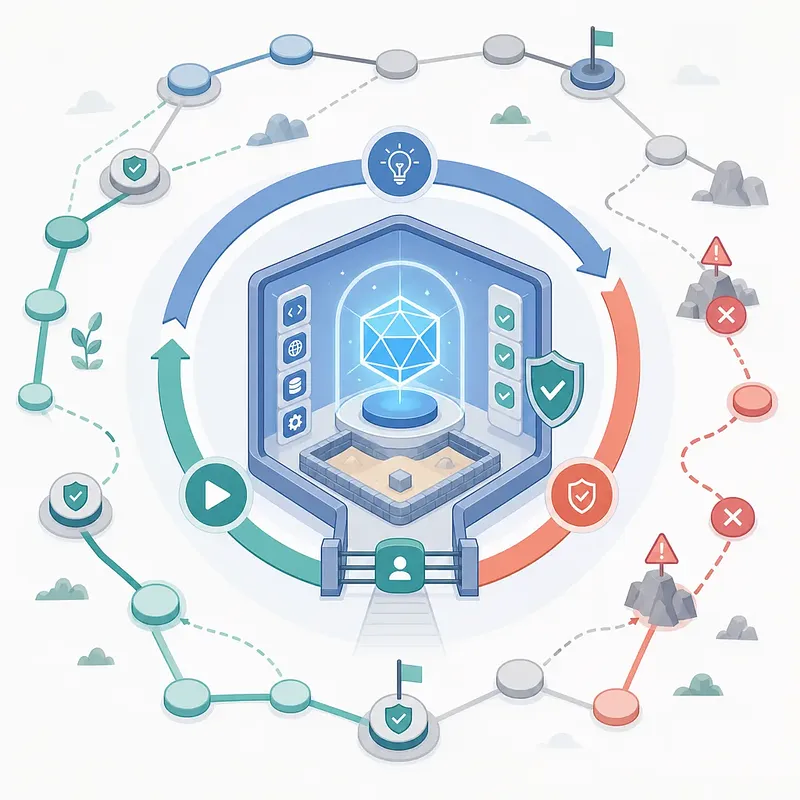
A developer reviews project files and automation task statuses on a laptop.AI-generated image

Images

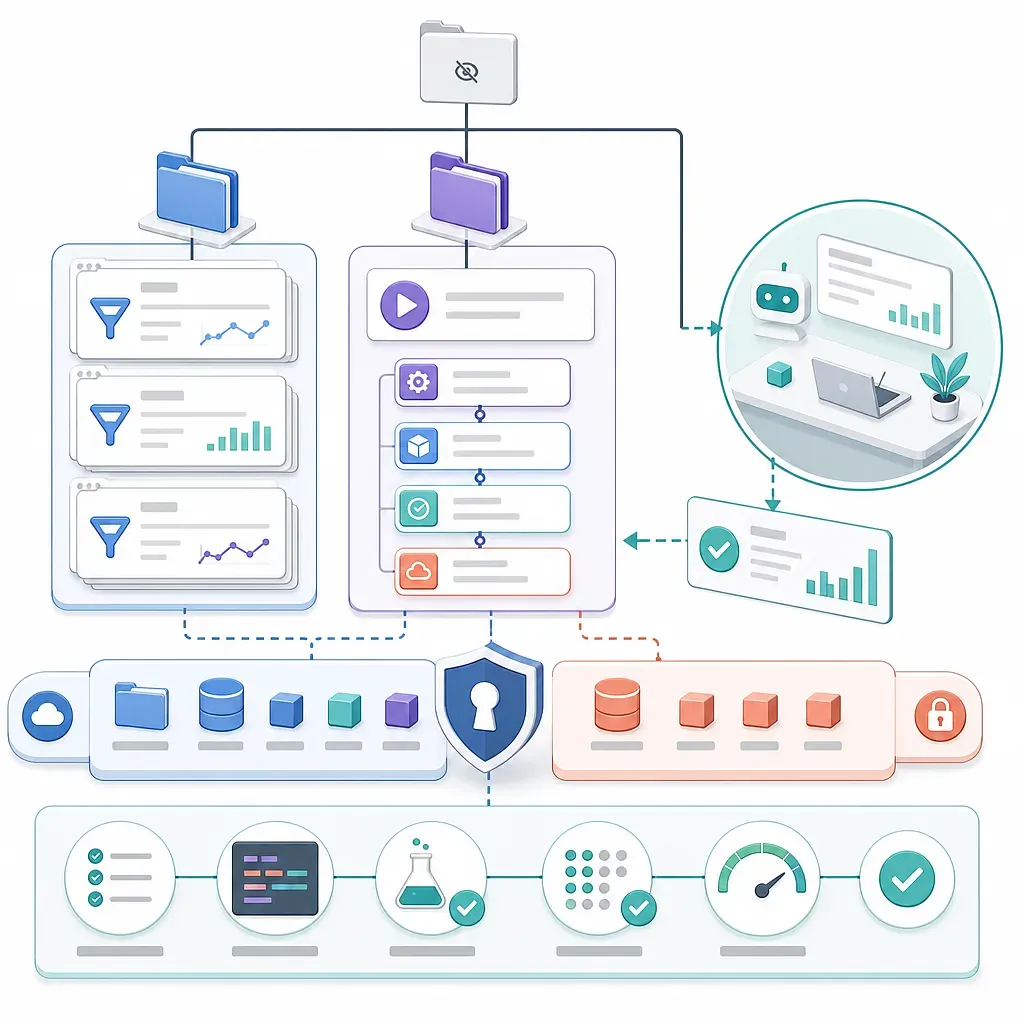
Rules and automated steps flow through a security layer into testing and validation.AI-generated image

Key points

  • Create a `.claude` directory in the project root and distinguish the scope of shared settings from that of personal settings.
  • Separate standards that must always be followed into Markdown files under `.claude/rules`, and limit their applicable paths if necessary.
  • Write recurring procedures in `.claude/skills/<name>/SKILL.md` and configure them for automatic or explicit invocation.
  • Delegate tasks requiring an independent context and role to a `.claude/agents/<name>.md` subagent.
  • Use small validation tasks to verify loading, tool permissions, and result quality before committing the settings to the team repository.

Claude Code extensions are not all the same kind of prompt. Rules are instructions that apply continuously, Skills are reusable procedures for recurring tasks, and Agents are role-specific executors that work in separate contexts. Distinguishing these three features correctly reduces prompt repetition while allowing you to manage the main conversation context efficiently.

This document explains project-level configuration. Because supported metadata and interfaces may vary by Claude Code version, fields that do not work should be checked again in the official documentation for the installed version.

Step 1: Define the .claude Directory and Configuration Scope

Rules, Skills, and Agents shared within a project are generally placed under .claude at the repository root.

my-project/
├── .claude/
│   ├── rules/
│   │   ├── code-style.md
│   │   └── api.md
│   ├── skills/
│   │   └── fix-issue/
│   │       └── SKILL.md
│   └── agents/
│       ├── code-reviewer.md
│       └── test-runner.md
├── src/
└── package.json

You can create the directories as follows.

mkdir -p .claude/rules
mkdir -p .claude/skills/fix-issue
mkdir -p .claude/agents

Two Misconceptions About .claude

  1. .claude is not required for every Claude Code instruction. Project instructions can also be managed in CLAUDE.md at the root or .claude/CLAUDE.md, while a user's personal settings can be placed under ~/.claude in the home directory.
  2. File names are case-sensitive depending on the operating system. It is safest to name the Skill entry file SKILL.md in uppercase to match the official format. If it is saved as skill.md, it may not be recognized.

Criteria for Choosing Project or Personal Configuration

Scope Suitable Content Examples
Shared project Rules and automation that all contributors must follow consistently Test commands, directory structure, API conventions
Personal user Personal preferences or settings that should not be exposed in the repository Personal workflow, choice of local tools
Local only Paths or experimental settings valid only on a specific computer Local data paths, temporary debugging procedures

Commit only files intended for team use to Git. Do not record secret keys, tokens, or internal server passwords in Rules or Skills.

Step 2: Create Persistent Instructions with Rules

Rules allow project instructions that Claude should reference while working to be managed across multiple Markdown files. Among the rules under .claude/rules, files without a paths condition are loaded as project instructions, while files with path conditions are applied when relevant files are handled.

Basic Rule Example

You can write .claude/rules/code-style.md as follows.

# Coding Principles

- Write new application code in TypeScript.
- For public functions, describe inputs, return values, and failure conditions.
- Do not hide failures by deleting existing tests.
- Run the relevant tests and type checks after making changes.
- Write explanations in Korean, but follow existing naming conventions for code identifiers.

A good Rule is verifiable. “Run npm test and npm run typecheck after making changes” is clearer than “Write good code.”

Rule Applied Only to Specific Paths

If the frontend and backend follow different rules, you can narrow the scope using paths in YAML front matter.

---
paths:
  - "src/api/**/*.ts"
  - "tests/api/**/*.ts"
---

# API Rules

- Validate all API inputs against a schema.
- Handle authentication failures and insufficient permissions as different errors.
- When changing an endpoint, update the corresponding API tests as well.

Path-specific rules reduce the problem of unnecessary instructions occupying the context of every task.

Content That Should Not Be Included in Rules

  • A migration procedure that will be performed only once
  • Detailed requirements needed only for a specific issue
  • Conflicting absolute instructions
  • Lengthy repetition of content already enforced through code or linter settings
  • Sensitive data such as passwords, API keys, and customer information

Rules are not a “magical guarantee that instructions will always be followed.” Ambiguous or conflicting instructions can produce different results, so deterministic validation methods such as tests, linters, and access controls should be used together with them.

Step 3: Automate Recurring Procedures with Skills

A Skill packages a description, task procedure, required tools, and supporting materials into a single reusable unit. The basic structure of a project Skill is .claude/skills/<skill-name>/SKILL.md, and templates or scripts can be added to the same directory as needed.

Unlike Rules, a Skill is used when needed for a specific task. Claude may select it automatically based on the Skill's description, or the user may invoke it explicitly in the /<skill-name> format. It does not necessarily operate only through manual invocation.

Issue-Fixing Skill Example

The following is an example of .claude/skills/fix-issue/SKILL.md.

---
name: fix-issue
description: Reproduce a bug, narrow down its cause, and then make the smallest possible fix and perform regression testing.
disable-model-invocation: true
allowed-tools: Read, Grep, Glob, Edit, Bash(npm test:*)
---

# Issue-Fixing Procedure

Target issue: $ARGUMENTS

1. Investigate the relevant code and existing tests.
2. Before making changes, summarize the reproduction steps and expected behavior.
3. Explain the root cause in one paragraph.
4. Apply the change with the smallest scope of impact.
5. Add a regression test or verify that an existing test covers the problem.
6. Run the permitted tests and summarize the results.
7. Report the changed files, remaining risks, and items requiring manual verification.

This Skill can be invoked as follows.

/fix-issue Profile picture does not update after login

disable-model-invocation: true is useful when you want to prevent Claude from running this Skill on its own and require the user to invoke it directly. Supported front matter fields may vary by Claude Code version.

Design-First Skill Example

To have Claude create a design document before coding immediately, you can include the following flow in a Skill.

  1. Separate the requirements from ambiguous points.
  2. Investigate the existing structure and reusable modules.
  3. Design the data flow, interfaces, and failure conditions.
  4. Write a design document under docs/design/.
  5. Implement after confirming the user's approval or the specified approval conditions.
  6. Provide testing and rollback methods.

Characteristics of a Good Skill

  • Its input and final output are clear.
  • The procedure's sequence and stopping conditions are specified.
  • Only the required tools are permitted.
  • Lengthy reference materials are separated into other files.
  • It reports failures instead of continuing at its own discretion.
  • A single Skill does not have too many purposes.

Recurring tasks with clear beginnings and ends, such as writing commits, reviewing code, checking releases, and designing APIs, are suitable for Skills.

Step 4: Separate Roles and Contexts with Agents

Claude Code subagents perform specific roles in separate contexts and return their results to the main conversation. They are useful when you do not want to accumulate large amounts of search results or test logs in the main context.

Project agents are generally defined in .claude/agents/<agent-name>.md. You can inspect or manage agents through the /agents command, and you can also request delegation to a specific agent in natural language.

Code Review Agent Example

You can write .claude/agents/code-reviewer.md as follows.

---
name: code-reviewer
description: A read-oriented reviewer that examines changed code for defects, security risks, and missing tests
tools: Read, Grep, Glob, Bash
model: sonnet
---

You are an agent dedicated to code review.

Review in the following order of priority.

1. Defects that could cause actual outages or data loss
2. Security issues related to authentication, permissions, and input validation
3. Concurrency, transaction, and error-handling problems
4. Missing tests that leave requirements unverified
5. Structures that significantly reduce maintainability

For each finding, include the file path, evidence, conditions under which it occurs, and the minimum direction for a fix.
Do not report unsupported style preferences as defects.
Do not modify the code directly; return only the review results.

You can make a request as follows.

Have the code-reviewer agent review the changes on the current branch.

Differences Between Skills and Agents

Criterion Rules Skills Agents
Core purpose Provide persistent instructions Reuse recurring procedures Delegate work by role
When applied Always or according to path conditions Automatic selection or explicit invocation Delegation by Claude or a user request
Context Included as instructions in the main task Primarily executed within the current workflow Performed in a separate context, then results are returned
Typical example Coding standards Issue-fixing procedure Code reviewer
Storage location .claude/rules/*.md .claude/skills/<name>/SKILL.md .claude/agents/*.md

Agents and Agent Teams Are Different

The fact that ordinary subagents use separate contexts does not mean that agents can freely communicate with one another. An ordinary subagent follows a delegation structure in which it performs its assigned task and returns the result to the main agent. Agent Teams, which allow multiple independent sessions to exchange messages with one another, are a separate feature, and their support status and activation requirements must be checked in the official documentation.

Designing a workflow on the assumption that agents can continuously create other agents in a chain may fail because of version or permission restrictions. It is safer to begin with a simple structure in which the main agent divides work among role-specific subagents and consolidates their results.

Step 5: Validate Loading, Permissions, and Quality

Do not assume that configuration files work as intended merely because they have been created. Validate each component separately with a small task.

  1. Check Rules: Request work on both a file to which a rule applies and one to which it does not, and verify the path conditions.
  2. Check Skills: Explicitly invoke a Skill and verify that its input arguments, outputs, and stopping conditions work.
  3. Check Agents: Assign a low-risk task such as a read-only review and inspect the result format.
  4. Check permissions: Review whether tools capable of making changes, such as Bash and Edit, have been granted only to configurations that truly need them.
  5. Automated validation: Independently verify AI results through tests, type checking, linters, and security checks.

Items to Check When Something Fails

  • Is .claude actually located at the project root?
  • Is the Skill file named exactly SKILL.md?
  • Is the Skill located in the .claude/skills/<name>/SKILL.md structure?
  • Is the Agent file a Markdown file directly under .claude/agents?
  • Are the beginning and end of YAML front matter enclosed with ---?
  • Are name and description specific enough to distinguish the task?
  • Do the path patterns match the actual project structure?
  • Does the installed Claude Code version support the metadata being used?
  • Are tool permissions or organizational policies blocking execution?

Why Context Budgets and Security Must Be Designed Together

The purpose of Rules, Skills, and Agents is not merely to add functionality. They are also context engineering tools that control what information enters the context and when.

If rules are excessively long, instructions unrelated to the current task occupy context and increase the likelihood of conflicts. Conversely, delegating exploration and log analysis to subagents allows only conclusions and evidence to remain in the main conversation.

From a security perspective, the following principles are important.

  • Review Rules and Skills like any other code in the repository.
  • Read Agent or Skill files received from external sources before running them.
  • Minimize permissions for shell commands, network access, and file modification.
  • Do not unconditionally trust commands included in user input or issue descriptions.
  • Include human approval steps for deployment, deletion, payment, and data migration.
  • Do not store secrets in prompt files; use a separate secret management system.

Which Feature Should You Choose?

You can decide quickly by asking the following questions.

  • Must all relevant tasks follow it? → Rule
  • Is it a recurring procedure with a beginning and an end? → Skill
  • Does it require a separate role and independent context? → Agent
  • Must a deterministic command be run before or after a specific event? → Consider a Hook

For example, “Use TypeScript” is a Rule, while “Perform everything from bug reproduction through regression testing” is a Skill. “Read the changes and report only security defects” is suitable for an Agent. Behavior tied to a specific event, such as always running a formatter after editing a file, may be better suited to Hooks.

The most reliable configuration treats the three features as complementary rather than competing. Use Rules to provide shared standards, Skills to execute standard procedures, and Agents to separate context-heavy work such as investigation and review, then supplement them with deterministic validation through tests and Hooks.

Sign-in required

Sign in with your Google account to like, comment, and save highlights.

FAQ

Is the `.claude` folder required in Claude Code?

It is used to manage project Rules, Skills, and Agents in a standard structure, but it is not required for every instruction. Project instructions can also be placed in `CLAUDE.md` at the root or in `.claude/CLAUDE.md`, while personal settings can be managed under `~/.claude`.

What is the difference between Rules and `CLAUDE.md`?

`CLAUDE.md` is suitable for providing the project's core instructions in a single document. `.claude/rules` is useful for separating files by topic and applying conditions by path, so it helps modularize rules as the project grows.

Should the Skill filename be `skill.md` or `SKILL.md`?

The entry filename that conforms to the official Agent Skills structure is the uppercase `SKILL.md`. It is safest to place a project Skill at `.claude/skills/<skill-name>/SKILL.md`; on case-sensitive operating systems, `skill.md` is treated as a different file.

Does a Claude Code Skill run only when invoked by the user?

Not always. Claude can review a Skill's description and automatically select it for suitable tasks, and the user can also invoke it with `/<skill-name>`. If automatic invocation must be prevented, you can review the `disable-model-invocation` setting in versions that support it.

Should I use a Skill or an Agent?

A Skill is suitable for carrying out repeatable procedures within the current workflow. An Agent is suitable when a separate role and isolated context are needed, such as for large-scale research, test analysis, or code review. Content that should be applied continuously, such as common coding standards, should be separated into a Rule.

Can subagents communicate directly with each other or invoke other agents?

A typical Claude Code subagent works in a separate context and then returns its results to the main agent. Direct collaboration among multiple independent sessions must be distinguished from the separate Agent Teams feature, and you should check its support status and limitations in the version you are using.

If I write Rules, will Claude always follow the instructions perfectly?

No. Rules are instructions provided continuously, but they are not a deterministic enforcement mechanism. They may be missed due to conflicting or ambiguous instructions, so they should be used together with linters, type checking, tests, Hooks, and code review.

Is it safe to immediately use a Skill or Agent obtained from an external source?

It is best not to run it immediately. First review the instructions, shell commands, permitted tools, and scope of network and file access included in the files, and test it with the minimum necessary permissions. You should also check that it does not contain anything that encourages sending confidential information or making dangerous file changes.

Sources

Data formats

This content is available in several machine-friendly formats.

Data-only languages (machine translated, files only)

Indonesian JSON MD Portuguese JSON MD Chinese (Traditional) JSON MD Deutsch JSON MD

Verification

Figures in this article were checked against the source material during generation. · 2026-08-19

This translation has been cross-checked by AI. · 2026-08-19

Reuse & AI usage

Search indexing and AI citation with attribution are welcome. See the license policy for details.

CC BY · License

Loading…

Loading…

From Injoys

Request the content you want and take 70% of what it earns

Just leave the subject. We handle production, review, translation and distribution.

See how revenue sharing works

Comments