Skip to content
Express Bus Timetable How-to

Gwangju U-Square Express Bus Booking and Parking

Listen or read this article

18:55

Listen, or read the text only.

Gwangju U-Square Express Bus Booking and Parking

Kokoro 82M AI-generated voice 19 min read

0:00 18:55

Advertisement

Download audio

File name
gwangju-usquare-express-bus-booking-parking-lockers-en.mp3
Format
MP3 (audio/mpeg)
Duration
18:55
File size
13 MB
Engine
Kokoro 82M

This audio was generated by AI.

You may download and use it freely for personal use.

Advertisement

Gwangju U-Square Express Bus Booking and Parking

14 min read

Gwangju U-Square Express Bus Booking and Parking
Check Gwangju U-Square express bus service information for your travel date, then book through KOBUS. Find the steps for checking your boarding bay, parking fees, the reference date for storage locker information, and booking change and cancellation conditions.
Use Find Express Bus Times on the left side of this site to check the schedule and fares for your travel date.
Select Gwangju (U-Square) as your departure point on KOBUS to book your ticket.
When you arrive at the terminal, compare the destination and departure time on your ticket with the information board.
At the designated boarding bay, scan the QR code on your ticket at the E-PASS terminal.
Sit in the seat shown on your ticket.
To take an express bus from Gwangju U·Square, first check the timetable for your travel date. Have your payment method ready to book through KOBUS. Website bookings are available until 1 hour before departure. At the terminal, check that your ticket's destination matches the boarding platform.
The figures and conditions in this article are based on official information accessed on November 9, 2026.
Boarding Steps for First-Time Visitors
Prepare by checking the timetable, buying a ticket, and finding your boarding platform, in that order. If you choose a mobile ticket, you can board without having a ticket issued at the counter. Before traveling, check the service information again on the booking screen.
· Open the express bus timetable finder on the left side of this site. Check the timetable and fares for your travel date. · Select Gwangju (U·Square) as your departure point on KOBUS. Choose your destination and class, then pay. · At the terminal, check the destination and departure time on your ticket. Go to the boarding platform shown on the information board. · When boarding, scan your ticket's QR code at the E-PASS terminal. · Sit in the seat shown on your ticket.
If you need to buy a ticket at the terminal, use the ticket counter. Ask the information desk where the self-service ticket machines are and whether they can issue your ticket. It is best not to plan on arriving just before departure.
Terminal Location and Routes
Gwangju U·Square is the name of Gwangju Bus Terminal. On KOBUS, you can find it under Gwangju (U·Square). The address is 904 Mujin-daero, Seo-gu, Jeonnam-Gwangju Integrated Special City. You can check the location on the About U·Square page.
The website's privacy policy lists Kumho Express as its operator. Check your ticket for the company operating your bus. KOBUS is operated by the Korea Express Bus Lines Association.
The following major destinations were confirmed on November 9, 2026. Even if a destination is listed, you must check services separately for your travel date. Use this site's express bus timetable finder for first and last departures and fares.
Region | Major destinations Seoul | Central City (Seoul), Dong Seoul Gyeonggi·Incheon | Suwon, Seongnam (Bundang), Incheon, Incheon Airport Chungcheong | Daejeon Complex, Yuseong Complex Jeolla | Jeonju, Suncheon, Mokpo Gyeongsang | Busan, West Busan (Sasang), Dongdaegu, Ulsan, Changwon, Jinju Gangwon | Chuncheon, Wonju
Check the terminal name as well as the city name for your destination. Busan and West Busan (Sasang) are different destinations. You must also distinguish between Central City (Seoul) and Dong Seoul when selecting your destination.
Comparing Standard, Deluxe, Premium, and Late-Night Fares
Compare Standard, Deluxe, and Premium fares by class on the booking screen. Late-night service is classified by departure time. Even on the same route, you need to check the class and departure time of your selected service.
Category | What to check when reviewing fares Standard | Check whether Standard services operate on that date Deluxe | Compare with Standard and Premium fares to the same destination Premium | Check the fare and seat selection screen for that service Late-night | Check the applicable late-night fare along with the class
A KOBUS notice dated September 22, 2026 announced a fare increase. It takes effect from the first departure on October 1, 2026. The announced fare increase for express and intercity buses is 9%.
Tickets booked before the increase are charged at the previous fare. However, changes made on or after October 1 are subject to the new fare. Use the search results for your travel date rather than an old fare table.
Late-night surcharges and seating-capacity surcharges have different regulatory grounds. The relevant document is the “Guidelines for Adjusting Fares and Rates for Passenger Motor Transport Services.” You can check the relevant provisions of Article 9 at the National Law Information Center.
Category | Regulatory condition | Maximum surcharge Article 9, Item 5: Late-night surcharge | Departures from 22:00 to 04:00 the next day | Up to 20% of the daytime fare Article 9, Item 6: Seating-capacity surcharge | Services operating with at most 21 seats | Up to 30% of the Deluxe fare
These percentages are not amounts automatically added to every fare. They are the limits set by the regulations. Check the search screen for your travel date to see the amount you will pay.
Booking Through Websites, Apps, and Ticket Counters
Book express buses through KOBUS. For intercity buses, use Tmoney Intercity Bus Integrated Booking. U·Square distinguishes between booking services in its Ticket Reservation Guide.
Purchase channel | How to use it | Conditions to check Express bus website | Select the date, destination, and seat on KOBUS | Book until 1 hour before departure Mobile | Look up a service in the relevant app, then pay | If departure is near, check booking availability in the app Terminal counter | Buy at the ticket counter | Check available seats and how tickets are issued Intercity bus website | Use Tmoney Intercity Bus Integrated Booking | Check intercity bus ticketing and cancellation conditions
The app name is listed differently by each information provider. The U·Square FAQ directs users to TmoneyGO. KOBUS calls it the Express Bus Mobile app. Before installing, check the app information on the official website.
Tickets cannot be booked by phone. The U·Square FAQ states:
Telephone reservations are not available. You must visit the terminal in person or book online or through a mobile app.
The source is the U·Square FAQ, Telephone Reservations and Fee Inquiries.
Can I Board Directly With a Mobile Ticket?
If you select a mobile ticket when booking, you can board using the app. You do not need to collect a paper ticket at the counter. Open your ticket's QR code in the app before boarding.
Paper tickets, home-printed tickets, and mobile tickets are checked through E-PASS. You scan the ticket's QR code at the terminal on the bus. If seats are available, you can also pay on-site by card. Book in advance if you need to secure a seat.
What to Check When Finding Your Boarding Platform
Check both the platform number and the destination. Express bus and direct intercity bus boarding areas are in the same building. Some platform numbers appear in both categories.
Category | Numbers in the official boarding platform guide Express buses | 3 to 7, 9 to 13, 15 Direct intercity buses | 5, 6, 17 to 32
Platforms 5 and 6 appear in both lists. Do not use the number alone to decide whether a platform is for express or intercity buses. Compare your ticket with the signs at the terminal. You can check the layout in the U·Square Boarding Platform Guide.
Getting There by City Bus and Subway
U·Square's official directions focus on city buses. Even stops with the same U·Square name have different boarding locations depending on the direction. For your return trip, do not rely only on remembering the stop where you got off.
Stop | Direction in the official guide | Examples of major routes U·Square 2002 | Toward Hyundai Motor | Sunhwan01, Jwaseok02, Suwan03, Cheomdan09, Seonun14, Maewol16, Airport Bus 1000 U·Square 2001 | Toward Kia Motors Central Gate | Sunhwan01, Jwaseok02, Suwan03, Cheomdan09, Maewol16, Airport Bus 1000 U·Square 2453 | Toward Kia Motors Central Gate | Maewol26, Songam31, Geumho36, Songam47, Sangmu64, Maeul777
Check Directions to U·Square for each route's stop location. Check the information at the stop for actual expected arrival times. For Sunhwan01, also check the direction of travel at each stop.
Subway stations and exits could not be confirmed in the terminal's official guide. If you use the subway, check your transfer route on a map. Set your destination to 904 Mujin-daero, Seo-gu. For questions about getting to the terminal, call 062-360-8114.
Ticket Counters, Waiting Areas, Nursing Rooms, and Other Facilities
Ticket counters, nursing rooms, and other facilities are marked in the official facilities guide. Before eating or shopping, find your boarding platform first. For facility locations, see the U·Square Facilities Guide.
Facility needed | Information Ticket counter | Ask about on-site purchases and ticket issuance at the ticket counter Self-service ticket machines | Check on-site for locations and the tickets they can issue Waiting area | Wait while checking departure announcements against your ticket information Nursing room·Infant lounge | Check on-site information for the location and current availability Restaurants·Snack shops | Check the listings for KFC, Guksunamu, Dunkin, and other stores Convenience store | Ask the information desk for the current location and opening hours ATM | Check the location in the official facilities guide Elevators·Escalators | Check their locations along your route Customer Happiness Center·Parcel Service Office | Use for terminal inquiries or parcel shipping
You can find restaurants in the U·Square Food Store Guide. Check store opening hours separately from bus operating hours. A 24-hour parking lot does not mean every store is open for the same hours.
Can I Borrow a Wheelchair?
You can borrow a wheelchair if you bring identification. Wheelchairs are available at the information desk in front of the ticket counter. The U·Square FAQ states that strollers are not provided.
Checking Luggage Locker Hours and Fees
For luggage lockers, midnight that day is the cutoff. The guidance states that an additional fee applies the next day. Check the signs on the lockers for fees by size.
· Check the size and fee for a compartment that fits your luggage. · After storing your luggage, keep the compartment number and usage information. · If you will collect your luggage after midnight, check the additional fee conditions. · If a problem occurs, contact the manager listed on the locker.
The official FAQ checked does not include a fee table by compartment. Do not apply the lowest fee shown in search results to every compartment. You can check storage conditions in the U·Square FAQ.
Parking Fees and Discount Conditions
The terminal parking lot's base fee is 1,500 won for 30 minutes. Parking for more than 30 minutes costs an additional 500 won per 10 minutes. The parking lot operates 24 hours a day. It has capacity for 451 vehicles, from basement level 1 through floor 4 above ground.
Item | Information confirmed on November 9, 2026 Free parking time for regular vehicles | 10 minutes Base fee | 1,500 won for 30 minutes Beyond the base period | 500 won per 10 minutes Daily maximum | 30,000 won Discount for people with disabilities·Persons of national merit | Discount applied after calling the call center Documents not accepted for parking discounts | Department store·E-Mart receipts, bus tickets Parking inquiries | 062-360-8312
Parking fees apply once a regular vehicle exceeds the free parking period. Do not calculate the fee by subtracting the free 10 minutes from every parking stay. Ask the parking contact about discount rates and required documents.
Discounts and refunds are not available if you exit without paying in advance. This condition is stated in the U·Square Parking Guide. If you need a discount, complete payment before exiting.
· Check whether the store you use qualifies for a parking discount. · If it does, ask the store to register the parking discount online. · For discounts for people with disabilities or persons of national merit, call the call center. · Check that the discount has been applied at the advance payment machine, then pay.
Parking Fee Calculation Example
For 1 hour of parking without a discount, the calculated fee is 3,000 won. The base 30 minutes costs 1,500 won. For the remaining 30 minutes, add the 10-minute fee three times.
Calculation item | Amount Base 30 minutes | 1,500 won Additional 30 minutes | 500 won × 3 = 1,500 won Total | 1,500 won + 1,500 won = 3,000 won
This example uses the official fee increments. It does not include store discounts. Check the advance payment machine for the actual amount due.
Booking Changes and Cancellation Fees
KOBUS bookings can be changed once, until 1 hour before departure. There is no change fee. You can change the time, number of tickets, and class. The date is not among the items you can change.
· Look up your ticket on the website or app where you booked. · Check which items can be changed and which seats remain available. · After making the change, check the fare and payment details. · To cancel, check the displayed fee before proceeding.
No change fee does not mean the fare will stay the same. The amount payable may change depending on the class or whether an increased fare applies. If you want to change the date, check the cancellation conditions first.
Express Bus Cancellation Fees by Cancellation Time
KOBUS fees vary depending on when you cancel and the category of travel day. The following is based on the revised guidance dated May 1, 2025. For fees after departure, also check the applicable period.
Cancellation time | Monday to Thursday | Friday to Sunday·Public holidays | Seollal·Chuseok holidays Until 2 days before departure | 0% | 0% | 0% From 1 day before departure until 3 hours before departure | 5% | 7.5% | 10% From less than 3 hours before departure until departure | 10% | 15% | 20% After departure until before the scheduled arrival time | 60% | 60% | 60% At or after the scheduled arrival time | 100% | 100% | 100%
The 60% fee after departure applies from May 1, 2026. This rate remains in effect until April 30, 2027. From May 1, 2027, a 70% fee applies to that period.
The holiday period runs from two days before Seollal or Chuseok through the following day. Tickets issued on the departure date can be canceled free of charge within 1 hour of issuance. However, the booked bus must not have departed.
Do not apply the express bus table above directly to intercity buses. The time thresholds for fees after departure are different. Check the cancellation guide on Tmoney Intercity Bus Integrated Booking.
Dates to Check for Departures After Midnight
For departures after midnight, check your ticket date and luggage collection date separately. The luggage locker cutoff is midnight that day. If the date changes while you wait for your bus, an additional fee may apply.
Item to check | Basis | What to check before use Ticket | Actual departure date and time | Whether it is the same date as the day you arrive at the terminal Luggage locker | Midnight that day | Additional fee for collection the next day Late-night fare | Departure time of the service | Final fare displayed on the booking screen
· Read the departure date and time on your ticket. · Check whether the date will have changed when you collect your luggage. · If there is an additional storage fee, check the payment conditions. · After collecting your luggage, go to the appropriate boarding platform.
Lost Property and General Inquiries
The contact for lost property depends on where you lost the item. For items lost in the waiting area, contact the terminal. Items left on a bus are handled by that bus company.
Situation | Contact | Information to check Terminal location·Facility inquiries | 062-360-8114 | Facility needed or purpose of visit Items lost in the waiting area | 062-360-8454 | Open weekdays 09:00 to 17:00 Items lost on a bus | Bus company listed on your ticket | Travel date·Destination·Departure time·Seat Parking fees·Discounts | 062-360-8312 | Entry and exit information and discount conditions Luggage locker problems | Manager listed on the locker | Locker location and compartment number KOBUS inquiries | 1644-9030 | Booking details and inquiry
Lost property contacts for each bus company are listed in the U·Square FAQ. Parcel shipping locations also vary by bus company. If you want to send an item, check the bus company first.

0:00 0:00
1 / 84

Advertisement

Download text

File name
gwangju-usquare-express-bus-booking-parking-lockers-en.txt
Format
TXT (text/plain)
Paragraphs
84

Downloads exactly what you see as a text file.

Please cite the source when quoting.

Advertisement

Large text

Makes the text larger and the colors clearer. Turn it on if the text feels too small.

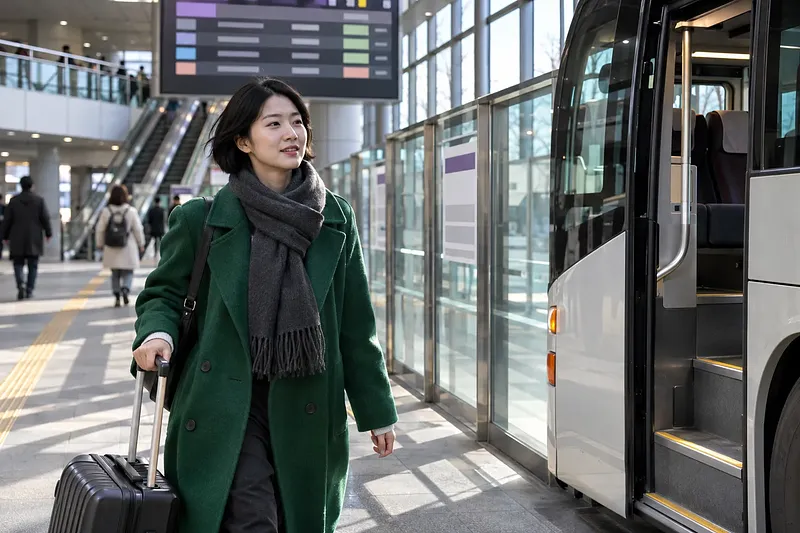
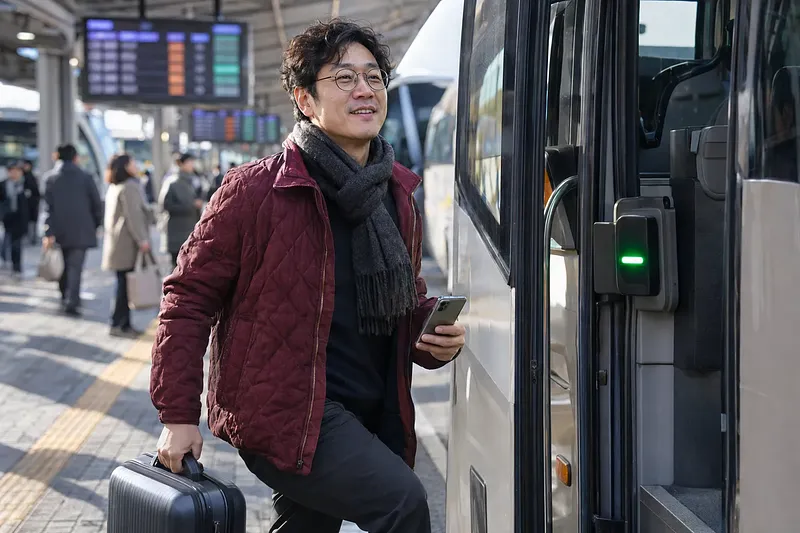
At your boarding bay, scan your ticket’s QR code at the E-PASS terminal.

Key points

  • Use Find Express Bus Times on the left side of this site to check the schedule and fares for your travel date.
  • Select Gwangju (U-Square) as your departure point on KOBUS to book your ticket.
  • When you arrive at the terminal, compare the destination and departure time on your ticket with the information board.
  • At the designated boarding bay, scan the QR code on your ticket at the E-PASS terminal.
  • Sit in the seat shown on your ticket.

To take an express bus from Gwangju U·Square, first check the timetable for your travel date. Have your payment method ready to book through KOBUS. Website bookings are available until 1 hour before departure. At the terminal, check that your ticket's destination matches the boarding platform.

The figures and conditions in this article are based on official information accessed on November 9, 2026.

Boarding Steps for First-Time Visitors

Prepare by checking the timetable, buying a ticket, and finding your boarding platform, in that order. If you choose a mobile ticket, you can board without having a ticket issued at the counter. Before traveling, check the service information again on the booking screen.

  1. Open the express bus timetable finder on the left side of this site. Check the timetable and fares for your travel date.
  2. Select Gwangju (U·Square) as your departure point on KOBUS. Choose your destination and class, then pay.
  3. At the terminal, check the destination and departure time on your ticket. Go to the boarding platform shown on the information board.
  4. When boarding, scan your ticket's QR code at the E-PASS terminal.
  5. Sit in the seat shown on your ticket.

If you need to buy a ticket at the terminal, use the ticket counter. Ask the information desk where the self-service ticket machines are and whether they can issue your ticket. It is best not to plan on arriving just before departure.

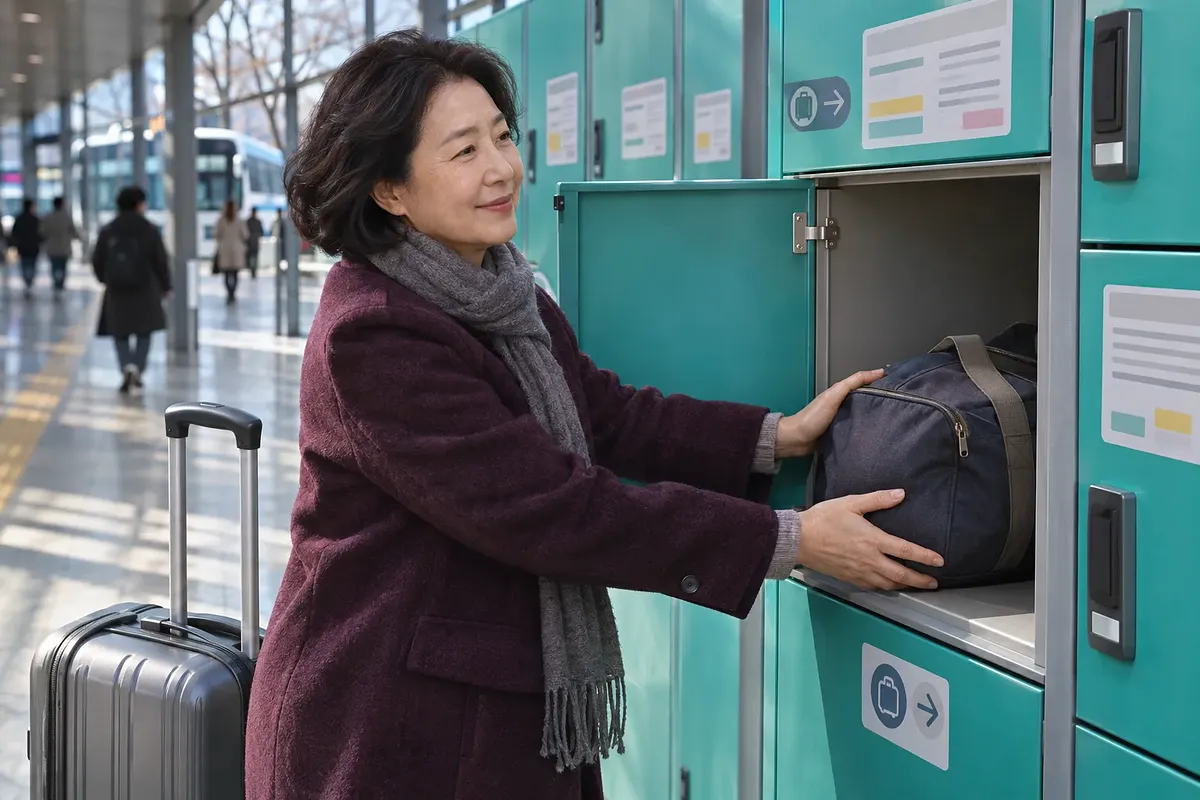
Check how dates are counted before using the luggage lockers.

Terminal Location and Routes

Gwangju U·Square is the name of Gwangju Bus Terminal. On KOBUS, you can find it under Gwangju (U·Square). The address is 904 Mujin-daero, Seo-gu, Jeonnam-Gwangju Integrated Special City. You can check the location on the About U·Square page.

The website's privacy policy lists Kumho Express as its operator. Check your ticket for the company operating your bus. KOBUS is operated by the Korea Express Bus Lines Association.

The following major destinations were confirmed on November 9, 2026. Even if a destination is listed, you must check services separately for your travel date. Use this site's express bus timetable finder for first and last departures and fares.

Region Major destinations
Seoul Central City (Seoul), Dong Seoul
Gyeonggi·Incheon Suwon, Seongnam (Bundang), Incheon, Incheon Airport
Chungcheong Daejeon Complex, Yuseong Complex
Jeolla Jeonju, Suncheon, Mokpo
Gyeongsang Busan, West Busan (Sasang), Dongdaegu, Ulsan, Changwon, Jinju
Gangwon Chuncheon, Wonju

Check the terminal name as well as the city name for your destination. Busan and West Busan (Sasang) are different destinations. You must also distinguish between Central City (Seoul) and Dong Seoul when selecting your destination.

Comparing Standard, Deluxe, Premium, and Late-Night Fares

Compare Standard, Deluxe, and Premium fares by class on the booking screen. Late-night service is classified by departure time. Even on the same route, you need to check the class and departure time of your selected service.

Category What to check when reviewing fares
Standard Check whether Standard services operate on that date
Deluxe Compare with Standard and Premium fares to the same destination
Premium Check the fare and seat selection screen for that service
Late-night Check the applicable late-night fare along with the class

A KOBUS notice dated September 22, 2026 announced a fare increase. It takes effect from the first departure on October 1, 2026. The announced fare increase for express and intercity buses is 9%.

Tickets booked before the increase are charged at the previous fare. However, changes made on or after October 1 are subject to the new fare. Use the search results for your travel date rather than an old fare table.

Late-night surcharges and seating-capacity surcharges have different regulatory grounds. The relevant document is the “Guidelines for Adjusting Fares and Rates for Passenger Motor Transport Services.” You can check the relevant provisions of Article 9 at the National Law Information Center.

Category Regulatory condition Maximum surcharge
Article 9, Item 5: Late-night surcharge Departures from 22:00 to 04:00 the next day Up to 20% of the daytime fare
Article 9, Item 6: Seating-capacity surcharge Services operating with at most 21 seats Up to 30% of the Deluxe fare

These percentages are not amounts automatically added to every fare. They are the limits set by the regulations. Check the search screen for your travel date to see the amount you will pay.

Booking Through Websites, Apps, and Ticket Counters

Book express buses through KOBUS. For intercity buses, use Tmoney Intercity Bus Integrated Booking. U·Square distinguishes between booking services in its Ticket Reservation Guide.

Purchase channel How to use it Conditions to check
Express bus website Select the date, destination, and seat on KOBUS Book until 1 hour before departure
Mobile Look up a service in the relevant app, then pay If departure is near, check booking availability in the app
Terminal counter Buy at the ticket counter Check available seats and how tickets are issued
Intercity bus website Use Tmoney Intercity Bus Integrated Booking Check intercity bus ticketing and cancellation conditions

The app name is listed differently by each information provider. The U·Square FAQ directs users to TmoneyGO. KOBUS calls it the Express Bus Mobile app. Before installing, check the app information on the official website.

Tickets cannot be booked by phone. The U·Square FAQ states:

Telephone reservations are not available. You must visit the terminal in person or book online or through a mobile app.

The source is the U·Square FAQ, Telephone Reservations and Fee Inquiries.

Can I Board Directly With a Mobile Ticket?

If you select a mobile ticket when booking, you can board using the app. You do not need to collect a paper ticket at the counter. Open your ticket's QR code in the app before boarding.

Paper tickets, home-printed tickets, and mobile tickets are checked through E-PASS. You scan the ticket's QR code at the terminal on the bus. If seats are available, you can also pay on-site by card. Book in advance if you need to secure a seat.

What to Check When Finding Your Boarding Platform

Check both the platform number and the destination. Express bus and direct intercity bus boarding areas are in the same building. Some platform numbers appear in both categories.

Category Numbers in the official boarding platform guide
Express buses 3 to 7, 9 to 13, 15
Direct intercity buses 5, 6, 17 to 32

Platforms 5 and 6 appear in both lists. Do not use the number alone to decide whether a platform is for express or intercity buses. Compare your ticket with the signs at the terminal. You can check the layout in the U·Square Boarding Platform Guide.

Getting There by City Bus and Subway

U·Square's official directions focus on city buses. Even stops with the same U·Square name have different boarding locations depending on the direction. For your return trip, do not rely only on remembering the stop where you got off.

Stop Direction in the official guide Examples of major routes
U·Square 2002 Toward Hyundai Motor Sunhwan01, Jwaseok02, Suwan03, Cheomdan09, Seonun14, Maewol16, Airport Bus 1000
U·Square 2001 Toward Kia Motors Central Gate Sunhwan01, Jwaseok02, Suwan03, Cheomdan09, Maewol16, Airport Bus 1000
U·Square 2453 Toward Kia Motors Central Gate Maewol26, Songam31, Geumho36, Songam47, Sangmu64, Maeul777

Check Directions to U·Square for each route's stop location. Check the information at the stop for actual expected arrival times. For Sunhwan01, also check the direction of travel at each stop.

Subway stations and exits could not be confirmed in the terminal's official guide. If you use the subway, check your transfer route on a map. Set your destination to 904 Mujin-daero, Seo-gu. For questions about getting to the terminal, call 062-360-8114.

Ticket Counters, Waiting Areas, Nursing Rooms, and Other Facilities

Ticket counters, nursing rooms, and other facilities are marked in the official facilities guide. Before eating or shopping, find your boarding platform first. For facility locations, see the U·Square Facilities Guide.

Facility needed Information
Ticket counter Ask about on-site purchases and ticket issuance at the ticket counter
Self-service ticket machines Check on-site for locations and the tickets they can issue
Waiting area Wait while checking departure announcements against your ticket information
Nursing room·Infant lounge Check on-site information for the location and current availability
Restaurants·Snack shops Check the listings for KFC, Guksunamu, Dunkin, and other stores
Convenience store Ask the information desk for the current location and opening hours
ATM Check the location in the official facilities guide
Elevators·Escalators Check their locations along your route
Customer Happiness Center·Parcel Service Office Use for terminal inquiries or parcel shipping

You can find restaurants in the U·Square Food Store Guide. Check store opening hours separately from bus operating hours. A 24-hour parking lot does not mean every store is open for the same hours.

Can I Borrow a Wheelchair?

You can borrow a wheelchair if you bring identification. Wheelchairs are available at the information desk in front of the ticket counter. The U·Square FAQ states that strollers are not provided.

Checking Luggage Locker Hours and Fees

For luggage lockers, midnight that day is the cutoff. The guidance states that an additional fee applies the next day. Check the signs on the lockers for fees by size.

  1. Check the size and fee for a compartment that fits your luggage.
  2. After storing your luggage, keep the compartment number and usage information.
  3. If you will collect your luggage after midnight, check the additional fee conditions.
  4. If a problem occurs, contact the manager listed on the locker.

The official FAQ checked does not include a fee table by compartment. Do not apply the lowest fee shown in search results to every compartment. You can check storage conditions in the U·Square FAQ.

Parking Fees and Discount Conditions

The terminal parking lot's base fee is 1,500 won for 30 minutes. Parking for more than 30 minutes costs an additional 500 won per 10 minutes. The parking lot operates 24 hours a day. It has capacity for 451 vehicles, from basement level 1 through floor 4 above ground.

Item Information confirmed on November 9, 2026
Free parking time for regular vehicles 10 minutes
Base fee 1,500 won for 30 minutes
Beyond the base period 500 won per 10 minutes
Daily maximum 30,000 won
Discount for people with disabilities·Persons of national merit Discount applied after calling the call center
Documents not accepted for parking discounts Department store·E-Mart receipts, bus tickets
Parking inquiries 062-360-8312

Parking fees apply once a regular vehicle exceeds the free parking period. Do not calculate the fee by subtracting the free 10 minutes from every parking stay. Ask the parking contact about discount rates and required documents.

Discounts and refunds are not available if you exit without paying in advance. This condition is stated in the U·Square Parking Guide. If you need a discount, complete payment before exiting.

  1. Check whether the store you use qualifies for a parking discount.
  2. If it does, ask the store to register the parking discount online.
  3. For discounts for people with disabilities or persons of national merit, call the call center.
  4. Check that the discount has been applied at the advance payment machine, then pay.

Parking Fee Calculation Example

For 1 hour of parking without a discount, the calculated fee is 3,000 won. The base 30 minutes costs 1,500 won. For the remaining 30 minutes, add the 10-minute fee three times.

Calculation item Amount
Base 30 minutes 1,500 won
Additional 30 minutes 500 won × 3 = 1,500 won
Total 1,500 won + 1,500 won = 3,000 won

This example uses the official fee increments. It does not include store discounts. Check the advance payment machine for the actual amount due.

Booking Changes and Cancellation Fees

KOBUS bookings can be changed once, until 1 hour before departure. There is no change fee. You can change the time, number of tickets, and class. The date is not among the items you can change.

  1. Look up your ticket on the website or app where you booked.
  2. Check which items can be changed and which seats remain available.
  3. After making the change, check the fare and payment details.
  4. To cancel, check the displayed fee before proceeding.

No change fee does not mean the fare will stay the same. The amount payable may change depending on the class or whether an increased fare applies. If you want to change the date, check the cancellation conditions first.

Express Bus Cancellation Fees by Cancellation Time

KOBUS fees vary depending on when you cancel and the category of travel day. The following is based on the revised guidance dated May 1, 2025. For fees after departure, also check the applicable period.

Cancellation time Monday to Thursday Friday to Sunday·Public holidays Seollal·Chuseok holidays
Until 2 days before departure 0% 0% 0%
From 1 day before departure until 3 hours before departure 5% 7.5% 10%
From less than 3 hours before departure until departure 10% 15% 20%
After departure until before the scheduled arrival time 60% 60% 60%
At or after the scheduled arrival time 100% 100% 100%

The 60% fee after departure applies from May 1, 2026. This rate remains in effect until April 30, 2027. From May 1, 2027, a 70% fee applies to that period.

The holiday period runs from two days before Seollal or Chuseok through the following day. Tickets issued on the departure date can be canceled free of charge within 1 hour of issuance. However, the booked bus must not have departed.

Do not apply the express bus table above directly to intercity buses. The time thresholds for fees after departure are different. Check the cancellation guide on Tmoney Intercity Bus Integrated Booking.

Dates to Check for Departures After Midnight

For departures after midnight, check your ticket date and luggage collection date separately. The luggage locker cutoff is midnight that day. If the date changes while you wait for your bus, an additional fee may apply.

Item to check Basis What to check before use
Ticket Actual departure date and time Whether it is the same date as the day you arrive at the terminal
Luggage locker Midnight that day Additional fee for collection the next day
Late-night fare Departure time of the service Final fare displayed on the booking screen
  1. Read the departure date and time on your ticket.
  2. Check whether the date will have changed when you collect your luggage.
  3. If there is an additional storage fee, check the payment conditions.
  4. After collecting your luggage, go to the appropriate boarding platform.

Lost Property and General Inquiries

The contact for lost property depends on where you lost the item. For items lost in the waiting area, contact the terminal. Items left on a bus are handled by that bus company.

Situation Contact Information to check
Terminal location·Facility inquiries 062-360-8114 Facility needed or purpose of visit
Items lost in the waiting area 062-360-8454 Open weekdays 09:00 to 17:00
Items lost on a bus Bus company listed on your ticket Travel date·Destination·Departure time·Seat
Parking fees·Discounts 062-360-8312 Entry and exit information and discount conditions
Luggage locker problems Manager listed on the locker Locker location and compartment number
KOBUS inquiries 1644-9030 Booking details and inquiry

Lost property contacts for each bus company are listed in the U·Square FAQ. Parcel shipping locations also vary by bus company. If you want to send an item, check the bus company first.

Book your slot now

Book Express Bus Tickets from Gwangju

Passengers taking express buses from Gwangju should have their travel date, destination, and payment method ready. Website bookings are available until 1 hour before departure, provided seats are available. Go to Korea Express Bus Lines Association KOBUS Home > Express Bus Booking.

You are leaving for an external site that Injoys does not operate. Please re-check eligibility, dates, and amounts on the official notice of the institution or organiser you are going to.

Go to the official page

Opens in a new window.

Advertisement

Open the link

Opens in a new window.

Advertisement

Sign-in required

Sign in with your Google or Apple account to like, comment, and save highlights.

FAQ

Where can I check express bus schedules and fares for Gwangju U-Square?

Check by travel date under Find Express Bus Times on the left side of this site. Before booking, double-check the fare and seats for your selected departure on KOBUS.

Which departure point should I select on KOBUS?

Select Gwangju (U-Square). For your destination, check the terminal name as well as the city name.

Can I book bus tickets by phone?

The U-Square FAQ states that phone reservations are not available. Use the website, mobile app, or terminal ticket counter.

Which app should I use to book tickets for U-Square?

The U-Square FAQ directs users to Tmoney GO. KOBUS lists the Express Bus Mobile app. Check the instructions on the relevant official website to confirm which app to install.

Can I book an express bus that departs within 1 hour?

Bookings on the KOBUS website are available up to 1 hour before departure. If departure is sooner, check whether booking is available through the mobile app listed by KOBUS.

Do I need to exchange my mobile ticket for a paper ticket?

If you booked a mobile ticket, you can board using the app without having a ticket issued at the counter. Scan your ticket's QR code at the E-PASS terminal on the bus.

Are the boarding platforms for express buses and intercity buses completely separate?

Some platform numbers overlap. In the official guide, platforms 5 and 6 appear on both lists. Check the destination and departure time along with the platform number.

How much does parking at U-Square cost?

As checked on November 9, 2026, the base rate is 1,500 won for the first 30 minutes. After that, an additional 500 won is charged per 10 minutes. The maximum charge for 1 day is 30,000 won.

Can I get a parking discount with a bus ticket?

The U-Square parking guide lists bus tickets as ineligible for parking discounts. Department store and E-Mart receipts cannot be used either.

How can people with disabilities or persons of national merit get a parking discount?

The discount is applied after you speak with the call center. If you exit without paying in advance, no discount or refund is available. Check with the parking inquiry contact about discount rates and required documentation.

Can I use the storage lockers overnight?

The official guide uses 12 midnight on the day of use as the cutoff. Additional charges apply the next day. Check with the locker operator about the fee based on your actual pickup time.

How much do storage lockers cost by size?

The official FAQ reviewed does not include a fee schedule by size. Check the fees displayed on the lockers at the terminal.

Can I borrow a wheelchair or stroller?

You can borrow a wheelchair at the information desk in front of the ticket office if you bring identification. They state that strollers are not available.

Can I change the date of my express bus reservation?

With KOBUS, you can change the time, number of tickets, and service class. The date is not included. To change the date, first check the cancellation terms for your existing ticket.

Who should I contact if I left something on the bus?

Contact the bus operator listed on your ticket. The contact for items lost in the waiting room is different. Having your travel date, destination, and departure time ready will help with your inquiry.

Sources

Also available as video and a short read

Videos and a short write-up made from this content. Watch instead of reading, or skim the gist first.

Data formats

This content is available in several machine-friendly formats.

Data-only languages (machine translated, files only)

Indonesian JSON MD Portuguese JSON MD Chinese (Traditional) JSON MD Deutsch JSON MD

Verification

This article was drafted with AI and then reviewed and edited by a person.

Reviewed by 신익희 · 편집장 · 2026-11-15

Figures in this article were checked against the source material during generation. · 2026-11-15

This translation has been cross-checked by AI. · 2026-11-15

Reuse & AI usage

Search indexing and AI citation with attribution are welcome. See the license policy for details.

CC BY · License

Loading…

Loading…

Loading…

From Injoys

Request the content you want and take 70% of what it earns

Just leave the subject. We handle production, review, translation and distribution.

See how revenue sharing works

Comments