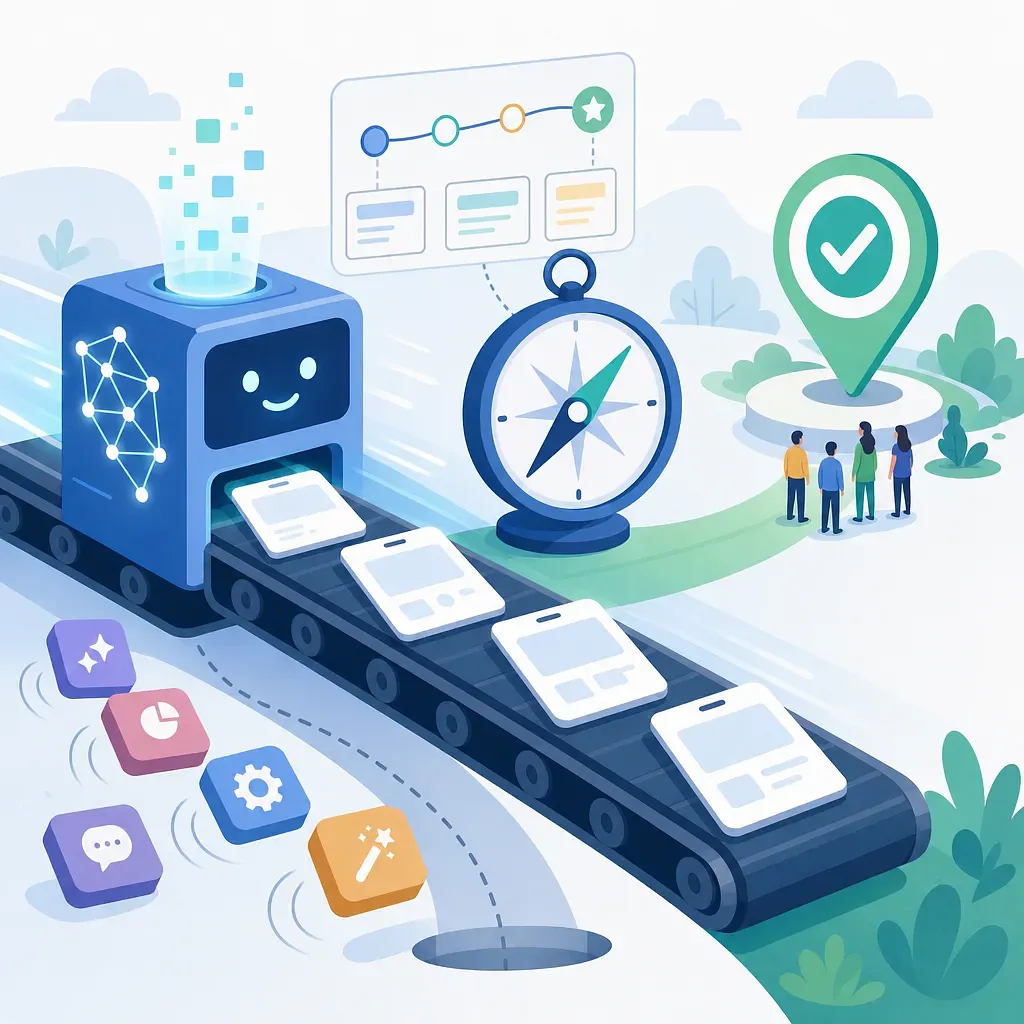
Why Planning Remains Crucial in the Age of AI Coding: Verifiable Intent Over False Speed
AI coding tools have significantly reduced the time and cost of turning ideas into working interfaces, but moving too quickly without clear hypotheses and validation only leads to a rapid accumulation of useless outputs. In the age of AI, planning isn’t about completing lengthy documents first; it’s about defining small problems, learning quickly through prototyping, and staying true to the intended direction.
AI coding has reduced the cost of building an MVP, making it a more reasonable option to conduct experiments and gather feedback more quickly than through preliminary meetings.
A working prototype can serve as a planning tool that helps the team reach a common understanding more quickly and reduces communication errors, much more effectively than a lengthy PowerPoint presentation.
Using AI solely for the sake of speed may seem plausible when the problem definition is vague, but it carries a high risk of churning out features and screens that are merely plausible but ultimately useless.
In the age of AI, the key planning skill is not the ability to produce a finished product in one go, but rather the ability to formulate small hypotheses, verify the results, and steer the direction.
Effective AI prototyping combines problem definition, minimum viable features, validation metrics, user feedback, and decisions to scrap or improve the prototype into a single, short loop.
One-Line Conclusion
Even in an era where AI writes code and builds user interfaces, planning will not disappear. If anything, the role of planning has become even clearer. While planning used to be about “predicting as much as possible before building,” in the age of AI coding, it’s about “deciding what to validate, building in small increments, learning quickly, and maintaining control over the intended direction from start to finish.”
AI reduces production costs. However, it does not take responsibility for user problems, business hypotheses, priorities, quality standards, or ethical judgments. Therefore, what’s more important than the ability to build quickly is the ability to stay focused on “what to build and why” throughout the entire process.
Why We Need to Reemphasize Planning
Generative AI and AI coding tools have significantly lowered the initial barriers to service development. In the past, turning an idea into a tangible interface required planning documents, design mockups, development sprints, QA, and deployment preparation. Now, it’s much easier to create simple web apps, internal tools, demo pages, and feature prototypes within a few hours or days.
This change isn’t just about improving productivity; it transforms the decision-making process itself.
In the past, we had to convince others through documents and meetings that “this idea has a high chance of success.” Now, “let’s build a small version and test it in practice” is often the more rational choice. Because the cost of building has decreased, there is now a threshold where experimentation becomes cheaper than prediction.
However, there is a pitfall here. Just because it’s easier to build something doesn’t mean it’s easier to build a good product. AI provides speed but does not guarantee direction. Speed without direction is not learning—it’s merely an increase in output.
The Key Change Brought by AI Coding: The Decline in Development Costs
AI coding tools have changed more than just “who writes the code.” The more significant change is that the costs of experimentation, communication, and failure have all decreased.
Past Workflow vs. Current Workflow
Category | Typical Workflow in the Past | Workflow in the AI Coding Era
Method of Expressing Ideas | Proposals, wireframes, PowerPoint presentations | Interactive requirements, instantly generated screens, working demos
Initial Validation Unit | Projects lasting several weeks | Experiments lasting a few hours or days
Focus of Meetings | Interpreting documents and coordinating opinions | Interacting with actual screens and providing feedback
Cost of Failure | Time and development resources across multiple departments | Time cost associated with small-scale experiments
Key Role of the Planner | Forecasting and securing approval | Defining problems, designing hypotheses, managing validation criteria
The reason this shift is important is simple: prototypes lead to fewer misunderstandings than explanations. When discussions rely solely on documents, everyone imagines different screens and user flows, but discussions become concrete when faced with an actual clickable mockup or MVP.
Why a Single Mockup Is More Powerful Than a Hundred PowerPoint Slides
A working prototype is a powerful planning tool for three reasons.
1. It Aligns Everyone’s Imagination Around the Same Screen
PowerPoint slides and documents are abstract. Phrases like “simple input screen,” “intuitive analysis results,” and “quick onboarding” are interpreted differently by each person. In contrast, a clickable prototype ensures that team members are all looking at and discussing the same thing.
This changes the nature of the questions asked during meetings.
· They shift from “Do we need this feature?” to “Will users understand this button?”
· They shift from “It looks good” to “Users might drop off in the second step.”
· “We can build it someday” becomes “We can test this hypothesis today.”
2. Quickly Turn Feedback into Concrete Actions
Having a prototype reduces abstract debates over personal preferences. Team members, customers, and stakeholders can provide specific feedback after experiencing the actual workflow.
For example, simply stating “We need a voice input feature” isn’t enough. However, if you demonstrate the workflow—where the user presses the microphone button, their voice is converted to text, they edit it, and it’s saved—the following questions immediately arise:
· Do users naturally understand the request for microphone permission?
· Is it easy to correct mistakes when misrecognition occurs?
· Can users review their input before saving?
· Is this feature truly faster than existing input methods?
3. Turn Failure into Learning
An AI-generated prototype might be rejected in just one day. But this isn’t a bad outcome. Rather, it’s a low-cost way to confirm that “this isn’t the right direction.”
A good planning organization isn’t one that avoids failure; it’s one that creates many inexpensive failures while minimizing costly ones. AI coding makes this approach possible.
But Speed Alone Doesn’t Make a Product
The greatest risk of AI coding is “plausibility.” Generative AI fills in the blanks to produce results even when user instructions are vague. As a result, the interface may look impressive, but it often fails to solve the actual problem.
Typical Signs of “False Speed”
Sign | Description | Why It’s Dangerous
Features increase rapidly | Screens and menus keep getting added without validating core problems | Complexity increases while learning decreases
The demo looks impressive but has no users | It looks good in internal meetings but lacks real-world user testing | It ends with internal satisfaction rather than market validation
Prompts are vague | Objectives and constraints are unclear, such as “Build me a cool app” | The AI arbitrarily fills in the product direction
No validation metrics | No criteria to judge success or failure | Even if built, nothing is learned
Code quality isn’t checked | Security, exception handling, and maintainability aren’t considered | The prototype becomes technical debt as-is
False speed appears to be moving quickly, but in reality, it involves accumulating more output in the wrong direction. In the AI era, what’s more dangerous isn’t slow execution—it’s the illusion of speed.
Defining Planning in the AI Era
Planning in the AI era cannot be narrowly viewed as “writing a document to hand off to developers.” More precisely, it involves managing the following four elements:
· Problem Definition: What user pain point are we solving?
· Hypothesis Design: Under what conditions would this idea be meaningful?
· Scope of Experimentation: What is the smallest thing we can build to validate this?
· Criteria for Decision-Making: Based on what results, should we improve, put it on hold, or scrap the idea?
AI can assist with some of these tasks. However, selecting the problem, interpreting the implications of hypotheses, setting business priorities, and making the final decision remain the responsibility of humans.
Practical Principle 1: Don’t Demand a Final Product All at Once
If you ask AI to create a perfect product from the very beginning, the results are likely to be scattered. This is especially true if the product’s purpose, users, data structure, screen flow, exception handling, and security requirements haven’t been clearly defined.
A better approach is to break a large product down into smaller, testable units.
Example of a Poor Request
“Build an accounting management SaaS for small and medium-sized businesses. Include everything: login, dashboard, tax calculations, reports, payments, and an admin page.”
This request is too broad. While AI can generate many features, it cannot determine which issues are most important.
Example of a Good Request
“Create a single-screen prototype where a freelancer uploads a receipt image, and the system extracts the date, amount, and merchant name, displaying them in an editable table. The purpose of this experiment is to determine whether users find this faster than manual data entry.”
This request clearly defines the problem to be validated, the users, the core features, and the scope of the screen.
Practical Principle 2: Define the problem to be validated as small and specific
The key to AI prototyping is not “making it small” but “making it possible to learn from it.” Even a small feature is meaningless if it’s unclear what you’re trying to learn from it.
Hypothesis Template
Writing your hypothesis in the following format first makes it easier to give instructions to the AI.
· Target Users: Who is experiencing this problem?
· Current Problem: What inconveniences or costs exist right now?
· Proposed Feature: How do you intend to solve it?
· Expected Change: How should user behavior or metrics change?
· Validation Method: What criteria will determine success or failure?
Here is an example:
“It takes a long time for new customer service representatives to manually summarize customer calls. If key points are automatically summarized from voice recordings and displayed in an editable format, the time spent writing up call records will be reduced. If, when tested with five agents using real samples, the average documentation time is reduced by more than 30% and agents report that the editing burden is lower, we will proceed to the next stage.”
When the hypothesis is this clear, it also becomes clear what to have the AI build.
Practical Principle 3: Always Validate and Control AI Outputs
Screens and code generated by AI are drafts. In particular, to move beyond a prototype and develop it into an actual service, you must check the following areas.
Validation Checklist
Inspection Item | Question
Problem Fit | Is this feature directly linked to the user problem initially defined?
User Flow | Can users naturally understand their next steps?
Data Handling | Are input values, errors, empty states, and duplicate data handled properly?
Security and Privacy | Is sensitive information unnecessarily stored or exposed?
Accessibility | Have basic accessibility considerations—such as keyboard navigation, contrast, and alternative text—been addressed?
Maintainability | Is the prototype code structured in a way that can be scaled up to actual product code?
Decision-Making Criteria | Are there criteria for determining whether to continue or halt this experiment?
It is risky to deploy results generated by AI without reviewing them first. Expert review and security checks are essential, particularly in areas involving authentication, payments, healthcare, finance, personal information, and legal judgments.
The Planning Loop When Working with AI
In the era of AI coding, planning resembles a short iterative loop rather than a long linear process.
Step 1: Formulate the problem in a single sentence
Write it in a format such as, “User A cannot do D in situation B because of C.”
Example: “New hires don’t know where to find internal documents, causing them to start work late.”
Step 2: Define the Smallest Solution Flow
Don’t build the entire system from the start. Choose just one user flow.
Example: “When a user enters a question, the system displays three relevant document candidates, and the user rates whether they were helpful.”
Step 3: Provide the AI with Constraints and Success Criteria
You must tell the AI not only what to do but also what not to do.
Example: “Do not create a login page or an admin page; implement only the search bar, result cards, and feedback button. The goal here is to verify whether users can find the document they want within one minute.”
Step 4: Show it to real users or stakeholders
A demo viewed only by your internal team isn’t enough. If possible, you should show it to users who are actually facing the problem. You need to observe not only the feedback users provide but also their actual behavior.
Step 5: Decide whether to improve, postpone, or scrap the idea
After the experiment, you must make a decision.
· Improve: The core hypothesis is correct, but usability or accuracy is lacking.
· Postpone: There is a problem, but the priority or resources aren’t right.
· Discard: Users don’t perceive the problem as important, or the solution isn’t appropriate.
Discarding an idea isn’t a failure—it’s a decision that reduces costs.
Prompt Structure for AI Prototypes
The structure below is a basic template you can use when communicating requirements to an AI coding tool.
Role: You are a front-end developer and UX partner creating an early-stage product prototype.

Goal: [User problem and hypothesis to be validated]
Target Users: [Who will use it?]
Scope of This Iteration: [A single screen or a single flow]
What Not to Include This Time: [Exclusions such as login, payment, admin, advanced settings, etc.]
Essential Features: [3 or fewer]
Success Criteria: [Criteria to be evaluated after testing]
Data: [Sample data or input formats]
Constraints: [Security, privacy, accessibility, tech stack]
Output Format: [Code, file structure, execution method, testing method]
The key to this prompt is explicitly stating “what not to build.” Since AI tends to fill in the blanks, you must clearly define the scope of exclusions to prevent the results from becoming overly extensive.
Is the Planner’s Role Diminishing or Changing?
AI-assisted coding does not reduce the planner’s role; rather, it redistributes it. While the proportion of document production may decrease, the emphasis on decision-making increases.
Tasks That Are Decreasing
· Writing repetitive screen description documents
· Creating simple wireframes
· Requesting and waiting for code to be written for initial demos
· Preparing static materials for meetings
Tasks That Are Becoming More Important
· Defining user problems narrowly and precisely
· Formulating testable hypotheses
· Reviewing the quality and direction of AI-generated results
· Aligning the team’s interpretation
· Distinguishing between release-ready products and demo deliverables
· Assessing privacy, security, and scope of liability
In other words, product planners are shifting from being “document writers” to “experiment designers and intent managers.”
Criteria for Evaluating AI-Generated MVPs
An AI-generated MVP is not meaningful simply because it was created quickly. It must be evaluated based on the following criteria.
Evaluation Criteria | Good MVP | Bad MVP
Hypothesis | A single core hypothesis is clear | Shows multiple features but doesn’t specify what it’s validating
Scope | Implements only the minimum flow | Attempts to look like the full product from the start
User Feedback | Observes actual user behavior | Collects only internal opinions
Learning Outcomes | Clarifies the next steps | Repeats only “Let’s build more”
Technical State | Distinguishes between the demo and the production scope | Deploys the prototype code as-is
A good MVP can be small and humble. What matters is not a flashy demo, but providing the insights needed for decision-making.
Operational Principles for Organizations
If AI prototyping is left solely as an individual’s ad-hoc experiment, the outputs will be scattered. At the organizational level, a minimum set of operational principles is necessary.
· Create an experiment registration form: Document the problem, hypothesis, scope, success criteria, person in charge, and end date.
· Distinguish between prototype and production code: Code written for demos must be easily discarded.
· Schedule user feedback sessions in advance: If you wait to find users after building the prototype, validation will be delayed.
· Establish security red lines: As a rule, do not include actual personal information, customer data, or payment information in initial experiments.
· Specify criteria for discontinuation: Decide when to stop based on specific outcomes to prevent experiments from dragging on indefinitely.
· Document lessons learned: Even failed prototypes become assets for future experiments if you document why they failed.
Conclusion: Planning in the AI Era Is Not About Slowing Down, but About Becoming More Precise
In an era where AI creates so much, it’s natural to ask, “Why talk about planning at all?” But the answer is clear: the easier it becomes to build something, the more important it is to decide what to build.
AI coding does not eliminate planning. It simply shifts the focus of planning. We’re moving from planning that involves obtaining approval for lengthy documents to planning that rapidly validates small hypotheses. We’re moving from planning that describes products in the imagination to planning that checks the reactions of teams and users through actual screens.
Speed is a powerful weapon. But speed without direction is a waste. The core of planning in the AI era is the directionality of intent. People must make the final decisions on which problems to solve, what to validate, and by what criteria to stop or move forward. Only then can AI transcend its role as a mere automation tool and become a colleague who learns faster and builds products more accurately.
 Injoys