Injoys

Why Is It Dangerous to Use AI-Generated Sign-Up Code As-Is?
If you ask a generative AI like ChatGPT or Claude to “create a sign-up feature using an email address and password,” you can get working code in a short amount of time. However, the sign-up process for a real-world service is not just a simple input form and database storage function. It is an operational system that must be designed to include account recovery, password changes, account deletion, a privacy policy, terms of service, administrative privileges, and data retention policies.
In South Korea, in particular, collecting personally identifiable information—such as email addresses, names, mobile phone numbers, and social login identifiers—requires compliance with obligations related to the processing of personal information under the Personal Information Protection Act. AI-generated code is merely a general example, and the legal and operational responsibilities for the actual service remain with the service operator.
Key Principle: AI Can Generate Code, but It Cannot Determine Policy
Code generated by AI tends to focus on whether “the functionality works.” In contrast, an actual service must be able to answer the following questions:
- What procedure is followed to recover an account when a user forgets their password?
- Is the current password verified when a user changes it?
- When a user requests account deletion, which data is deleted and which is retained?
- Does the Privacy Policy accurately list the actual items collected, their purposes, and retention periods?
- Is there a contractual basis for suspending users who violate the Terms of Service?
- Does the admin interface display only the minimum necessary personal information and log access records?
If you simply tell the AI, “Create a sign-up process,” these decisions may be overlooked. Therefore, the operator must first establish the policies and design prompts so that the AI asks questions about items that have not yet been determined.
Basic Security: Never Store Passwords in Plain Text
Even the service operator must not be able to access users’ passwords in plain text. Storing passwords in plain text in a database causes damage to escalate immediately in the event of a data breach.
The secure method is to convert passwords into one-way hashes before storing them. A one-way hash is a conversion method designed to make it practically impossible to restore the original text. Generally, algorithms specifically designed for password storage—such as bcrypt, Argon2id, and PBKDF2—are recommended over fast general-purpose hash functions.
Items to Check When Storing Passwords
| Inspection Item | Recommended Approach | Reason |
|---|---|---|
| Stored in plaintext | Strictly prohibited | All accounts are immediately at risk in the event of a database breach |
| Hashing Algorithm | Use bcrypt, Argon2id, PBKDF2, etc. | Increases the cost of brute-force attacks |
| Salt Usage | Apply a unique salt for each user | Ensures that even the same password produces a different hash |
| Operation Cost Setting | Set sufficiently high, considering server performance | Makes mass guessing attacks more difficult |
| Logging | Do not log passwords or reset tokens | Prevents secondary incidents caused by log leaks |
Major web frameworks such as Ruby on Rails, Django, and Laravel provide secure password storage features, but simply using the framework’s defaults does not automatically address account recovery, account deletion, or privacy policies.
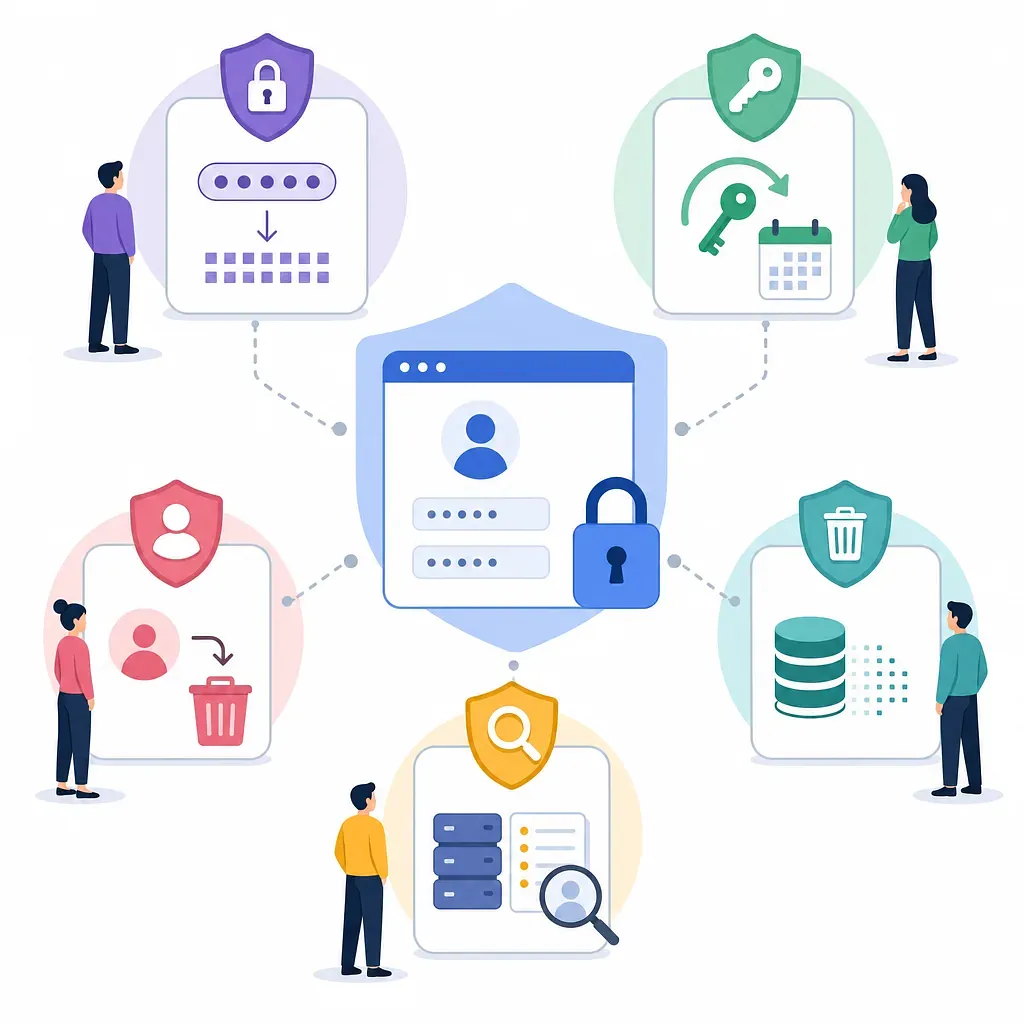
5 Essential Policies AI Often Overlooks
1. Password Reset Policy
Users will inevitably forget their passwords. Without a password reset feature, administrators must manually process account recovery requests, which increases the risk of identity verification errors or personal data exposure.
Password reset is not simply a matter of “sending a link via email”; it also involves token lifetime, preventing reuse, and ensuring the account’s existence is not disclosed.
Policies to Define
- Reset link validity period: Set it to a short duration, such as 15 or 30 minutes.
- Single-use policy: Invalidate a link immediately after it is used once.
- Token storage method: Consider storing hashed reset tokens in the database rather than storing the plaintext tokens.
- Preventing Disclosure of Account Existence: Even if a non-existent email address is entered, display the same response, such as “If this email address is registered, we have sent a notification.”
- Request Limits: Apply rate limiting if excessive reset requests are made from the same email address or IP address.
- Notifications: Send a notification to the user when their password is changed.
2. Member Information Modification Policy
Members often want to change their email, password, username, notification settings, and more. The minimum viable product (MVP) created by AI often omits the member information modification screen.
In particular, changing a password is a security-sensitive operation. If changes are allowed based solely on the current login session, someone else could take over the account while the user is away from their desk at a café or office.
Policies to Determine
- Decide whether to require the user to re-enter their current password when changing it.
- Decide whether to require verification of the new email address when changing an email address.
- Decide whether to send notifications to both the old and new email addresses after changing the email address.
- Decide whether to maintain the existing login session or require the user to log in again after changing sensitive information.
- Decide whether to record the history of member information changes in an audit log.
3. Account Cancellation and Data Deletion Policy
Account cancellation is one of the most critical policies in actual service operations. Users must be able to stop using the service and submit requests related to the deletion or suspension of processing of their personal information. If there is no account termination feature, or if users remain logged in even after termination, both trust and legal risks increase.
However, immediately and permanently deleting all data is not always the right approach. Data subject to legitimate retention requirements—such as for payments, taxes, dispute resolution, and fraud prevention—may need to be retained for a certain period. Therefore, the account termination policy must distinguish between “what to delete, what to anonymize, and what to retain.”
Comparison of Soft Delete and Hard Delete
| Category | Meaning | Advantages | Considerations |
|---|---|---|---|
| Hard Delete | Physically deletes data from the database | Reduces the risk of residual personal information | Deleting payment and dispute records may lead to legal and accounting issues |
| Soft Delete | Marks the account as deactivated and blocks login | Makes it easy to preserve transaction records, post relationships, and audit trails | Personal information may remain, requiring anonymization and access restrictions |
| Anonymization | Converts or removes identifiers (e.g., email, name) to make them difficult to recover | Lowers the risk of identification while preserving statistics and transaction records | Must verify whether the level of anonymization actually prevents re-identification |
Commonly Used Practices
- Categorize account statuses as
active,suspended, ordeleted. - Immediately prevent users from logging in after account deletion.
- Delete or anonymize direct identifiers such as email addresses, names, and phone numbers.
- Payment history, tax-related records, and records of fraud response are retained on a limited basis, with established legal grounds and retention periods.
- Clearly state in the Privacy Policy which items are retained after account deletion, along with the purpose and duration of retention.
4. Privacy Policy
Even if you collect just an email address, you are required to provide a notice regarding the processing of personal information. The Privacy Policy is not merely “a document we have to throw together”; it is an official document that explains what information the service actually processes and for what purposes.
Copying another site’s Privacy Policy verbatim is risky. If you list information that isn’t actually collected or omit information that is actually collected, the document will not match the service. If using AI, first organize the database fields, sign-up form, social login information, log collection items, and payment integration details, and then have the AI create a draft based on this information.
Key Items to Include in the Privacy Policy
- Types of personal information collected: Email, name, nickname, social login identifiers, payment information, etc.
- Purposes of collection and use: User identification, login, customer support, payment processing, prevention of fraudulent use, etc.
- Retention and usage period: Until account termination; retention periods required by relevant laws and regulations, etc.
- Destruction procedures and methods: Database deletion, anonymization, backup data destruction cycles, etc.
- Disclosure to third parties: If data is provided to external parties for advertising, analytics, payment processing, shipping, etc.
- Outsourcing of Processing: Cloud services, email delivery, payment processing, customer support tools, etc.
- User Rights and How to Exercise Them: Requests for access, correction, deletion, and suspension of processing, etc.
- Data Protection Officer or Contact Point
The Difference Between the Privacy Policy and the Terms of Service
Both documents are important but serve different purposes.
| Document | Key Role | Risks if Absent or Inadequate |
|---|---|---|
| Privacy Policy | Explains why and how personal information is processed | Violation of notification and disclosure obligations under the Personal Information Protection Act; loss of user trust |
| Terms of Service | Sets the conditions for service use and the basis for operator actions | Lack of grounds to restrict accounts involved in abuse, fraud, profanity, or spam |
The Privacy Policy is more like a data processing manual, while the Terms of Service are more like the contractual terms between the user and the service provider. Relying on just one of them is insufficient.
5. Terms of Service and Sanctions Policy
Without Terms of Service, the grounds for account suspension, post deletion, or usage restrictions are weak, even if malicious users abuse the service. In particular, services where users leave a record of their activities—such as communities, marketplaces, SaaS, and content platforms—absolutely require Terms of Service and operational policies.
Key Elements to Include in the Terms of Service
- Conditions for registration and responsibilities for account management
- Prohibited activities: illegal acts, fraud, spam, abusive crawling, profanity, infringement of others’ rights, etc.
- Grounds and procedures for restricting service use
- Standards for handling posts or user-generated content
- Terms for payment, refunds, and cancellation, if paid services are offered
- Notices regarding service changes, suspensions, and termination
- Limitation of liability and dispute resolution procedures
The sign-up screen must clearly include a consent process for the Privacy Policy and Terms of Service. If optional and mandatory consent items are mixed, users must be able to distinguish between them and select accordingly.