Overview
Loop engineering is a method for designing an iterative structure in which an AI agent plans, executes, evaluates results, reflects on the causes of failure, and tries again to achieve a single goal. It is becoming particularly important in tasks where results can be verified, such as software development, data processing, document generation, and test automation.
This term is not yet established as a fixed academic term in all standard documents. However, in practice, it can be described as the next step beyond prompt engineering, context engineering, and harness engineering. The key is not “giving the AI good instructions once,” but “creating a system where the AI can iterate within a safe environment until it achieves its goal.”
The Evolution of AI Engineering: From Prompts to Loops
| Stage | Key Questions | Human Role | AI Role | Representative Outputs |
|---|---|---|---|---|
| Prompt Engineering | How should I ask the question? | Writing instructions and verifying results | Generating a single response | Answers, drafts, code snippets |
| Context Engineering | What background information should I provide? | Providing documents, examples, policies, and data | Reasoning within the given context | More consistent answers, tailored results |
| Harness Engineering | In what environment and under what rules should it operate? | Designing permissions, tools, procedures, and safety rules | Using tools within a defined environment | Controlled agent workflow |
| Loop Engineering | How to have the agent iterate until the goal is achieved | Setting goals, constraints, evaluation criteria, and termination conditions | Repeating execution, verification, modification, and retries | Self-improving task loops |
Prompt Engineering
Prompt engineering is the process of carefully crafting questions, commands, examples, and output formats to elicit the desired results from AI. It is the most basic form of interaction and closely resembles a structure where a human changes instructions and verifies results each time.
Context Engineering
Context engineering is a method of providing the model with documents, policies, codebase information, user preferences, output styles, and past conversations to achieve more accurate results. Long context windows, search-augmented generation, file attachments, and codebase indexing are all related to this stage.
Harness Engineering
Harness engineering designs the procedures and constraints within which the AI must operate when using tools and performing multiple steps. For example, rules such as “Read the relevant files before modifying the code,” “Do not merge if tests fail,” and “Do not open files containing sensitive information” are embedded within the environment.
Loop Engineering
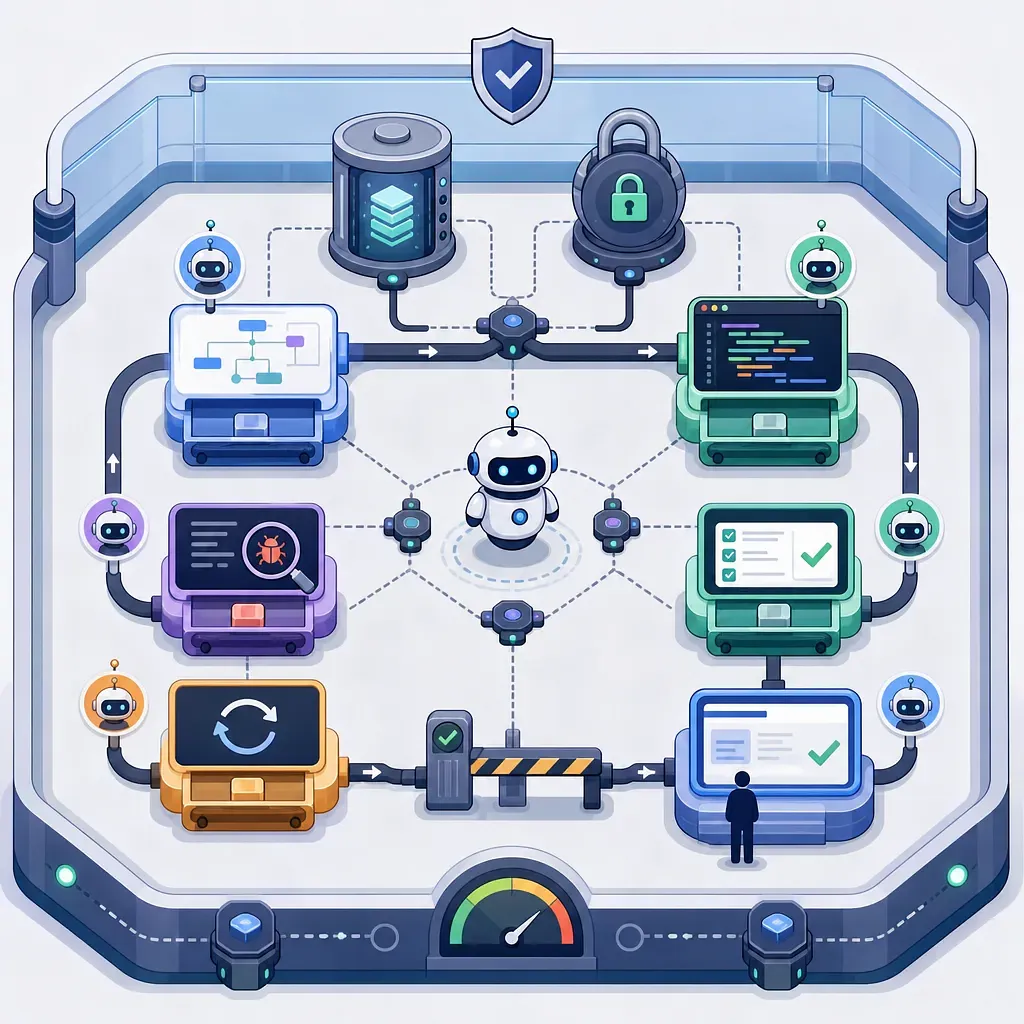
Loop engineering involves overlaying a iterative execution engine on top of the controlled working environment created by harness. The AI agent independently selects its next action toward a goal, uses tools, evaluates results, and—if it fails—adjusts its strategy and executes again.
Core Definition of Loop Engineering
Loop engineering can be defined as the design of an AI task system that satisfies the following conditions:
- Humans define the ultimate goal, acceptable limits, evaluation criteria, and termination conditions.
- The AI agent devises a task plan to achieve the goal.
- The agent uses necessary tools, such as executing code, running tests, performing searches, modifying files, and making API calls.
- If the execution results in failure or are insufficient, the agent analyzes the cause of failure and generates the next attempt.
- The loop stops when termination conditions are met, such as goal achievement, budget overrun, exceeding the number of iterations, the occurrence of a risk signal, or the need for human approval.
In other words, the essence of loop engineering is an automated feedback cycle.
Why Is Loop Engineering Necessary?
In traditional AI workflows, humans often become the bottleneck. This is because humans must write prompts, review results, request revisions, run tests, and copy and paste error messages.
Loop engineering systematizes this iterative process. For example, in development tasks, AI can automatically repeat the following workflow:
- Read the requirements and create a work plan.
- Modify the code in a separate workspace.
- Run tests and linters.
- Analyze error logs.
- Generate a revised prompt or determine the next action on its own.
- Modify the code again.
- If the pass criteria are met, summarize the results and request a review.
In this structure, humans do not need to directly instruct every intermediate step. Instead, humans focus on setting goals, providing approval, handling exceptions, and making final quality judgments.
The 6 Essential Components of Loop Engineering
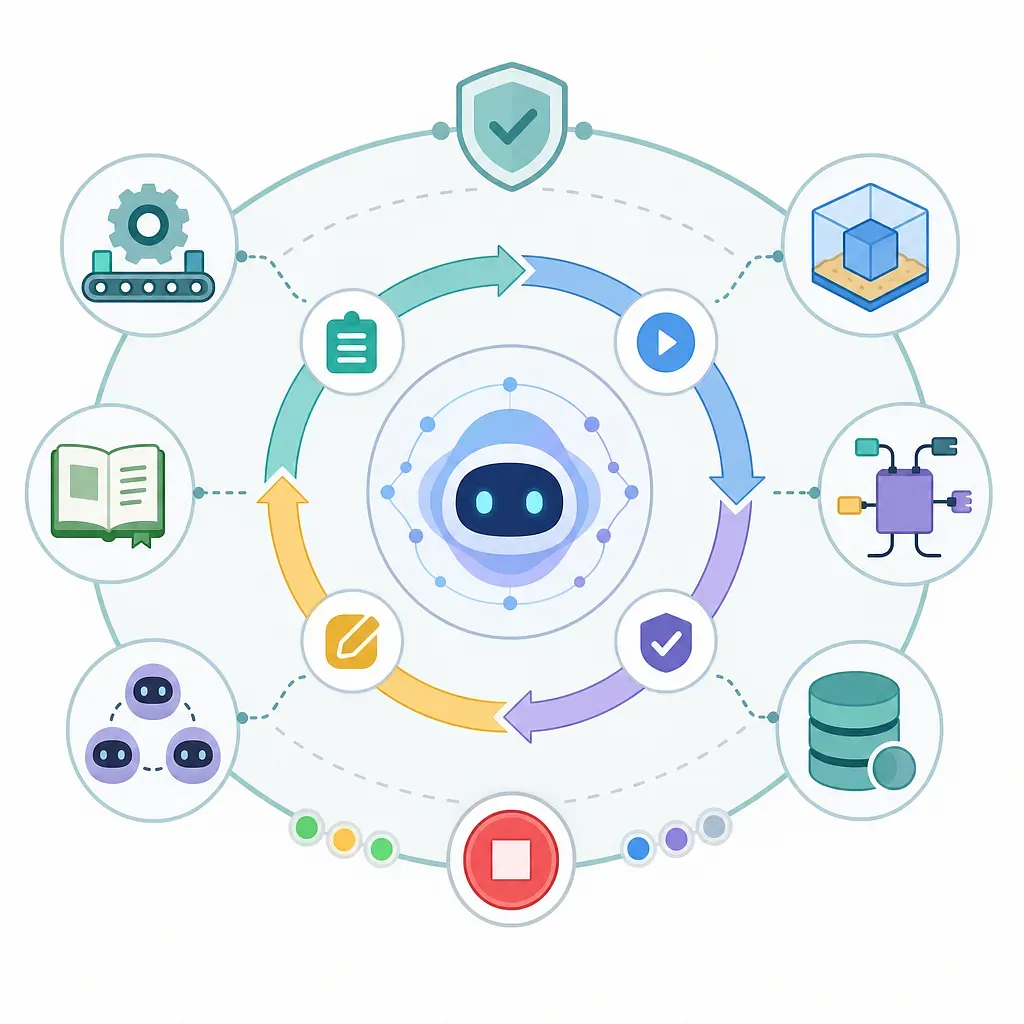
1. Automation: The Engine That Actually Runs the Loop
Automation is the foundation that enables the loop to run without manual human input. This includes task queues, schedulers, CI/CD pipelines, agent runtimes, event triggers, and retry policies.
Automation handles the following functions:
- Detecting task start conditions
- Running agents
- Invoking tools and collecting results
- Executing test or validation steps
- Retrying in case of failure
- Storing logs
- Transitioning to human approval steps
- Limiting costs, time, and number of iterations
Automation is not merely “automatic execution”; it is a control mechanism that manages the loop’s lifecycle.
2. Worktree: A Secure Workspace
A worktree is an isolated workspace designed to prevent AI from directly corrupting the main code or actual production data. A typical approach, similar to Git’s worktree feature, involves creating a separate working directory within the same repository to allow for independent modification and testing.
Worktrees are important for the following reasons:
- They protect the main branch or production environment.
- Multiple agents can perform different tasks in parallel.
- Failed attempts can be easily discarded.
- Changes can be reviewed via diffs.
- Only changes that pass testing can be merged.
In loop engineering, a worktree serves as the AI’s experimental space. To ensure the entire system remains secure even when agents make bold modifications, workspace isolation is essential.
3. Skills: Guidelines for Performing Tasks
Skills are a collection of guidelines, procedures, checklists, coding rules, design principles, and examples that AI must follow when performing specific tasks. Just as humans provide onboarding documents to new team members, agents also need standards for performing their work.
Skill documentation may include the following information:
- Description of the project structure and core modules
- Code style and naming conventions
- Test writing guidelines
- API design principles
- Security prohibitions
- Pre-deployment checklist
- Locations of logs to check in case of failure
- Report format
Without skills, agents must rely on general reasoning every time. Conversely, well-written skills convey the organization’s way of working to the AI in a reusable format.
4. Plugins and Connectors: Access to Necessary Tools
Plugins and connectors allow the AI to access the tools and systems it needs while working. For example, code repositories, issue trackers, search systems, databases, document repositories, test runners, browsers, deployment tools, and notification systems can all be connected.
The reason for connecting these tools is clear. If an agent determines that it “needs to run a test” but lacks the permission to do so, the loop will stall. If it determines that it “needs to check relevant documentation” but has no way to access the documents, it is more likely to provide an answer based on guesswork.
Good connector design requires the following principles:
- Apply the principle of least privilege.
- Separate read and write permissions.
- Include an approval step for risky operations.
- Log all tool calls.
- Restrict access to sensitive information through a separate policy.
- Log failed tool calls in the loop status as well.
5. Sub-Agents: AI Workers with Divided Roles
A sub-agent structure ensures that a single main agent does not handle all tasks, but rather that agents with distinct roles collaborate. Similar to a human development team, roles such as design, backend, frontend, QA, security review, and documentation can be separated.
| Role | Key Responsibilities | Example Output |
|---|---|---|
| Planner Agent | Requirements analysis, task decomposition, priority setting | Implementation plan, task list |
| Backend Agent | API, data model, and server logic implementation | Code changes, testing |
| Front-End Agent | UI, state management, accessibility improvements | Component modifications, screen tests |
| QA Agent | Test execution, bug reproduction, regression verification | Failure logs, reproduction steps |
| Review Agent | Code quality, security, and style checks | Review comments, risk list |
| Documentation Agent | Describing changes, writing usage guides | Release notes, user guides |
The advantage of a sub-agent structure is that it allows for the division of expertise. However, since conflicts between agents, duplicate work, and unclear responsibilities can arise, a coordinator role and clear work agreements are necessary.
6. Memory: State Preservation That Enables Pausing and Resuming
Memory is the functionality that stores the current state of the loop, past attempts, causes of failure, reasons for decisions, file changes, test results, and the next action plan. The longer the loop, the more essential memory becomes.
Memory can be broadly divided into two types.
- Short-term memory: Plans for the current work session, logs, results of tool calls, and error messages
- Long-term memory: Project rules, past solutions, recurring bug patterns, user preferences, and team standards
Without memory, an agent may repeat the same mistakes or have to restart a task from the beginning if it was interrupted. Conversely, well-designed memory ensures the loop continues reliably and reduces costs.
Basic Architecture of Loop Engineering
A loop engineering system typically has the following structure:
- Goal Input: A human provides the problem to be solved and the criteria for completion.
- Context Collection: Reads code, documentation, issues, logs, and policies.
- Planning: The agent breaks the task down into small steps.
- Execution: Modifies code, generates files, processes data, and invokes tools.
- Verification: Runs tests, lint checks, type checks, policy checks, and reviews.
- Evaluation: Determines whether the target criteria have been met.
- Iteration: If the task fails, analyzes the cause and returns to planning a new strategy.
- Termination: The process stops upon one of the following: success, exceeding limits, detecting risks, or requiring human approval.
- Reporting: Summarize changes, verification results, remaining risks, and recommended next steps.
This workflow is based on the premise of an “AI that acts in real-world environments and verifies results,” rather than an “AI that merely thinks in a loop.”
The Difference Between Harness Engineering and Loop Engineering
| Category | Harness Engineering | Loop Engineering |
|---|---|---|
| Purpose | Creates an environment where AI can work safely | Enables AI to iterate until it achieves its goal |
| Key Elements | Rules, permissions, tools, procedures, constraints | Iterative execution, feedback, retries, state saving |
| Failure Response | Prevent dangerous actions or request approval | Generate the next attempt based on the cause of failure |
| Human Intervention | Focus on policy and environment design | Focus on goal setting, exception handling, and final approval |
| Analogy | Workplace and safety equipment | A production line that keeps the workplace running |
If you create a loop without a harness, the agent may engage in dangerous behavior due to excessive permissions. If you create only a harness without a loop, you have a safe environment but limited productivity. In practice, both approaches are necessary.