Skip to content
Injoys
Knowledge Base

Google Play Personal Apps vs. Public Listings

Running personal apps on Google Play is distinct from listing apps in the public store. The feature uses a regular Google account. Availability in Korea and sharing with friends and family should each be assessed based on what was confirmed at the time of the announcement.

Listen or read this article

12:07

Listen, or read the text only.

Google Play Personal Apps vs. Public Listings

Kokoro 82M AI-generated voice 13 min read

0:00 12:07

Advertisement

Download audio

File name
google-play-personal-apps-public-publishing-differences-en.mp3
Format
MP3 (audio/mpeg)
Duration
12:07
File size
8.32 MB
Engine
Kokoro 82M

This audio was generated by AI.

You may download and use it freely for personal use.

Google Play Personal Apps vs. Public Listings

10 min read

Google Play Personal Apps vs. Public Listings
Running personal apps on Google Play is distinct from listing apps in the public store. The feature uses a regular Google account. Availability in Korea and sharing with friends and family should each be assessed based on what was confirmed at the time of the announcement.
Personal apps are designed to run on your own device, separate from public store listings.
Running personal apps uses a regular Google account and does not require a separate developer account.
The October 14, 2026 announcement covered people aged at least 18 in certain markets, including the United States.
The announcement did not specify availability in Korea, and sharing with friends and family was presented as a future plan.
Switching to public distribution subjects you to the same trust and safety reviews and quality standards as other developers.
A Google Play personal-use app is an app you run on your own device without listing it on the public store. You use a regular Google account and do not need a developer account. The announcement alone does not confirm whether the feature is available in Korea.
The age and regional conditions for the feature are based on Google’s October 14, 2026, announcement.
What has changed for running personal-use apps?
There is now a way to run Android apps made with Google AI Studio for personal use. You create an app by describing the features you want in natural language. Google Play supports running apps made this way on your own device.
The key distinction is between running an app and distributing it publicly. Using Google Play does not automatically add an app to public search listings. The announcement describes the visibility of personal-use apps as follows:
separate from the public store catalog
The source is Google’s “What’s new in Google Play: More ways to discover, play, and create”.
Comparing personal-use apps with public listings
The two options differ in the accounts they use and who can access the apps. Running a personal-use app is for an app you use yourself. A public listing is for developers distributing an app to other users.
Category | Personal-use app | Public listing Main purpose | Use on your own device | Distribute to general users Account | Regular Google account | Play Console developer account Public store listing | Separate from listings | Made public through the release process Public distribution requirements | Does not assume a public release | Subject to trust and safety review and quality standards Sharing with friends and family | A future plan at the time of the announcement | Must be distinguished from developer distribution and testing systems
A personal-use app and a personal developer account are different concepts. A personal-use app refers to how the app is used. A personal developer account is a Play Console account type. Google divides developer accounts into personal and organization accounts. Get started with Play Console.
Availability by age and region
At the time of the announcement, personal-use apps were available to people at least 18 years old in some markets. The United States was explicitly named as an eligible region. Google said the feature would be rolled out gradually to eligible users.
The existence of a Korean-language announcement does not, by itself, mean the feature has launched in Korea. The announcement does not say whether Korea is included. Availability for Korean accounts must be checked through later announcements and the service’s own guidance.
Condition or feature | Confirmed at the time of the announcement | What cannot be determined Users in the United States | Included in the initial markets | Whether it appears immediately for every eligible account Users in Korea | No statement on whether Korea is included | Whether the feature has launched in Korea Sharing with friends and family | Planned for the next few months | The exact start date and number of people who can be included Moving to public distribution | Plans to support a move to a developer account were outlined | Whether an individual app will be approved
Sharing with friends and family cannot be considered available as of the announcement. Google described it as a feature to be provided later. Its subsequent availability must be checked in a separate announcement. Google’s announcement.
Developer requirements for listing a public app
Public distribution requires Play Console developer registration and preparation for an app release. Having run an app for personal use does not replace approval for a public release. Apps made with AI are also subject to the standard developer requirements when they are distributed publicly.
Account registration and app information
Developer accounts have a registration fee and identity verification requirements. The figures below come from Play Console Help. Check the latest conditions in the Help documentation again when you register.
Item | Requirements in the official Help documentation Minimum age for account registration | At least 18 years old Registration fee | 25 US dollars, charged once Account type | Personal or organization Identity verification | Verification required according to account type App setup | Complete app content information and store listing details Public release | Complete applicable testing and review procedures
The registration fee does not represent the total cost of running an app. Entering an app name or description does not complete the release process, either. Testing and release preparation follow app setup. Account registration guide, Create and set up your app.
Testing for new personal developer accounts
Some personal developer accounts are subject to a closed testing requirement before public release. It applies to personal developer accounts created after November 13, 2023. This requirement is separate from the conditions for running a personal-use app with a regular Google account.
· The minimum number of testers is 12. · Testers must have opted in for at least 14 consecutive days. · After meeting the requirement, the developer applies for production access, which permits public release. · Google reviews the application.
Completing the required period does not automatically approve a public release. The testing process and release readiness are also reviewed. Details are available in App testing requirements for new personal developer accounts.
Common mistakes
The most common confusion is treating a personal-use app as a public release. The word “personal” also has different meanings in the names of the accounts. The distinctions below help clarify public availability and eligibility.
Easy-to-misread statement | Fact to distinguish If an app runs through Google Play, people can find it in search | Personal-use apps are separate from public listings A regular account is all you need to release a public app | Public distribution requires a developer account A personal developer account is only for running personal-use apps | A personal developer account is also an account for public releases Sharing an app with a friend completes public release testing | Sharing features and Play Console testing requirements are separate A Korean-language announcement means the feature is available in Korea | The language of the announcement and the regions where the feature is available must be distinguished
The difference between an unlisted app and how data is handled
Being absent from public listings does not, by itself, tell you how data is handled. This interpretation distinguishes what the announcement’s wording does and does not cover. Whether an app is public and where it processes information entered into it are separate questions.
For example, an app that calls an external AI feature may involve separate data processing. This announcement alone, however, cannot establish how any individual app transmits data. The term “personal-use” should not be read as a guarantee that processing takes place on the device.
Item to check | Can separation from public listings tell you this? Whether the app appears in public listings for general users | Personal-use apps are described as separate from listings Whether information entered into the app is sent off the device | Cannot be determined Whether an external service stores information | Cannot be determined Whether running the app involves a separate cost | Cannot be determined
Check the app’s configuration and the guidance for connected services to determine how data is transmitted and stored. Costs for running a personal-use app and charges from external services should also be considered separately. Not needing a developer account does not mean there are no costs of any kind.
Supported devices versus feature eligibility
Whether a device supports Google Play and whether it is eligible for the new feature are separate conditions. The official Help Center says Play Protect certified devices are supported. The supported device lists distinguish between Android and Chrome OS devices. Google Play supported devices.
A device being on a supported list does not mean it also meets the new feature’s regional conditions. The announcement does not specify the full device requirements for personal-use apps. A minimum operating system version or the ability to run apps across all devices cannot be assumed.
What you want to check | Relevant service or document Browse general apps and games | Google Play Store Create personal-use apps | Google AI Studio and feature-specific guidance Publish and manage public apps | Google Play Console Device compatibility | Supported device list in the Google Play Help Center Points and rewards | Google Play Points information
Google Play Points is a separate program that offers points and rewards. Benefits and program details may vary by country. There is no basis for treating Points membership as an eligibility requirement for personal-use apps. Join Google Play Points.
Frequently asked questions
Do personal-use apps appear in public search results?
The personal-use apps described in the announcement are separate from public store listings. Running an app on your own device is different from distributing it to general users. A public release goes through the developer distribution process.
Can I use the feature in Korea right away?
The announcement alone does not confirm whether the feature is available in Korea. A Korean-language announcement does not establish that it has launched in Korea. Check later official guidance for eligible regions.
Can I share an app with friends or family right away?
At the time of the announcement, this was a future plan. No exact start date or number of people who could be included was given. It was also described as a feature distinct from a public store release.
Are personal-use apps the same as closed testing?
Running a personal-use app is separate from Play Console closed testing. Closed testing is a way for developers to distribute an app to users they select for testing. There is no guidance saying that running a personal-use app counts toward the testing requirement for public release.
Are personal-use apps completely free?
The fact that a developer account is not required does not establish that they are free. The announcement did not set out every cost involved in running an app. If an app uses connected services, check their pricing information as well.
Can an individual developer release a public app?
A public release is possible with a personal developer account. Public distribution is not limited to organization accounts. The account must, however, meet the verification and testing requirements that apply to it.
0:00 0:00
1 / 59

Advertisement

Download text

File name
google-play-personal-apps-public-publishing-differences-en.txt
Format
TXT (text/plain)
Paragraphs
59

Downloads exactly what you see as a text file.

Please cite the source when quoting.

Large text

Makes the text larger and the colors clearer. Turn it on if the text feels too small.

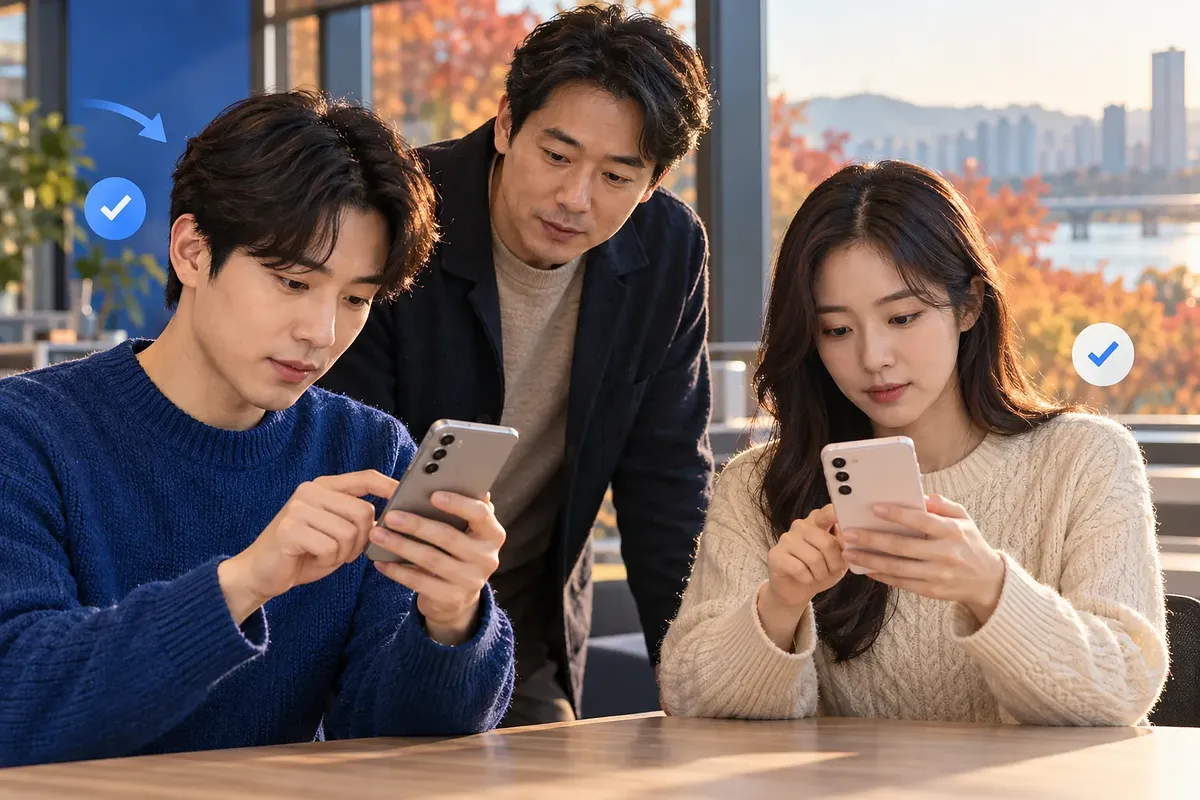
Personal apps can run on your own device without a public store listing.

Key points

  • Personal apps are designed to run on your own device, separate from public store listings.
  • Running personal apps uses a regular Google account and does not require a separate developer account.
  • The October 14, 2026 announcement covered people aged at least 18 in certain markets, including the United States.
  • The announcement did not specify availability in Korea, and sharing with friends and family was presented as a future plan.
  • Switching to public distribution subjects you to the same trust and safety reviews and quality standards as other developers.

A Google Play personal-use app is an app you run on your own device without listing it on the public store. You use a regular Google account and do not need a developer account. The announcement alone does not confirm whether the feature is available in Korea.

The age and regional conditions for the feature are based on Google’s October 14, 2026, announcement.

What has changed for running personal-use apps?

There is now a way to run Android apps made with Google AI Studio for personal use. You create an app by describing the features you want in natural language. Google Play supports running apps made this way on your own device.

The key distinction is between running an app and distributing it publicly. Using Google Play does not automatically add an app to public search listings. The announcement describes the visibility of personal-use apps as follows:

separate from the public store catalog

The source is Google’s “What’s new in Google Play: More ways to discover, play, and create”.

Moving to public distribution brings trust, safety and quality requirements.

Comparing personal-use apps with public listings

The two options differ in the accounts they use and who can access the apps. Running a personal-use app is for an app you use yourself. A public listing is for developers distributing an app to other users.

Category Personal-use app Public listing
Main purpose Use on your own device Distribute to general users
Account Regular Google account Play Console developer account
Public store listing Separate from listings Made public through the release process
Public distribution requirements Does not assume a public release Subject to trust and safety review and quality standards
Sharing with friends and family A future plan at the time of the announcement Must be distinguished from developer distribution and testing systems

A personal-use app and a personal developer account are different concepts. A personal-use app refers to how the app is used. A personal developer account is a Play Console account type. Google divides developer accounts into personal and organization accounts. Get started with Play Console.

Availability by age and region

At the time of the announcement, personal-use apps were available to people at least 18 years old in some markets. The United States was explicitly named as an eligible region. Google said the feature would be rolled out gradually to eligible users.

The existence of a Korean-language announcement does not, by itself, mean the feature has launched in Korea. The announcement does not say whether Korea is included. Availability for Korean accounts must be checked through later announcements and the service’s own guidance.

Condition or feature Confirmed at the time of the announcement What cannot be determined
Users in the United States Included in the initial markets Whether it appears immediately for every eligible account
Users in Korea No statement on whether Korea is included Whether the feature has launched in Korea
Sharing with friends and family Planned for the next few months The exact start date and number of people who can be included
Moving to public distribution Plans to support a move to a developer account were outlined Whether an individual app will be approved

Sharing with friends and family cannot be considered available as of the announcement. Google described it as a feature to be provided later. Its subsequent availability must be checked in a separate announcement. Google’s announcement.

Developer requirements for listing a public app

Public distribution requires Play Console developer registration and preparation for an app release. Having run an app for personal use does not replace approval for a public release. Apps made with AI are also subject to the standard developer requirements when they are distributed publicly.

Account registration and app information

Developer accounts have a registration fee and identity verification requirements. The figures below come from Play Console Help. Check the latest conditions in the Help documentation again when you register.

Item Requirements in the official Help documentation
Minimum age for account registration At least 18 years old
Registration fee 25 US dollars, charged once
Account type Personal or organization
Identity verification Verification required according to account type
App setup Complete app content information and store listing details
Public release Complete applicable testing and review procedures

The registration fee does not represent the total cost of running an app. Entering an app name or description does not complete the release process, either. Testing and release preparation follow app setup. Account registration guide, Create and set up your app.

Testing for new personal developer accounts

Some personal developer accounts are subject to a closed testing requirement before public release. It applies to personal developer accounts created after November 13, 2023. This requirement is separate from the conditions for running a personal-use app with a regular Google account.

  • The minimum number of testers is 12.
  • Testers must have opted in for at least 14 consecutive days.
  • After meeting the requirement, the developer applies for production access, which permits public release.
  • Google reviews the application.

Completing the required period does not automatically approve a public release. The testing process and release readiness are also reviewed. Details are available in App testing requirements for new personal developer accounts.

Common mistakes

The most common confusion is treating a personal-use app as a public release. The word “personal” also has different meanings in the names of the accounts. The distinctions below help clarify public availability and eligibility.

Easy-to-misread statement Fact to distinguish
If an app runs through Google Play, people can find it in search Personal-use apps are separate from public listings
A regular account is all you need to release a public app Public distribution requires a developer account
A personal developer account is only for running personal-use apps A personal developer account is also an account for public releases
Sharing an app with a friend completes public release testing Sharing features and Play Console testing requirements are separate
A Korean-language announcement means the feature is available in Korea The language of the announcement and the regions where the feature is available must be distinguished

The difference between an unlisted app and how data is handled

Being absent from public listings does not, by itself, tell you how data is handled. This interpretation distinguishes what the announcement’s wording does and does not cover. Whether an app is public and where it processes information entered into it are separate questions.

For example, an app that calls an external AI feature may involve separate data processing. This announcement alone, however, cannot establish how any individual app transmits data. The term “personal-use” should not be read as a guarantee that processing takes place on the device.

Item to check Can separation from public listings tell you this?
Whether the app appears in public listings for general users Personal-use apps are described as separate from listings
Whether information entered into the app is sent off the device Cannot be determined
Whether an external service stores information Cannot be determined
Whether running the app involves a separate cost Cannot be determined

Check the app’s configuration and the guidance for connected services to determine how data is transmitted and stored. Costs for running a personal-use app and charges from external services should also be considered separately. Not needing a developer account does not mean there are no costs of any kind.

Supported devices versus feature eligibility

Whether a device supports Google Play and whether it is eligible for the new feature are separate conditions. The official Help Center says Play Protect certified devices are supported. The supported device lists distinguish between Android and Chrome OS devices. Google Play supported devices.

A device being on a supported list does not mean it also meets the new feature’s regional conditions. The announcement does not specify the full device requirements for personal-use apps. A minimum operating system version or the ability to run apps across all devices cannot be assumed.

What you want to check Relevant service or document
Browse general apps and games Google Play Store
Create personal-use apps Google AI Studio and feature-specific guidance
Publish and manage public apps Google Play Console
Device compatibility Supported device list in the Google Play Help Center
Points and rewards Google Play Points information

Google Play Points is a separate program that offers points and rewards. Benefits and program details may vary by country. There is no basis for treating Points membership as an eligibility requirement for personal-use apps. Join Google Play Points.

Key questions in this article

Do personal-use apps appear in public search results?

The personal-use apps described in the announcement are separate from public store listings. Running an app on your own device is different from distributing it to general users. A public release goes through the developer distribution process.

Can I use the feature in Korea right away?

The announcement alone does not confirm whether the feature is available in Korea. A Korean-language announcement does not establish that it has launched in Korea. Check later official guidance for eligible regions.

Can I share an app with friends or family right away?

At the time of the announcement, this was a future plan. No exact start date or number of people who could be included was given. It was also described as a feature distinct from a public store release.

Are personal-use apps the same as closed testing?

Running a personal-use app is separate from Play Console closed testing. Closed testing is a way for developers to distribute an app to users they select for testing. There is no guidance saying that running a personal-use app counts toward the testing requirement for public release.

Are personal-use apps completely free?

The fact that a developer account is not required does not establish that they are free. The announcement did not set out every cost involved in running an app. If an app uses connected services, check their pricing information as well.

Can an individual developer release a public app?

A public release is possible with a personal developer account. Public distribution is not limited to organization accounts. The account must, however, meet the verification and testing requirements that apply to it.

Open the link

Opens in a new window.

Advertisement

Sign-in required

Sign in with your Google account to like, comment, and save highlights.

FAQ

Do personal apps appear in public Google Play searches?

The personal apps described in the announcement are separate from public store listings. Running an app on your own device does not, by itself, make it a public app.

Is a developer account needed even to run an app for personal use?

The announced personal-use feature uses a regular Google account. A separate developer account is not needed.

Who is the personal app feature available to?

The feature announced on October 14, 2026, is for people at least 18 years old in certain markets, including the United States. It was said to be rolling out gradually to eligible users.

Has availability in Korea been confirmed?

The announcement did not specify whether the feature would be available in Korea. The existence of a Korean-language announcement alone does not establish that it will launch in Korea.

Has the feature for sharing with friends and family launched too?

At the time of the announcement, it was described as planned for release in the coming months. No exact start date or number of people it could be shared with was given.

What is the difference between a personal app and a personal developer account?

A personal app refers to an app you use yourself. A personal developer account is a type of Play Console account used to publish and manage apps.

What preparation is needed to list a public app?

You need to register a developer account and verify your identity. You also need to prepare the app content and store listing details. You must complete any applicable testing requirements and undergo a review for public release.

What is the testing requirement for a new personal developer account?

The official help page applies to personal developer accounts created on or after November 13, 2023. A closed test with at least 12 people opted in for 14 consecutive days is required. Once you meet the requirements, you can apply for access to public release, but approval is not automatic.

Does a personal app mean data never leaves the device?

You cannot assume that. Being separate from public listings describes the app's visibility. Check the app's configuration and information from connected services to determine how data is transmitted and stored.

Can you use the new feature right away if you have a device that supports Google Play?

Device compatibility and eligibility for the feature are separate. Even if your device is supported, you need to check the age and region requirements and whether the feature has rolled out to you.

Sources

Data formats

This content is available in several machine-friendly formats.

Data-only languages (machine translated, files only)

Indonesian JSON MD Portuguese JSON MD Chinese (Traditional) JSON MD Deutsch JSON MD

Verification

This article was drafted with AI and then reviewed and edited by a person.

Reviewed by 신익희 · 편집장 · 2026-10-18

Figures in this article were checked against the source material during generation. · 2026-10-18

This translation has been cross-checked by AI. · 2026-10-18

Reuse & AI usage

Search indexing and AI citation with attribution are welcome. See the license policy for details.

CC BY · License

Loading…

Loading…

Loading…

Related content

From Injoys

Request the content you want and take 70% of what it earns

Just leave the subject. We handle production, review, translation and distribution.

See how revenue sharing works

Comments