Skip to content
Injoys
Knowledge Base

REA AI Reverse Engineering: How It Works and Clone Limits

REA connects AI agents to existing analysis tools to examine software. It does not guarantee recovery of the original source code or replication of a finished product. The ArtCraft case also shows why implementing features must be distinguished from making a product ready for real-world use.

Listen or read this article

16:09

Listen, or read the text only.

REA AI Reverse Engineering: How It Works and Clone Limits

Kokoro 82M AI-generated voice 17 min read

0:00 16:09

Advertisement

Download audio

File name
rea-ai-reverse-engineering-capabilities-and-limits-en.mp3
Format
MP3 (audio/mpeg)
Duration
16:09
File size
11.1 MB
Engine
Kokoro 82M

This audio was generated by AI.

You may download and use it freely for personal use.

REA AI Reverse Engineering: How It Works and Clone Limits

12 min read

REA AI Reverse Engineering: How It Works and Clone Limits
REA connects AI agents to existing analysis tools to examine software. It does not guarantee recovery of the original source code or replication of a finished product. The ArtCraft case also shows why implementing features must be distinguished from making a product ready for real-world use.
REA is a reverse engineering tool that connects AI agents to Ghidra, Hopper, IDA and other tools.
Decompiled output provides clues to how a program works, but is not the same as its original source code.
REA's Evidence records help track the basis for an analysis and its limitations, but do not guarantee accuracy.
FilmCraft presented functional scope and readiness for real-world use separately in its self-assessment on October 10, 2026.
CLI and MCP support expands the app's automation options, but does not replace performance and compatibility testing.
REA is a reverse engineering tool that helps AI analyze apps without source code. It connects existing analyzers to support the reimplementation of functionality. However, it does not guarantee complete recovery of the original code. Nor does it prove that the software era is over.
The completeness figures below are based on FilmCraft's self-assessment dated October 10, 2026.
What is REA?
REA stands for Reverse Engineer Anything. Reverse engineering is the process of examining a finished program's structure and behavior. REA lets AI agents call the tools needed for this work.
It connects through MCP and CLI. MCP is a protocol that connects AI to external tools. With CLI, users operate tools by entering commands in a terminal. Supported targets are listed in the REA README.
Component | Role | What to check when reading the results AI agent | Sets research questions and interprets results | Check whether explanations are supported by evidence REA | Calls tools and delivers analysis results | Check the scope of analysis and any omissions Ghidra·Hopper·IDA | Analyze the internal structure of executable files | Check supported formats and each analyzer's limitations Runtime observation tools | Observe actual behavior and output | Check the inputs tested and the runtime environment
REA and ArtCraft are projects with different roles. REA connects analysis tools. ArtCraft's Crafting Apps are apps that perform editing tasks. The existence of both projects alone does not establish a connection between their development processes.
What can you learn from an executable file?
Decompilation converts executable code into a form that is easier for people to read. The result cannot be treated as identical to the original source code. Original names and comments may be lost during compilation.
Ghidra is a reverse engineering tool developed and maintained by the NSA. It provides decompilation and instruction analysis. It also supports automation and scripting. Its capabilities are listed in the Ghidra README.
Analysis target | Clues you can obtain | What the clues alone cannot establish Native executable file | Pseudocode, instructions, strings, call relationships | All of the source code originally written JavaScript·Electron app | Modules, import relationships, internal app connections | Implementations that run only on the server Website | Page structure, scripts, observed communications | All server code and private data Running program | Output, interactions, file changes | Behavior for every input that was not tested
Requests observed on the client can provide clues for server analysis. Those requests alone cannot fully reconstruct the server's internals. REA's support for each target is also distinguished in the official README.
How does REA help AI analyze programs?
REA selects and delivers the analysis results needed, and stores supporting evidence. This structure reduces the need for AI to repeatedly read long outputs in full. The workflow is described in the official CLI documentation and MCP specification.
A structure for reading only what is needed
REA can retrieve summaries or selected entries from stored analysis results. This narrows the investigation to particular functions or modules. It reduces the burden of placing lengthy results into a conversation unchanged. The approach is explained in the CLI and Evidence documentation.
Reusing analysis state and results
The Ghidra integration keeps a decompiler available for an open program. An MCP session can store analysis evidence. Separate CLI runs, however, are separate processes. The extent of what persists is described in the installation documentation.
Keeping an Evidence record
Evidence is a record of the basis and limitations of an analysis result. Items that were not observed can remain marked as unverified. An empty result does not, by itself, establish that a feature is absent. This distinction is set out in the MCP runtime contracts.
Evidence can be compared to a receipt. But having a receipt does not guarantee that the interpretation is accurate. Important conclusions should be checked again against the original evidence and test results.
What do the ArtCraft apps reimplement?
ArtCraft publishes Rust apps for familiar creative tasks. Its official list identifies apps in early alpha or under development. Whether an app is available for free and whether it can replace a tool in professional work must be judged separately. The list is on the Crafting Apps page.
App | Main task PhotoCraft | Image editing VectorCraft | Creating vector illustrations FilmCraft | Video editing LightCraft | Photo management and RAW processing PdfCraft | Opening PDFs and processing documents EffectCraft | Motion graphics and visual effects DesignCraft | Page layout and publication editing
PhotoCraft aims to reimplement Photoshop workflows. FilmCraft aims to reimplement Premiere Pro workflows. These are the project goals described by the development team. They are not independent proof of full compatibility.
Comparing implemented features and readiness for professional work
A feature's existence is different from its suitability for professional work. FilmCraft evaluates these separately. The comparison target on October 10, 2026, was Premiere Pro 26.5.2.
FilmCraft self-assessment category | Published figure | What the figure describes Feature coverage | About 86% | The range of implemented items, including menus, effects, panels, and formats Readiness for professional work | About 56% | The team's estimate of how well it can serve as a replacement in real projects
The estimated readiness for professional work at that time was about 56%. The two figures use different assessment criteria. Their difference should not be read as an error rate or the time remaining in development. The figures and limitations are published in the Status section of the FilmCraft README.
The official documentation identifies processing speed for large videos as an area for improvement. It also says that opening Premiere project files directly is not supported. Plugin hosting has limitations too.
For these reasons, a similar-looking interface is not enough to determine whether the app can serve as a replacement. The full workflow, including saving and reopening, needs to be checked. In video editing, the synchronization of exported files also needs to be verified.
The following checklist can be used to compare apps.
Check | What to test directly File compatibility | Whether you can open and save the files you use Playback quality | Whether playback stutters or audio is delayed with footage from actual work Output | Whether the exported video's colors, subtitles, and sound match what you intended Resuming work | Whether you can reopen a saved project and continue working Existing workflow | Whether the app supports the plugins and interchange formats you need
How CLI and MCP change the way apps are used
CLI and MCP provide ways to operate apps other than clicking through an interface. According to PhotoCraft's description, multiple interfaces call the same engine. Those interfaces are UI, CLI, a JSON control channel, and MCP. The structure is documented in the PhotoCraft README.
This provides a basis for AI to call app features as individual tasks. The agent is responsible for turning a natural-language request into actual commands. A separate process is needed to check the results.
Way to operate the app | Suitable tasks | What to check On-screen UI | Editing that requires visual judgment | Whether the preview matches the final result CLI | Repetitive tasks and running scripts | Input options and exit status MCP | Tasks combined by an AI agent | Features called and verification of the results
There is not enough evidence here to predict the disappearance of the UI. People may still need to inspect results visually. Automation and visual editing interfaces can be used together.
Common mistakes when understanding REA
Confusing REA's analysis capabilities with the ability to copy a finished product leads to misunderstandings. The number of tools alone also says little about analysis quality. Each of the following claims needs separate evidence.
Common claim | What to check separately It reconstructs any app in minutes | Measurements for each target, analysis scope, and environment There are always 126 tools | The actual tool list for the installed version Evidence prevents hallucinations | The difference between recording evidence and interpreting it accurately Building it in Rust always makes it fast | Processing performance measured in actual work If the interface looks the same, the features are the same | Tests that include saving, compatibility, and output Separating agents makes it a legal clean-room implementation | How access is separated and which terms of use apply
You can check the tool list with tools/list for the installed version. You also need to check whether each tool can be used for the task at hand. The relevant criteria are explained in the MCP specification.
A GitHub trending ranking needs a collection time and period. A developer's motivation should also be verified against their original statement. The claim that the project began because of an early termination fee was not accepted as a verified fact.
The claim that Claude Opus 5.5 was used also requires separate development records. The fact that an app is public does not prove which model was used. Check that claim against the developer's work records or original announcement.
Conditions for clean-room reimplementation
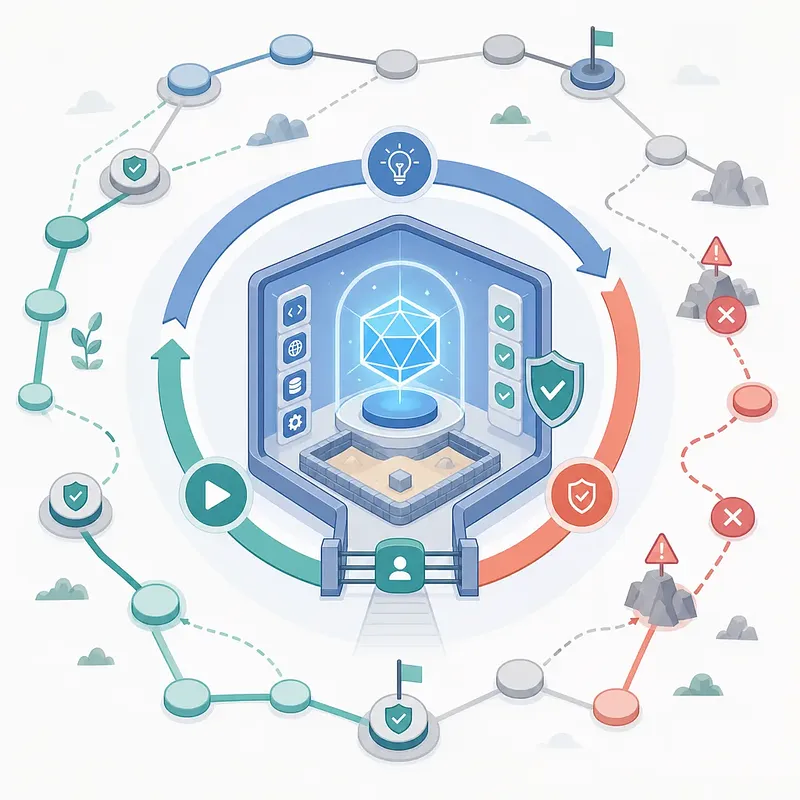
Clean-room reimplementation separates access to information between analysis and implementation. The role of producing a functional specification is separated from the role of writing new code. Putting agents in different chat windows is not enough.
The REA installation documentation explains restrictions on file and network access. These are intended to prevent the implementation environment from accessing analysis outputs. The separation method is described in the Installation and setup documentation.
The REA DISCLAIMER does not guarantee the accuracy of results. Obtaining analysis results does not grant rights to the original program, either. Rights and terms of use must be checked for each program. The scope of these limitations is stated in the REA DISCLAIMER.
Decompilation, reconstruction, heuristics, and AI-assisted analysis may be incomplete or incorrect. REA DISCLAIMER, Analysis results and generated output
This means AI analysis may be incomplete or incorrect. Calling a process clean-room does not automatically make it lawful. If you plan to publish or commercialize a result, check the target's terms of use first.
The difference between local analysis and sending data to AI
Local analysis does not mean that no information is sent externally. REA says it processes target files locally. An agent that receives tool results is subject to the model provider's policies. This distinction is explained in the REA FAQ.
Analysis results may contain strings from inside files. Execution logs may include account information. If you are investigating a work app, check these points first.
· Personal and confidential information that may be included in analysis results · Tool output the agent sends to the model provider · The model service's storage, training, and retention policies · Who may receive analysis reports and logs
A target may also contain instructions intended to deceive the AI. The REA documentation says to treat these as untrusted data. Instructions inside a file must not be accepted as commands from the user. The handling principle is in the MCP specification.
Steps for direct verification
Start by defining a narrow feature to reproduce. A goal of understanding an entire app has unclear completion criteria. Setting an input and expected result makes it easier to judge whether the analysis is useful.
· Choose a program you are authorized to analyze. · Define the feature to check and the test input. · Record the versions of REA and the analyzer. · Save supporting evidence and unverified items separately. · In an authorized environment, compare actual behavior with the analysis results. · If you reimplemented the feature, compare the results using the same input. · Record inputs that failed and conditions that are not supported.
You can also record a hash of the target file in the report. A hash is a value used to distinguish whether files are the same. Keeping the version and test conditions makes it easier for others to verify the results again.
Where does software retain its competitive value?
Even if reimplementation becomes easier, not all of a product's value can be copied. Analyzing a client does not, by itself, provide access to server data. User relationships and the ability to operate a service are separate too.
The public documentation suggests that the basis for competition may change. How quickly features are implemented alone will become a less useful measure. Verifiable quality and operational capability also need to be considered.
Competitive factor | What REA and reimplementation examples show Feature implementation | It is becoming easier to connect tools that investigate existing behavior Product maturity | The existence of features and readiness for professional work need separate assessments Access to automation | Callable interfaces such as CLI and MCP expand the ways a product can be used Service operations | Server data and user relationships must be built separately
This table is an interpretation based on official documentation. It is not a measurement of changes in revenue across the market. The effect on each company may vary with its product quality and operational structure.
0:00 0:00
1 / 71

Advertisement

Download text

File name
rea-ai-reverse-engineering-capabilities-and-limits-en.txt
Format
TXT (text/plain)
Paragraphs
71

Downloads exactly what you see as a text file.

Please cite the source when quoting.

Large text

Makes the text larger and the colors clearer. Turn it on if the text feels too small.

Recreating features does not guarantee a production-ready replica.

Key points

  • REA is a reverse engineering tool that connects AI agents to Ghidra, Hopper, IDA and other tools.
  • Decompiled output provides clues to how a program works, but is not the same as its original source code.
  • REA's Evidence records help track the basis for an analysis and its limitations, but do not guarantee accuracy.
  • FilmCraft presented functional scope and readiness for real-world use separately in its self-assessment on October 10, 2026.
  • CLI and MCP support expands the app's automation options, but does not replace performance and compatibility testing.

REA is a reverse engineering tool that helps AI analyze apps without source code. It connects existing analyzers to support the reimplementation of functionality. However, it does not guarantee complete recovery of the original code. Nor does it prove that the software era is over.

The completeness figures below are based on FilmCraft's self-assessment dated October 10, 2026.

What is REA?

REA stands for Reverse Engineer Anything. Reverse engineering is the process of examining a finished program's structure and behavior. REA lets AI agents call the tools needed for this work.

It connects through MCP and CLI. MCP is a protocol that connects AI to external tools. With CLI, users operate tools by entering commands in a terminal. Supported targets are listed in the REA README.

Component Role What to check when reading the results
AI agent Sets research questions and interprets results Check whether explanations are supported by evidence
REA Calls tools and delivers analysis results Check the scope of analysis and any omissions
Ghidra·Hopper·IDA Analyze the internal structure of executable files Check supported formats and each analyzer's limitations
Runtime observation tools Observe actual behavior and output Check the inputs tested and the runtime environment

REA and ArtCraft are projects with different roles. REA connects analysis tools. ArtCraft's Crafting Apps are apps that perform editing tasks. The existence of both projects alone does not establish a connection between their development processes.

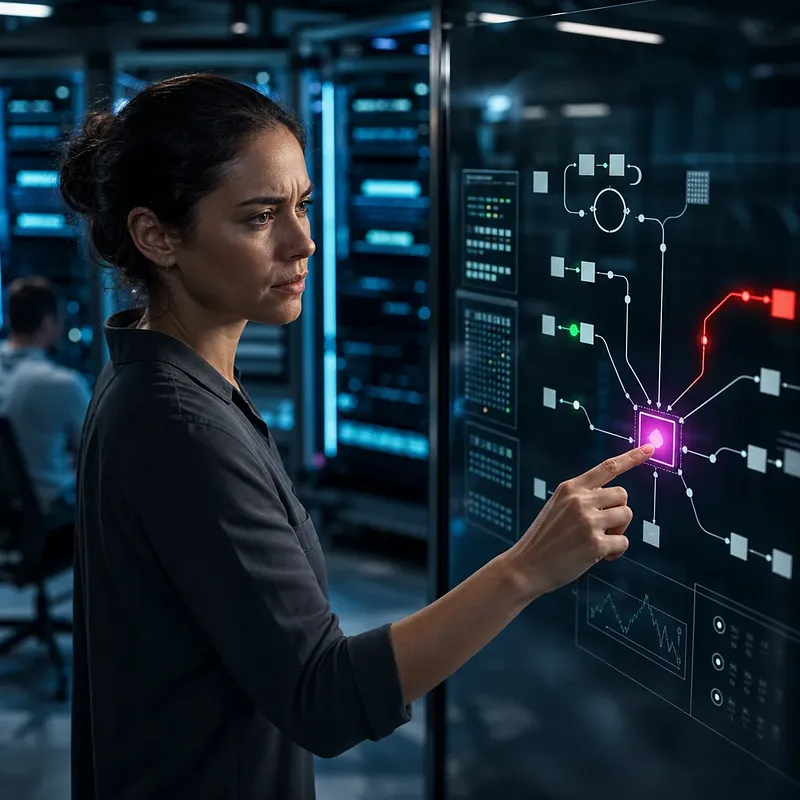
REA connects AI agents with existing analysis tools to help investigate software.

What can you learn from an executable file?

Decompilation converts executable code into a form that is easier for people to read. The result cannot be treated as identical to the original source code. Original names and comments may be lost during compilation.

Ghidra is a reverse engineering tool developed and maintained by the NSA. It provides decompilation and instruction analysis. It also supports automation and scripting. Its capabilities are listed in the Ghidra README.

Analysis target Clues you can obtain What the clues alone cannot establish
Native executable file Pseudocode, instructions, strings, call relationships All of the source code originally written
JavaScript·Electron app Modules, import relationships, internal app connections Implementations that run only on the server
Website Page structure, scripts, observed communications All server code and private data
Running program Output, interactions, file changes Behavior for every input that was not tested

Requests observed on the client can provide clues for server analysis. Those requests alone cannot fully reconstruct the server's internals. REA's support for each target is also distinguished in the official README.

How does REA help AI analyze programs?

REA selects and delivers the analysis results needed, and stores supporting evidence. This structure reduces the need for AI to repeatedly read long outputs in full. The workflow is described in the official CLI documentation and MCP specification.

A structure for reading only what is needed

REA can retrieve summaries or selected entries from stored analysis results. This narrows the investigation to particular functions or modules. It reduces the burden of placing lengthy results into a conversation unchanged. The approach is explained in the CLI and Evidence documentation.

Reusing analysis state and results

The Ghidra integration keeps a decompiler available for an open program. An MCP session can store analysis evidence. Separate CLI runs, however, are separate processes. The extent of what persists is described in the installation documentation.

Keeping an Evidence record

Evidence is a record of the basis and limitations of an analysis result. Items that were not observed can remain marked as unverified. An empty result does not, by itself, establish that a feature is absent. This distinction is set out in the MCP runtime contracts.

Evidence can be compared to a receipt. But having a receipt does not guarantee that the interpretation is accurate. Important conclusions should be checked again against the original evidence and test results.

What do the ArtCraft apps reimplement?

ArtCraft publishes Rust apps for familiar creative tasks. Its official list identifies apps in early alpha or under development. Whether an app is available for free and whether it can replace a tool in professional work must be judged separately. The list is on the Crafting Apps page.

App Main task
PhotoCraft Image editing
VectorCraft Creating vector illustrations
FilmCraft Video editing
LightCraft Photo management and RAW processing
PdfCraft Opening PDFs and processing documents
EffectCraft Motion graphics and visual effects
DesignCraft Page layout and publication editing

PhotoCraft aims to reimplement Photoshop workflows. FilmCraft aims to reimplement Premiere Pro workflows. These are the project goals described by the development team. They are not independent proof of full compatibility.

Comparing implemented features and readiness for professional work

A feature's existence is different from its suitability for professional work. FilmCraft evaluates these separately. The comparison target on October 10, 2026, was Premiere Pro 26.5.2.

FilmCraft self-assessment category Published figure What the figure describes
Feature coverage About 86% The range of implemented items, including menus, effects, panels, and formats
Readiness for professional work About 56% The team's estimate of how well it can serve as a replacement in real projects

The estimated readiness for professional work at that time was about 56%. The two figures use different assessment criteria. Their difference should not be read as an error rate or the time remaining in development. The figures and limitations are published in the Status section of the FilmCraft README.

The official documentation identifies processing speed for large videos as an area for improvement. It also says that opening Premiere project files directly is not supported. Plugin hosting has limitations too.

For these reasons, a similar-looking interface is not enough to determine whether the app can serve as a replacement. The full workflow, including saving and reopening, needs to be checked. In video editing, the synchronization of exported files also needs to be verified.

The following checklist can be used to compare apps.

Check What to test directly
File compatibility Whether you can open and save the files you use
Playback quality Whether playback stutters or audio is delayed with footage from actual work
Output Whether the exported video's colors, subtitles, and sound match what you intended
Resuming work Whether you can reopen a saved project and continue working
Existing workflow Whether the app supports the plugins and interchange formats you need

How CLI and MCP change the way apps are used

CLI and MCP provide ways to operate apps other than clicking through an interface. According to PhotoCraft's description, multiple interfaces call the same engine. Those interfaces are UI, CLI, a JSON control channel, and MCP. The structure is documented in the PhotoCraft README.

This provides a basis for AI to call app features as individual tasks. The agent is responsible for turning a natural-language request into actual commands. A separate process is needed to check the results.

Way to operate the app Suitable tasks What to check
On-screen UI Editing that requires visual judgment Whether the preview matches the final result
CLI Repetitive tasks and running scripts Input options and exit status
MCP Tasks combined by an AI agent Features called and verification of the results

There is not enough evidence here to predict the disappearance of the UI. People may still need to inspect results visually. Automation and visual editing interfaces can be used together.

Common mistakes when understanding REA

Confusing REA's analysis capabilities with the ability to copy a finished product leads to misunderstandings. The number of tools alone also says little about analysis quality. Each of the following claims needs separate evidence.

Common claim What to check separately
It reconstructs any app in minutes Measurements for each target, analysis scope, and environment
There are always 126 tools The actual tool list for the installed version
Evidence prevents hallucinations The difference between recording evidence and interpreting it accurately
Building it in Rust always makes it fast Processing performance measured in actual work
If the interface looks the same, the features are the same Tests that include saving, compatibility, and output
Separating agents makes it a legal clean-room implementation How access is separated and which terms of use apply

You can check the tool list with tools/list for the installed version. You also need to check whether each tool can be used for the task at hand. The relevant criteria are explained in the MCP specification.

A GitHub trending ranking needs a collection time and period. A developer's motivation should also be verified against their original statement. The claim that the project began because of an early termination fee was not accepted as a verified fact.

The claim that Claude Opus 5.5 was used also requires separate development records. The fact that an app is public does not prove which model was used. Check that claim against the developer's work records or original announcement.

Conditions for clean-room reimplementation

Clean-room reimplementation separates access to information between analysis and implementation. The role of producing a functional specification is separated from the role of writing new code. Putting agents in different chat windows is not enough.

The REA installation documentation explains restrictions on file and network access. These are intended to prevent the implementation environment from accessing analysis outputs. The separation method is described in the Installation and setup documentation.

The REA DISCLAIMER does not guarantee the accuracy of results. Obtaining analysis results does not grant rights to the original program, either. Rights and terms of use must be checked for each program. The scope of these limitations is stated in the REA DISCLAIMER.

Decompilation, reconstruction, heuristics, and AI-assisted analysis may be incomplete or incorrect.

REA DISCLAIMER, Analysis results and generated output

This means AI analysis may be incomplete or incorrect. Calling a process clean-room does not automatically make it lawful. If you plan to publish or commercialize a result, check the target's terms of use first.

The difference between local analysis and sending data to AI

Local analysis does not mean that no information is sent externally. REA says it processes target files locally. An agent that receives tool results is subject to the model provider's policies. This distinction is explained in the REA FAQ.

Analysis results may contain strings from inside files. Execution logs may include account information. If you are investigating a work app, check these points first.

  • Personal and confidential information that may be included in analysis results
  • Tool output the agent sends to the model provider
  • The model service's storage, training, and retention policies
  • Who may receive analysis reports and logs

A target may also contain instructions intended to deceive the AI. The REA documentation says to treat these as untrusted data. Instructions inside a file must not be accepted as commands from the user. The handling principle is in the MCP specification.

Steps for direct verification

Start by defining a narrow feature to reproduce. A goal of understanding an entire app has unclear completion criteria. Setting an input and expected result makes it easier to judge whether the analysis is useful.

  1. Choose a program you are authorized to analyze.
  2. Define the feature to check and the test input.
  3. Record the versions of REA and the analyzer.
  4. Save supporting evidence and unverified items separately.
  5. In an authorized environment, compare actual behavior with the analysis results.
  6. If you reimplemented the feature, compare the results using the same input.
  7. Record inputs that failed and conditions that are not supported.

You can also record a hash of the target file in the report. A hash is a value used to distinguish whether files are the same. Keeping the version and test conditions makes it easier for others to verify the results again.

Where does software retain its competitive value?

Even if reimplementation becomes easier, not all of a product's value can be copied. Analyzing a client does not, by itself, provide access to server data. User relationships and the ability to operate a service are separate too.

The public documentation suggests that the basis for competition may change. How quickly features are implemented alone will become a less useful measure. Verifiable quality and operational capability also need to be considered.

Competitive factor What REA and reimplementation examples show
Feature implementation It is becoming easier to connect tools that investigate existing behavior
Product maturity The existence of features and readiness for professional work need separate assessments
Access to automation Callable interfaces such as CLI and MCP expand the ways a product can be used
Service operations Server data and user relationships must be built separately

This table is an interpretation based on official documentation. It is not a measurement of changes in revenue across the market. The effect on each company may vary with its product quality and operational structure.

Open the link

Opens in a new window.

Advertisement

Sign-in required

Sign in with your Google account to like, comment, and save highlights.

FAQ

Does REA recover the original source code?

It does not guarantee recovery of source code identical to the original. Native analysis provides clues such as pseudocode and instructions. The agent uses these to explain behavior or write an implementation.

Do I need Ghidra to use REA?

It depends on what you are analyzing. Native analysis uses tools such as Ghidra, Hopper, and IDA. Static JavaScript and .NET analysis can be done without a native analysis tool.

Does REA have 126 tools?

It is difficult to treat that as a fixed number without specifying a version. Check the list in tools/list for the version you installed. Some listed tools may not be available in your current environment.

Can I trust an AI explanation if there is an Evidence record?

Evidence helps track the supporting evidence and limitations. An interpretation can still be wrong even when a record exists. Verify important conclusions by running the software or conducting separate tests.

Are REA and ArtCraft the same tool?

They are different projects. REA connects reverse engineering tools and agents. ArtCraft's Crafting Apps perform editing tasks involving images, videos, documents, and other content.

Can I start using FilmCraft instead of Premiere Pro right away?

First, check the compatibility and output quality your work requires. FilmCraft's official documentation describes its alpha status and functional limitations. On October 10, 2026, its own estimate of readiness for practical use was about 56%.

Does FilmCraft's 86% feature coverage mean its performance is the same?

No, it does not mean the performance is the same. The approximately 86% figure from October 10, 2026, is a self-assessment of the scope of implemented features. It is not a measure of processing speed or error rate.

Does support for CLI and MCP make a graphical UI unnecessary?

More ways to automate tasks do not make a UI unnecessary. Visual editing or checking results may require a screen. You can use multiple ways to control the software together, depending on the task.

Does analyzing locally keep company information from being sent outside the company?

Local analysis and data transmission by the agent are separate matters. Tool results may be sent to an external model service. Check the settings of the agent you use and the provider's data policy.

Does separating AI agents complete a clean-room reimplementation?

Dividing up roles alone is not enough. You must also separate the implementation environment's access to files and networks. This technical separation does not automatically guarantee legality.

Can REA alone copy a server's data and code?

Client analysis alone cannot reveal everything inside a server. Observed requests and responses provide only limited clues. They are not evidence of the server's entire private implementation or all its data.

Is this article based on firsthand experience using REA and ArtCraft?

This is a technical explanation based on official documentation. The apps were not run, and no performance tests were conducted. It presents published feature descriptions separately from the development team's own assessments.

Sources

Data formats

This content is available in several machine-friendly formats.

Data-only languages (machine translated, files only)

Indonesian JSON MD Portuguese JSON MD Chinese (Traditional) JSON MD Deutsch JSON MD

Verification

This article was drafted with AI and then reviewed and edited by a person.

Reviewed by 신익희 · 편집장 · 2026-10-19

Figures in this article were checked against the source material during generation. · 2026-10-19

This translation has been cross-checked by AI. · 2026-10-19

Reuse & AI usage

Search indexing and AI citation with attribution are welcome. See the license policy for details.

CC BY · License

Loading…

Loading…

Loading…

Related content

From Injoys

Request the content you want and take 70% of what it earns

Just leave the subject. We handle production, review, translation and distribution.

See how revenue sharing works

Comments