Injoys
K-apt is the official system for disclosing apartment complex management fees and maintenance information. There are no separate eligibility requirements or application deadlines; if a complex is subject to disclosure, you can look it up with its address or name and the month you want to check. However, because K-apt’s publicly disclosed complex data is not the same as an individual household’s actual bill or payment records, the purposes of the two types of information must be distinguished.
Looking Up Your Complex’s Management Fees on K-apt
Information to Prepare Before Searching
- The apartment address or exact complex name
- The month in which the management fees you want to check were incurred
- The gross floor area or exclusive-use area listed on the bill
- The name of a nearby complex or region you want to compare
Public searches generally do not require a separate application and have no set deadline. Because the latest month may not be available, it is better to review several recent months and the same month of the previous year rather than checking only one month.
Search Steps
- On the K-apt home page, select an address search or complex name search.
- Narrow the search by province or metropolitan city, city/county/district, and town/township/neighborhood, or enter the complex name.
- In the search results, check the address and number of households to ensure that you have not selected a complex with the same or a similar name.
- Go to the management fee lookup page for that complex.
- Select the year and month to search.
- Do not look only at the total; check common management fees, individual usage charges, and the monthly long-term repair reserve charge separately.
- Compare them with the previous month, the same month of the previous year, and the per-area amounts of comparison complexes.
Menu names and layouts may change during site updates. If the search results do not appear immediately, open a Management Fees-related menu on the K-apt home page and look for Our Complex Management Fees or the complex search function.
How to Read Management Fee Categories Separately
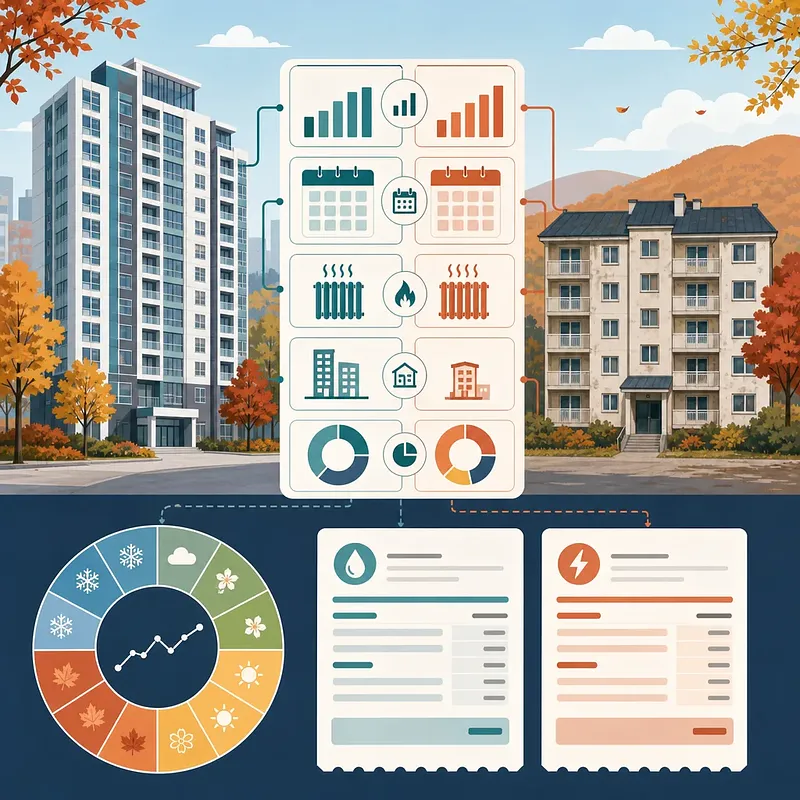
It is difficult to determine the cause solely from the fact that the total management fee has increased. First, check which category has changed.
| Category | Typical Items Included | What to Check |
|---|---|---|
| Common management fees | General management fees, cleaning fees, security fees, elevator maintenance fees, repair and maintenance fees, etc. | Changes in labor costs or service contracts, scale of common facilities, and whether one-time work was performed |
| Individual usage charges | Household electricity, water, heating, hot-water charges, etc. | Actual usage, metering method, season, and changes in energy rates |
| Monthly long-term repair reserve charge | Amount accumulated under the long-term repair plan for the replacement and repair of major facilities | Changes in the monthly reserve amount, adjustments to the long-term repair plan, and whether it is subject to lease settlement |
Common Management Fees
Common management fees cover the costs required to operate the entire complex. Even for households of the same size, costs may differ between complexes depending on the security arrangement, number of elevators, community facilities, parking structure, management staff, and outsourcing contracts.
If general management or security fees have risen suddenly, do not look only at the change from the previous month. Check whether there were one-time factors such as contract renewals, wage adjustments, or the inclusion of retirement benefits or insurance premiums.
Individual Usage Charges
Individual usage charges are heavily affected by each household’s electricity, water, and heating consumption. Because they are highly seasonal, as with summer electricity bills or winter heating costs, comparing them with the same month of the previous year is more useful than comparing them only with the immediately preceding month.
A difference between the complex average disclosed on K-apt and your household’s bill does not necessarily indicate an error. Household usage, area, meter-reading periods, and the application of discounts may differ.
Monthly Long-Term Repair Reserve Charge
The long-term repair reserve is accumulated to replace and repair major apartment complex facilities over an extended period. On the screen, check the current month’s charge separately to avoid confusing it with other management fee items.
If a tenant paid the long-term repair reserve on behalf of the owner through management fee bills, a settlement issue may arise when the lease ends. Review the lease agreement and actual payment records and, if necessary, obtain proof of payment from the management office and settle the amount with the owner. The specific allocation of responsibility must be checked against both the contract terms and applicable laws and regulations.
Comparing a Specific Complex, Similar Complexes, and Regional Averages
The K-apt comparison method should be selected according to the question being asked.
| Comparison Method | Suitable Question | Advantage | Caution |
|---|---|---|---|
| One-to-one comparison of specific complexes | Which of two neighboring apartment complexes has higher fees? | The comparison targets are clear | A simple comparison may be distorted if the heating systems, completion years, or facilities differ significantly |
| One-to-many comparison with similar complexes | Are our complex’s fees higher than those of complexes with similar conditions? | Makes it easy to identify the complex’s relative position based on multiple complexes | The criteria for selecting similar complexes and the sample size must be checked |
| Regional average | What is the general level in the relevant province/metropolitan city or city/county/district? | Provides a quick view of regional trends | Complexes of different sizes and with different equipment are mixed together, limiting causal analysis |
One-to-One Comparison Procedure
- Select your complex as the reference complex.
- Specify the apartment complex to compare by address or complex name.
- Apply the same year and month incurred.
- Review both the total and the amount per area.
- Check differences in heating systems, number of households, completion year, elevators, and ancillary facilities.
- Identify the detailed items with large differences.
Similar-Complex Comparison Procedure
When comparing similar complexes, match the conditions provided on the screen—such as region, number of households, construction year, and heating system—as closely as possible. Do not look only at the average; also check whether your complex is on the high side within the comparison group and whether only certain items are unusual.
How to Interpret Regional Averages
A regional average is closer to a baseline for the market as a whole, not an absolute standard for judging whether your complex’s fees are appropriate. If large newly built complexes and small older complexes, or individually heated and district-heated complexes, are aggregated together, the average may have less explanatory value.
Why the Latest Month’s Management Fees May Not Be Available
There is a time lag between when management fees are incurred, charged, and disclosed.
- Electricity, water, heating, or management service costs are incurred.
- Meter readings and invoices are collected to calculate management fees for each household.
- Management fees are charged and bills are issued.
- The management entity organizes the disclosure data and registers it on K-apt.
Therefore, even if you have received this month’s bill, the same data may not immediately appear on K-apt. If the latest available data is only through the previous month because of finalized meter readings, settlement, or the management entity’s data entry schedule, this does not necessarily indicate an error.
If the data has not been updated for an extended period, check in the following order.
- Verify that the year and month incurred are correct.
- Check that you did not select another complex with the same name or address.
- Ask the management office whether the relevant month’s data has been disclosed and registered.
- Check K-apt notices or customer support for the data disclosure standards.